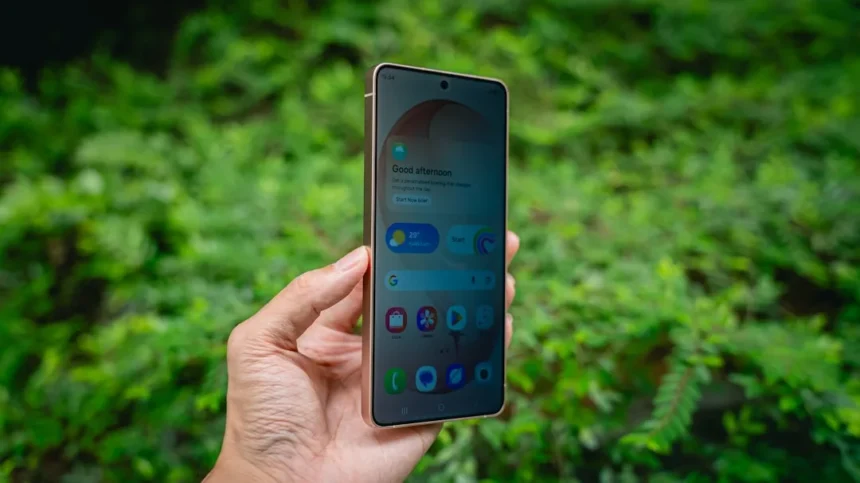
The Galaxy S26 Ultra Privacy Display is Samsung’s new security-focused screen feature that limits viewing angles and protects sensitive content from shoulder surfers. But hands-on testing reveals an uncomfortable truth: this first-generation implementation drains the battery far more aggressively than Samsung’s marketing suggests.
Key Takeaways
- Galaxy S26 Ultra Privacy Display causes unexpected battery drain beyond normal operation.
- Screen dims noticeably with Privacy Display enabled, especially when extra protection is activated.
- Real-world battery tests average 7 hours 3 minutes of screen-on time per full charge.
- iPhone 17 Pro Max delivers approximately 25% longer battery life than the Galaxy S26 Ultra.
- Samsung claims 31 hours video playback, matching the S25 Ultra predecessor.
How Galaxy S26 Ultra Privacy Display Impacts Battery Life
The Galaxy S26 Ultra Privacy Display’s battery penalty is substantial and immediate. When the feature is active, the phone dims the display to protect screen content from being viewed at angles, but this dimming is more aggressive than expected for a modern flagship. The extra protection setting amplifies the problem further. Real-world testing shows that enabling Privacy Display causes noticeably faster battery drain compared to standard operation, directly contradicting Samsung’s messaging around all-day battery endurance.
Samsung’s own specifications claim the Galaxy S26 Ultra delivers 31 hours of video playback, positioning it as a full-day device for power users. However, actual screen-on-time measurements tell a different story. Daily usage averages reveal 7 hours 3 minutes of screen-on time per 100% battery charge, with that figure dropping to 5 hours 38 minutes when measuring from 80% to 0%. These numbers suggest the phone’s actual usable battery performance falls short of Samsung’s promotional claims, especially once Privacy Display enters the equation.
Real-World Battery Performance Without Privacy Display
Testing the Galaxy S26 Ultra under standard conditions—without Privacy Display active—shows respectable but not exceptional battery longevity. One extended test session ran the phone from 7 AM to 11 PM, achieving 8 hours 21 minutes of screen-on time before the device reached 1% battery. A reviewer noted this was solid performance, suggesting the phone could function as an all-day device or even stretch into a day-and-a-half with moderate use. Travel scenarios with mixed usage patterns saw the battery drop from full charge to 39% remaining after 12-14 hours, indicating sustainable endurance for typical commutes.


Lighter usage days, however, expose battery inconsistency. Saturday testing drained 54% of the battery across 3 hours 46 minutes of screen-on time, while Sunday’s lighter use consumed 32% across just 2 hours 15 minutes. This variance suggests the Galaxy S26 Ultra’s battery behavior depends heavily on usage patterns and app intensity, making Samsung’s blanket claims about all-day performance misleading for users with unpredictable workloads.
Galaxy S26 Ultra vs iPhone 17 Pro Max Battery Reality
Direct comparison with Apple’s flagship reveals Samsung’s battery disadvantage. The iPhone 17 Pro Max delivers over 9 hours of screen-on time per charge, roughly 25% longer than the Galaxy S26 Ultra’s 7-hour average. This gap widens when Privacy Display is enabled on the Samsung device, pushing the real-world battery advantage firmly toward Apple’s corner. For users prioritizing battery endurance, the iPhone’s superior performance cannot be ignored, particularly for professionals and travelers who depend on extended runtime.



Samsung’s decision to match the Galaxy S26 Ultra’s video playback claims to the previous S25 Ultra—both at 31 hours—suggests minimal battery hardware improvements year-over-year. Meanwhile, competitors have pushed battery capacity and efficiency gains further, making the S26 Ultra feel like a holding pattern rather than a meaningful battery upgrade.
Why Privacy Display Dims and What It Costs
The Galaxy S26 Ultra Privacy Display’s dimming behavior stems from its first-generation design. The feature works by limiting the viewing angles of the screen, reducing the brightness perceived from the sides while maintaining clarity when viewed head-on. This architectural approach inherently requires the display to operate at reduced peak brightness, creating the noticeable dimming users observe. Samsung’s implementation prioritizes security over brightness, a trade-off that becomes frustrating in bright outdoor environments or when reviewing sensitive information on the go.
The display itself features 2600 nits peak brightness and an anti-reflective coating, technically delivering 8-bit color while emulating 10-bit performance. These specs sound impressive on paper, but the Privacy Display feature undermines them in practice. Future generations may solve this dimming penalty through advanced display technology, but the current iteration forces users to choose between privacy and visual clarity—an uncomfortable compromise for a flagship device at this price point.
Should You Enable Galaxy S26 Ultra Privacy Display?
Enabling Privacy Display on the Galaxy S26 Ultra is a personal security decision, but the battery cost should factor into your choice. If you regularly handle sensitive information—financial data, personal messages, confidential work documents—the privacy protection justifies the drain. For casual users who primarily browse social media and consume entertainment, disabling the feature preserves precious battery hours without meaningful security loss.



The real problem is Samsung’s failure to isolate and communicate this battery penalty upfront. Marketing materials emphasize all-day battery life without mentioning that Privacy Display significantly undermines that promise. Users who enable the feature expecting Samsung’s claimed endurance will face disappointment by mid-afternoon.
Does Privacy Display work on the Galaxy S25 Ultra?
The Privacy Display feature is exclusive to the Galaxy S26 Ultra and does not exist on the S25 Ultra predecessor. This makes battery comparison between generations complicated, as the S26 Ultra’s battery drain partly reflects the privacy feature’s overhead rather than pure hardware improvements or regressions.
How much battery does Privacy Display actually drain?
The research brief does not provide a specific percentage or hour measurement isolating Privacy Display’s exact drain impact. Testing confirms it causes noticeable additional drain and screen dimming, but quantifying the precise penalty requires side-by-side testing of the same usage pattern with and without the feature enabled.
Can you disable Privacy Display on the Galaxy S26 Ultra?
Yes, Privacy Display can be toggled on and off in settings, allowing users to balance security and battery life based on their immediate needs. Disabling it restores full display brightness and improves battery endurance, though this leaves sensitive screen content visible to bystanders.
The Galaxy S26 Ultra Privacy Display represents a well-intentioned security feature hamstrung by first-generation limitations. Samsung prioritized privacy protection over battery efficiency, creating a feature that drains the battery faster than users expect while dimming the display in the process. For security-conscious professionals, the trade-off may be worth it. For everyone else, disabling Privacy Display and accepting the privacy compromise is the smarter battery move. Samsung needs to either dramatically improve the feature’s efficiency or be far more transparent about its real-world cost—right now, the gap between marketing promises and user reality is too wide to ignore.
Edited by the All Things Geek team.
Source: Tom's Guide