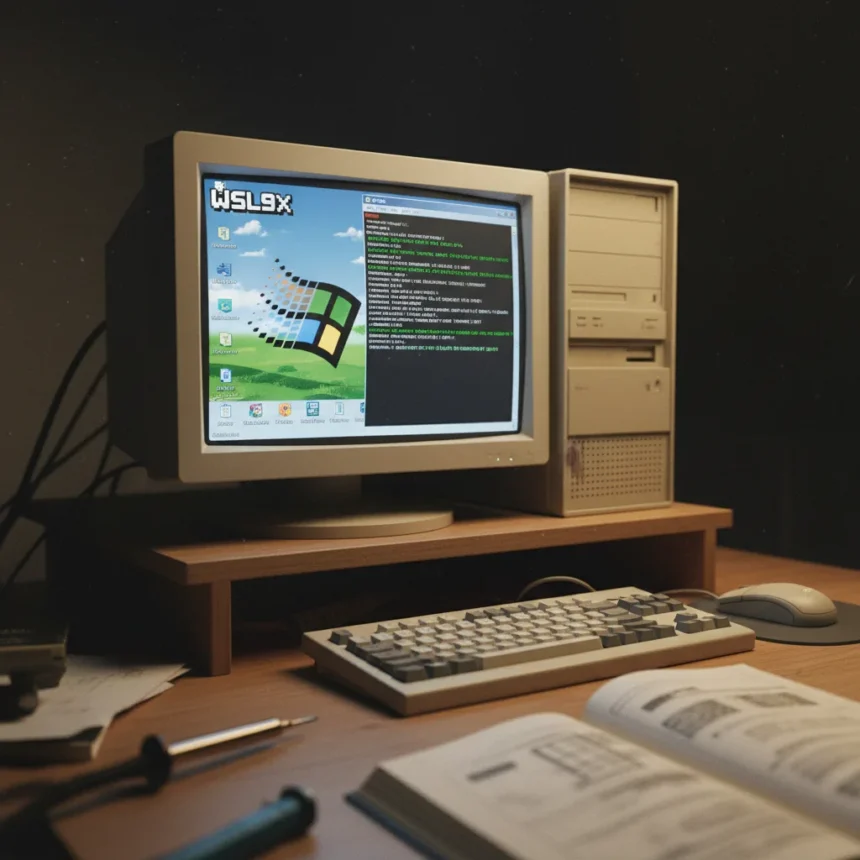
WSL9x is a free, open-source tool that runs a modified Linux 6.19 kernel on Windows 95, 98, and ME without using virtualization, enabling retrocomputing enthusiasts to access modern Linux tools on hardware that predates the internet era. Developed by Hailey Somerville, a self-described computer tinkerer and hacker, WSL9x inverts the concept of modern Windows Subsystem for Linux by bringing Linux to systems where it was never designed to run.
Key Takeaways
- WSL9x runs Linux 6.19 kernel cooperatively on Windows 95, 98, and ME without virtualization or emulation
- Works on Intel 486 CPU and newer; no virtualization hardware support required
- Free and open-source under GPLv3; source code available on Codeberg
- Console-based only; accessed via 16-bit DOS utility (wsl.com) from command prompt
- Experimental tool for developers and retrocomputing enthusiasts, not a casual-use replacement for modern WSL
How WSL9x Linux Windows 95 Actually Works
Unlike modern WSL2, which runs a lightweight virtual machine on Windows 10 and 11, WSL9x Linux Windows 95 achieves something far more technically ambitious: it loads a patched Linux kernel that runs cooperatively in ring zero alongside the Windows 9x kernel, sharing the same CPU without virtualization. This means both operating systems are executing simultaneously on the same processor, with the Linux kernel handling system calls through a custom VxD driver that translates them into Windows 9x kernel APIs.
The architecture consists of three core components working in tandem. A modified Linux kernel, derived from User-Mode Linux, replaces standard POSIX API calls with Windows 9x equivalents. A VxD (Virtual Device Driver) manages initialization, handles page faults, and processes system calls. Finally, wsl.com—a 16-bit DOS utility—bridges the MS-DOS command line to the Linux environment, managing input events, simulating the console, and supporting ANSI escape codes for proper text rendering. This stack is written in C and assembly, making it a low-level engineering feat rather than a high-level compatibility layer.
The minimum hardware requirement is an Intel 486 CPU, meaning WSL9x Linux Windows 95 can run on systems from the mid-1990s that lack any virtualization support whatsoever. Users interact entirely through a terminal; there is no graphical interface, making it a command-line-only tool for developers comfortable with text-based interaction.


Why This Differs From Modern WSL and Windows 95 Electron
Modern WSL, available on Windows 10 and 11 since 2016, either uses a lightweight compatibility layer or WSL2’s lightweight virtual machine to run Linux. It supports graphical applications, GPU acceleration, and seamless file system integration—features that would be impossible on Windows 95’s architecture. WSL9x Linux Windows 95, by contrast, sacrifices all modern conveniences for the technical challenge of running Linux on unsupported ancient hardware.
The distinction between WSL9x and other retro-computing projects is also important. Felix Rieseberg’s Windows 95 Electron app, released in 2018, runs an entire Windows 95 system as a novelty application on modern operating systems using JavaScript-based virtualization. That is fundamentally different from WSL9x, which does the opposite: it brings modern Linux to ancient Windows, not the other way around.



Why Developers Are Calling This a Major Hack
Hailey Somerville described WSL9x Linux Windows 95 as “one of my greatest hacks of all time” in a Mastodon post announcing the project. The reason for that confidence is clear: running a modern Linux kernel on Windows 95 without virtualization is not a straightforward engineering problem. It requires intimate knowledge of both the Windows 9x kernel architecture and Linux internals, plus the ability to translate between two fundamentally different operating system APIs in real time.
The project emerged amid a growing wave of retrocomputing interest, where developers and enthusiasts are finding new uses for decades-old hardware. WSL9x Linux Windows 95 opens a specific niche: enabling legacy Windows systems to run modern command-line tools—compilers, build systems, text editors—that were compiled for Linux but never ported to Windows 9x. For someone maintaining or experimenting with 1990s hardware, this capability is genuinely novel.
Limitations and Experimental Nature
WSL9x Linux Windows 95 is explicitly experimental and not recommended for casual users or as a drop-in replacement for modern WSL. The cooperative kernel architecture, while technically elegant, introduces stability risks on Windows 9x—an operating system not designed for this kind of low-level resource sharing. A crash in the Linux kernel could potentially destabilize the entire system, and debugging such failures on 1990s hardware would be a nightmare.
The tool also lacks graphical capabilities entirely, making it unsuitable for anyone expecting a modern Linux desktop experience. There is no GUI, no package manager integration with the Windows file system, and no GPU acceleration. It is a terminal-based utility for developers who understand what they are doing and accept the experimental risks.



Is WSL9x free and open-source?
Yes, WSL9x Linux Windows 95 is completely free and open-source under the GPLv3 license. The source code is available on Codeberg, allowing developers to inspect, modify, and contribute to the project. There are no licensing costs or proprietary restrictions.
What hardware does WSL9x Linux Windows 95 require?
The minimum requirement is an Intel 486 CPU running Windows 95, 98, or ME. Since WSL9x does not use virtualization, it does not require modern CPU features like Intel VT-x or AMD-V. This means it can run on hardware from the mid-1990s that would be completely unsuitable for any modern operating system.
Can WSL9x Linux Windows 95 run graphical Linux applications?
No. WSL9x is console-based only, with no graphical interface support. Users interact entirely through a terminal accessed via the wsl.com 16-bit DOS utility. There is no X11 support, no Wayland, and no way to run graphical Linux applications.
WSL9x Linux Windows 95 represents a remarkable achievement in retrocomputing engineering, proving that modern Linux can coexist with ancient Windows kernels through careful low-level architecture work. However, it is a developer tool and technical curiosity, not a practical solution for everyday use on legacy systems. For retrocomputing enthusiasts and those exploring the boundaries of what old hardware can do, it is genuinely impressive. For everyone else, modern WSL remains the far more practical choice.
Edited by the All Things Geek team.
Source: Windows Central