





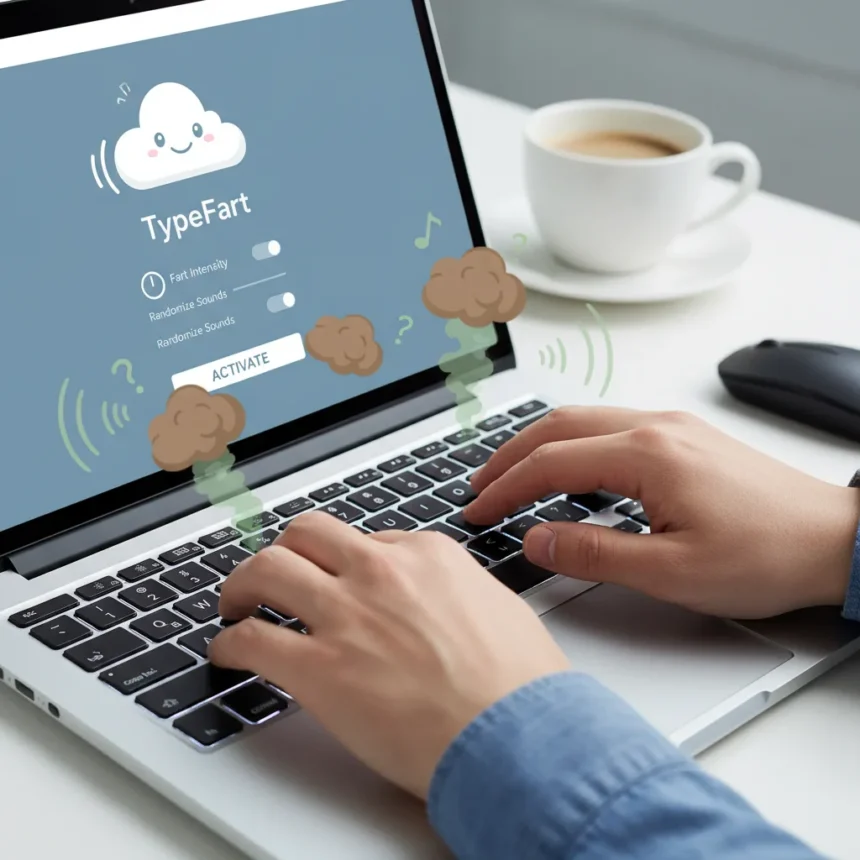
TypeFart is a lightweight Windows 11 app that emits fart sounds with every keystroke and triggers exaggerated audio effects on touchpad gestures, turning a frustration into comedy. Released as a response to the controversial Copilot key that debuted on new laptops in 2024, TypeFart gives users an absurd reason to actually press the button Microsoft spent so much effort cramming into keyboards. The app is under 1MB, installs without bloat, and works on any Windows 11 machine with a Copilot key.
Key Takeaways
- TypeFart plays a unique fart sound with every single keystroke you type
- Pressing the Copilot key triggers an ultra-loud, prolonged fart for comedic emphasis
- Touchpad gestures like swipes and pinches trigger additional weird sounds including squeaks and whooshes
- The app is free and under 1MB, with no system resource drain
- Satirizes Microsoft’s Copilot push by making the controversial key actually entertaining
How TypeFart Works
The core mechanic is delightfully simple: every keystroke produces a randomized fart sound. Type the word “hello” and you get five distinct fart variations firing in rapid succession. The app hooks into your keyboard input and touchpad gestures automatically after installation, requiring no configuration beyond launching it once. Touchpad users get bonus comedy—swiping triggers a whoosh-fart hybrid, while pinching produces squeaky pops. The real punchline arrives when you press the Copilot key: an exaggerated, prolonged fart that dominates the soundscape, transforming Microsoft’s push button into a genuine novelty.
Installation takes seconds. Download from the provided link or Microsoft Store, run the installer, and the app auto-configures keyboard and touchpad listeners. There is no setup wizard, no preferences menu to navigate, no friction. The app simply works, which is refreshing in an ecosystem where every utility demands configuration.
TypeFart vs. Serious Copilot Key Alternatives
Microsoft’s Copilot key has faced relentless criticism since its introduction. Users complained it served no purpose beyond forcing AI adoption, leading Microsoft to eventually allow remapping through PowerToys Keyboard Manager and native Windows 11 settings. NoCopilotKey emerged as a free utility offering nine productivity remaps, letting users rebind the key to cursor jumps or browser launches. TypeFart takes the opposite approach: instead of reclaiming productivity, it leans into absurdity. Where PowerToys offers genuine utility, TypeFart offers genuine laughs. The choice depends on whether you want your Copilot key to do something useful or something memorable.


The contrast matters. Microsoft spent enormous effort positioning Copilot as essential, integrating it into Notepad, Snipping Tool, and dozens of system apps. Users pushed back hard enough that Microsoft eventually reduced Copilot intrusions and allowed remapping. TypeFart does not solve the problem—it mocks it. That mockery resonates precisely because the Copilot key remains a source of frustration for millions of Windows 11 users who never asked for it.
Why TypeFart Actually Matters
Novelty apps rarely deserve serious analysis, but TypeFart taps into something genuine: user frustration with Microsoft’s AI-first agenda. The Copilot key represents the first major keyboard redesign in 30 years, and users immediately labeled it useless and stupid. TypeFart acknowledges this frustration and transforms it into comedy. The app’s creator—anonymous or indie, unnamed in coverage—understood something Microsoft apparently missed: sometimes the best response to an unpopular design choice is to make fun of it.



The app also highlights how thin Microsoft’s justification for the Copilot key really is. Productivity tools exist to help users accomplish goals. Fart sounds exist purely for entertainment. Yet TypeFart has generated more genuine engagement than most official Copilot integrations, because it is honest about what the key actually means to frustrated users. It is a pressure valve disguised as a joke.
Availability and Pricing
TypeFart is available now via direct download or the Microsoft Store, with a free basic version and a subscription plan for expanded features like unlimited sounds and full Copilot integration. The exact subscription price remains unspecified in coverage, teased as a premium tier without transparency. The app requires Windows 11 and works on any machine with a Copilot key, including Copilot+ PCs like the Surface Pro 11 and HP Omnibook X. Global availability is confirmed for Windows 11 systems launched since 2024.
Is TypeFart actually useful?
No. TypeFart is deliberately useless in any productive sense. It will annoy your coworkers, disrupt video calls, and make document writing sound like a comedy show. That is precisely the point. If you work in an open office or shared space, installing TypeFart is an act of chaos. If you work alone or want a single genuinely funny reason to use your Copilot key, it delivers.
Can you turn off TypeFart sounds?
The research brief does not specify whether the app includes a mute toggle or disable switch. Presumably, you can uninstall it or disable sound in Windows system settings, but the article does not clarify whether TypeFart itself offers volume controls or sound customization beyond the subscription tier.



Does TypeFart work on older Windows versions?
No. TypeFart is Windows 11 exclusive and requires a Copilot key, which only appears on newer hardware launched in 2024 and later. If your machine predates the Copilot key rollout, the app has no function.
TypeFart is a perfect encapsulation of 2025 tech culture: a response to corporate overreach that weaponizes absurdity instead of resistance. Microsoft pushed the Copilot key expecting compliance. TypeFart responds with fart sounds. In a landscape where every tool promises productivity and AI integration, sometimes the most honest thing an app can do is make you laugh at the whole situation.
This article was written with AI assistance and editorially reviewed.
Source: Windows Central