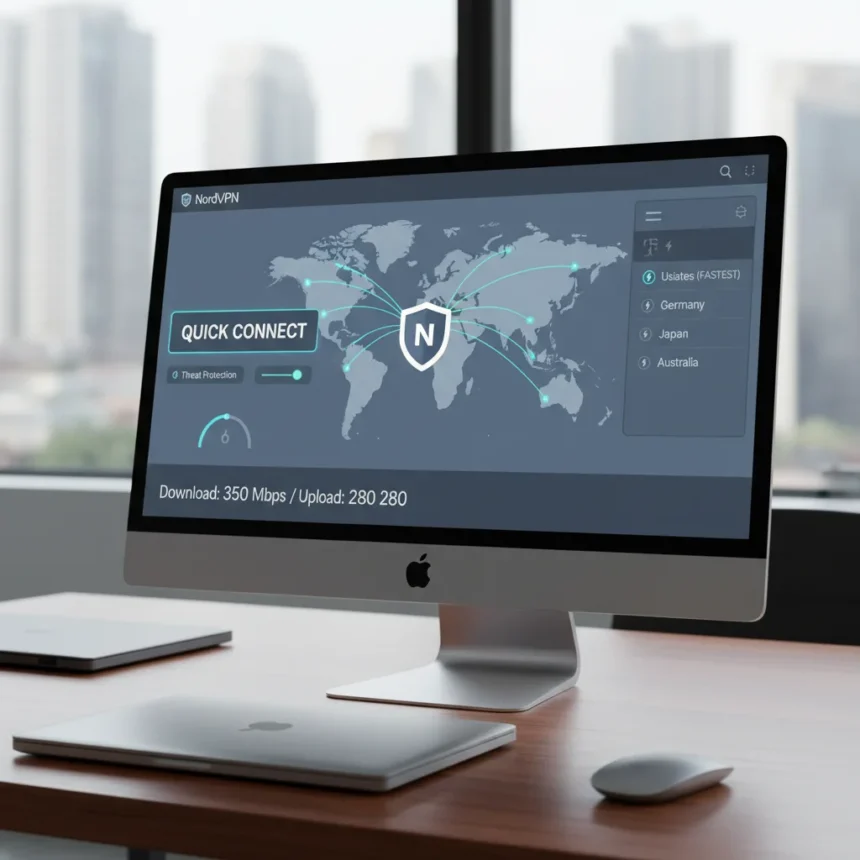
NordVPN’s desktop app redesign represents a significant overhaul of its Windows, Mac, and Linux applications, prioritizing quicker connections and a cleaner interface based on how users actually work. The update rolls out a streamlined experience across platforms, with platform-specific enhancements that address everyday friction points in VPN usage.
Key Takeaways
- NordVPN redesigned desktop apps for Windows, Mac, and Linux with a streamlined interface and faster search
- Windows dashboard now unifies map and connection views in a single, cohesive display
- Dark Web Monitor and Threat Protection Pro tools integrated directly into Windows for easier access
- Design built on user feedback and research into actual daily usage patterns
- Mobile apps also updated with cleaner UI, unified search, and redesigned Dark Web Monitor
What Changed in the NordVPN Desktop App Redesign
The NordVPN desktop app redesign delivers a fundamental rethinking of how the interface guides users from launch to connection. The new design removes visual clutter and reduces the steps required to establish a secure connection, making the app feel less like a toolbox and more like a utility that stays out of the way. Windows users see the most substantial changes, with a unified dashboard that merges the map view and connection controls into a single workspace rather than forcing users to toggle between screens.
Mac and Linux users benefit from the same streamlined philosophy, though Windows receives additional features unavailable on other platforms. The redesign emphasizes speed not just in connection times but in navigation itself—searching for a specific country or server type now executes faster, and the interface responds more quickly to user input.
New Windows-Exclusive Features in the Redesign
Windows users gain three significant additions beyond the core interface refresh. Dark Web Monitor integration brings breach-checking directly into the dashboard, eliminating the need to navigate into submenus to discover whether personal data has leaked onto dark web marketplaces. A new Help view provides quick access to support resources without leaving the app, addressing the friction of opening a browser to troubleshoot issues.


Threat Protection Pro tools represent the most substantial expansion, adding two security layers: a crypto wallet scam checker that warns users before they interact with fraudulent blockchain services, and session hijack protection that guards against attackers stealing active connection credentials. These additions position NordVPN’s Windows app as more than a connection tool—it becomes an active security layer monitoring threats in real time.
Mobile and iOS Updates Running Parallel to Desktop Redesign
The desktop redesign occurs alongside broader app updates across iOS and Android platforms. NordVPN’s mobile apps now feature a cleaner user interface with unified search functionality that combines countries, server types, and Meshnet options into a single search box. The expandable map now displays city names alongside country names, providing better geographic context at a glance.



iOS users specifically benefit from NordWhisper protocol support, a new connection method designed for restricted networks where standard VPN protocols face blocking. Dedicated IP setup has been simplified with in-app notifications and step-by-step guidance, reducing the friction of configuring advanced features. The Dark Web Monitor on mobile has also been redesigned to match the desktop experience, creating visual and functional consistency across devices.
Design Philosophy Behind the NordVPN Desktop App Redesign
The NordVPN desktop app redesign emerges from research into how users actually interact with VPN software rather than how developers assume they should. The company studied daily usage patterns and incorporated feedback from existing users to identify pain points—moments where the interface created unnecessary friction or confusion. This user-centered approach explains why the redesign focuses on speed and simplicity rather than cramming additional features into an already crowded interface.
The consistency across Windows, Mac, and Linux suggests a deliberate effort to make the experience feel familiar whether users switch between devices or rely on a single platform. Users who toggle between their work laptop and home desktop should recognize the same design language and interaction patterns, reducing the cognitive load of managing multiple installations.
How the Redesign Compares to Previous Versions
Earlier NordVPN desktop apps buried critical features like Dark Web Monitor and Threat Protection tools behind multiple menu layers, requiring users to know these features existed before they could access them. The redesigned interface surfaces these tools prominently, making them discoverable without deliberate searching. Connection speed improved not through faster servers but through eliminating unnecessary interface elements that slowed down the user’s path from launch to active connection.



The unified dashboard on Windows represents the most dramatic departure from the previous design, which presented map and connection controls as separate views. Users previously toggled between screens to see their current location and adjust connection settings; now both appear simultaneously, creating a more integrated experience.
Is the NordVPN desktop app redesign worth updating to?
Yes, if you use Windows, where the new Dark Web Monitor, Threat Protection Pro tools, and unified dashboard deliver genuine functionality improvements. Mac and Linux users gain the streamlined interface and faster search but miss the Windows-specific security additions, making the update more of a quality-of-life improvement than a feature leap. The redesign does not change core VPN performance or speed—it optimizes the experience around the connection itself.
When did NordVPN release the desktop app redesign?
The desktop app redesign rolled out during Q3 2025, with updates distributed over several months rather than a single release date. The mobile app updates followed a similar timeline, creating a staggered rollout across platforms rather than a simultaneous global launch.
Does the redesign include pricing changes?
The redesign itself does not alter NordVPN’s pricing structure. Current promotional pricing offers a 2-year plan at $3.39 per month, though this represents a limited-time deal rather than a permanent adjustment. The redesign is a free update for all existing NordVPN subscribers regardless of their plan tier.
The NordVPN desktop app redesign succeeds because it acknowledges that most users do not want to think about their VPN—they want to activate it and move on. By removing friction from the interface and surfacing security tools without requiring deep menu navigation, the redesign makes VPN protection feel less like a chore and more like an automatic part of your digital routine. Whether you’re on Windows, Mac, or Linux, the update is worth installing, though Windows users gain the most tangible new capabilities.
Edited by the All Things Geek team.
Source: TechRadar