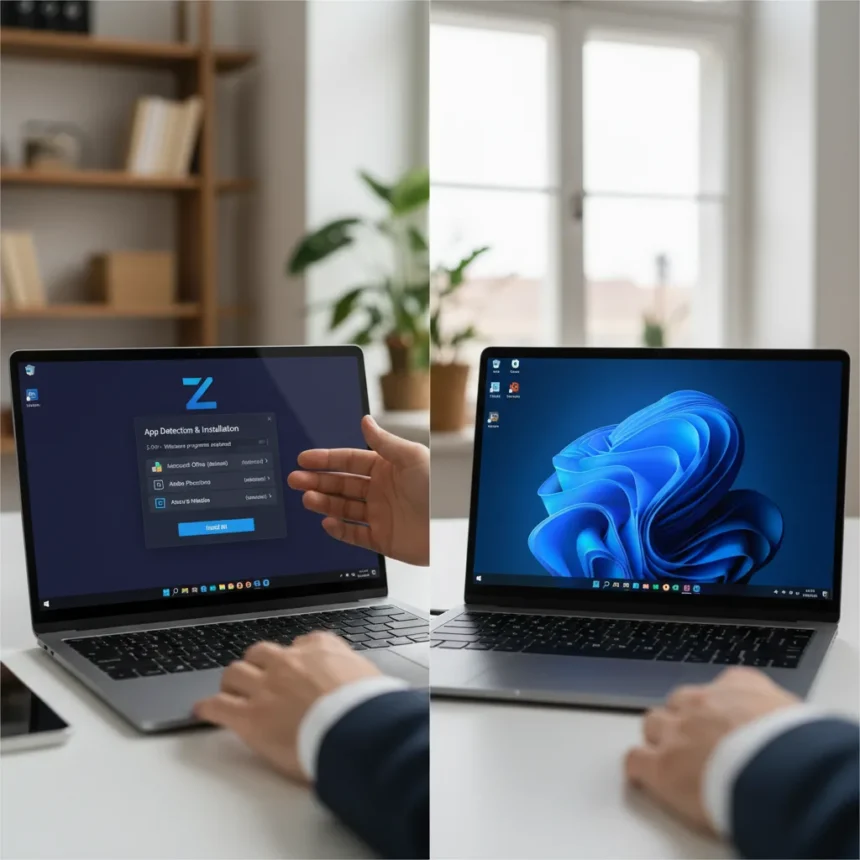
Zorin OS 18.1 arrived on April 15, 2026, six months after Zorin OS 18 hit over 3.3 million downloads, and it fundamentally changes how everyday Windows users can abandon Microsoft without losing access to their favorite software. The new release introduces guided app detection that identifies Windows installers and automatically recommends native Linux alternatives, making the migration path clearer than any Linux distro has managed before.
Key Takeaways
- Zorin OS 18.1 detects 240+ Windows apps and suggests Linux alternatives automatically
- New Lite edition runs on older hardware using XFCE 4.20 with fingerprint reader support
- Based on Ubuntu 24.04 LTS with Linux kernel 6.17 for stability and compatibility
- LibreOffice 26.2 adds improved Microsoft Office compatibility and Markdown support
- Existing users upgrade free via Software Updater with no reinstall required
Windows App Detection That Actually Works
The centerpiece of Zorin OS 18.1 is its expanded Windows installer detection system. When you try to run a Windows executable—say, the Plex installer—the system displays a dialog offering the best way forward: the native Linux version from the Software store, or a close alternative if no native version exists. This addresses the single biggest friction point for Windows switchers: the fear of losing access to familiar applications. With support for over 240 apps, the detection database represents a 40% increase from the previous version, covering everything from productivity tools to media players.
The system doesn’t just block Windows executables and leave you stranded. Instead, it guides you toward Evolution Mail if you’re looking for an Outlook replacement, or recommends the native Linux build of Plex if you’re installing that media server. This is qualitatively different from standard Linux distros, which typically offer no guidance at all when you encounter a Windows installer. For users accustomed to Windows, this hand-holding transforms the experience from frustrating to manageable.
LibreOffice Gets Microsoft Office Teeth
Zorin OS 18.1 ships with LibreOffice 26.2, which brings tangible improvements for users migrating documents from Microsoft Office. The suite now includes new connector shape objects in Calc and Writer, Markdown support, and performance improvements that narrow the compatibility gap. For office workers and students, this matters: you can open .docx and .xlsx files without worrying about formatting collapse or missing features. The connector shapes are a small detail, but they signal that LibreOffice is finally closing gaps that have existed for years.


The broader app ecosystem also expands beyond LibreOffice. Zorin OS 18.1 supports Flatpak, AppImage, and Snap packages, meaning you can grab the latest versions of third-party applications without waiting for your distro’s maintainers to package them. This flexibility appeals to power users and casual users alike: you get stability from the base OS and bleeding-edge software when you need it.
Lite Edition Brings Linux to Older Hardware
For the first time, Zorin introduces a dedicated Lite edition built on XFCE 4.20, targeting older laptops and low-spec machines that would choke on the full desktop. This is strategic. Windows 10 reaches end-of-support in October 2025, forcing millions of users on aging hardware to choose between paying for Windows 11 (which demands newer processors) or jumping ship. Zorin OS 18.1 Lite offers a third path: a lightweight, modern Linux distro that runs smoothly on machines from 2010 and later.



The Lite edition includes a redesigned file manager, fingerprint reader support, and refreshed themes with new yellow and brown color options. It’s not stripped down to bare-bones functionality—it’s a thoughtfully designed experience for constrained hardware. The fingerprint reader support is particularly clever, offering modern security conveniences on older machines that Windows 11 would reject outright.
Hardware Support That Reaches Beyond the Usual
Zorin OS 18.1 expands driver support for hardware that typically struggles on Linux. The release now includes updated drivers for newer Nvidia graphics cards, Intel Celeron 3 graphics, and AMD hybrid laptop GPUs. More , it adds support for specific laptop models: Lenovo ThinkPad and Samsung Galaxy Book machines now work out of the box, as does the Apple Magic Mouse 2 and the touch bar on Intel-based MacBook Pros. Game controller and handheld gaming system support rounds out the hardware story.
This breadth matters for switchers. Many Windows users own gaming peripherals, work on Lenovo or Samsung laptops, or use Apple accessories. Zorin OS 18.1 acknowledges these real-world scenarios instead of pretending everyone uses generic USB keyboards and mice. The result is a distro that works on the hardware people actually own, not just the hardware Linux enthusiasts prefer.
Upgrading Without Fear of Data Loss
Zorin OS 18 users upgrade smoothly through the Software Updater—no reinstall, no data loss, just install the updates and restart. For Zorin OS 17 users, there’s a direct upgrade path via a built-in tool in the Zorin Menu that preserves all files and data, then restarts to complete the transition. This is straightforward and removes the biggest barrier to adoption: the fear that upgrading Linux means losing everything.



The upgrade mechanism also reflects Zorin’s philosophy: make Linux accessible to people who don’t want to tinker. A Windows user upgrading Windows doesn’t reinstall the OS or lose their files. Neither should a Linux user. Zorin gets that.
Why This Matters Right Now
Windows 10 support ends in October 2025, leaving millions of users with an uncomfortable choice: pay for Windows 11 on potentially incompatible hardware, or find an alternative. Zorin OS 18.1 arrives as a fully formed answer to that dilemma. It’s not a niche distro for Linux enthusiasts anymore—it’s a practical exit ramp for mainstream Windows users who want to stop paying for operating systems.
The guided app detection, improved Office compatibility, Lite edition for older hardware, and broad device support combine to address every major friction point that has historically kept Windows users trapped in the Microsoft ecosystem. Zorin OS 18.1 doesn’t require users to learn Linux deeply or sacrifice familiarity. It meets them where they are.
How do I upgrade from Zorin OS 17 to 18.1?
Open the Zorin Menu, find the upgrade tool, and follow the step-by-step prompts. Your files and data remain intact throughout the process. After installation completes, restart your machine. The entire process preserves your existing setup, so you don’t lose any personal files or settings.
Does Zorin OS 18.1 run on older laptops?
Yes. The new Lite edition, based on XFCE 4.20, is designed specifically for older and lower-spec hardware. It includes a redesigned file manager, fingerprint reader support, and refreshed themes optimized for machines with limited resources.
What makes Zorin OS 18.1 better than standard Ubuntu for Windows switchers?
While Zorin OS 18.1 is based on Ubuntu 24.04 LTS, it adds guided Windows app detection that recommends native Linux alternatives automatically. Standard Ubuntu offers no such guidance. The Lite edition, improved Office compatibility, and broader hardware support also target switchers specifically, whereas Ubuntu targets developers and enthusiasts.
Zorin OS 18.1 represents a genuine shift in how Linux distros approach mainstream adoption. By removing the guesswork from app migration, supporting older hardware, and offering seamless upgrades, it transforms the Windows-to-Linux switch from an act of technical faith into a practical decision. For millions facing Windows 10 end-of-support, that shift could mean the difference between staying trapped in the Microsoft ecosystem and finally breaking free.
Edited by the All Things Geek team.
Source: Windows Central