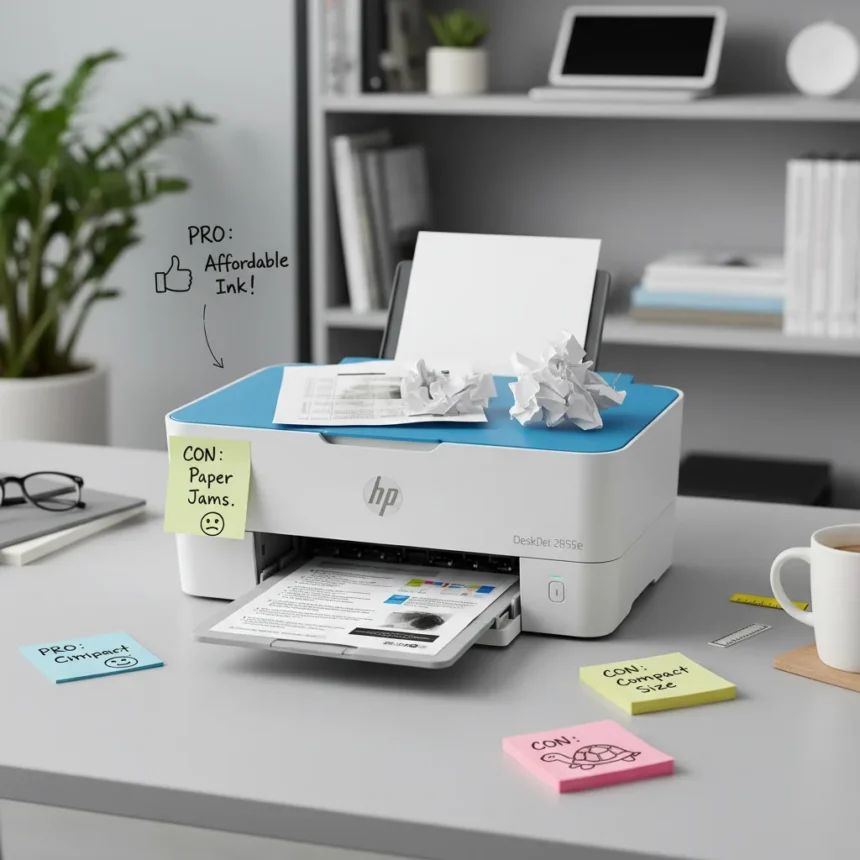
The HP DeskJet 2855e is a budget-friendly all-in-one inkjet printer designed for home and small office users seeking an affordable multifunction device. Across multiple user review platforms, this printer generates mixed reactions—some praising its low entry price and wireless convenience, others frustrated by ink costs and print speed limitations.
Key Takeaways
- HP DeskJet 2855e combines printing, scanning, and copying in one affordable device
- Users report satisfaction with wireless connectivity and setup ease
- Ink cartridge costs and page yields emerge as the primary user complaint
- Print speed and output quality vary depending on user expectations and document type
- Budget printers require accepting trade-offs between upfront cost and operating expenses
What Users Like About the HP DeskJet 2855e
User feedback consistently highlights the printer’s accessible price point and straightforward setup process. Multiple reviewers note that wireless connectivity works reliably once configured, and the all-in-one functionality—printing, scanning, and copying—appeals to users who need basic document handling without buying separate devices. The compact footprint also resonates with users working in limited desk space.
The printer’s integration with HP’s Instant Ink subscription service receives mixed commentary. Some users appreciate the convenience of automatic cartridge delivery, while others view it as an ongoing expense that compounds the cost of ownership. This subscription model represents a fundamental business strategy for budget printers: lower hardware margins offset by recurring ink revenue.
Where the HP DeskJet 2855e Frustrates Users
Ink cost emerges as the dominant complaint across user reviews. Budget inkjet printers like the DeskJet 2855e rely on high-yield cartridges that users must purchase regularly, and the per-page cost of ownership often exceeds initial expectations. Users accustomed to laser printers or higher-end inkjet models frequently express surprise at how quickly cartridges deplete, particularly when printing color documents.

Print speed is another area where user experience diverges from expectations. This printer is not designed for high-volume output; users printing dozens of pages daily report frustration with processing times. Users whose primary need is occasional document printing find the speed acceptable, but small business owners or heavy home office users often regret the purchase. Photo printing quality receives moderate praise for a budget device, but users comparing output to dedicated photo printers note visible quality gaps.
HP DeskJet 2855e vs. Budget Printer Alternatives
The HP DeskJet 2855e competes in a crowded segment of sub-$100 all-in-one printers. Users comparing this model to older HP DeskJet generations report incremental improvements in wireless reliability and interface simplicity, but core performance characteristics remain similar. When users consider stepping up to mid-range inkjets or entry-level laser printers, they face the classic budget printer dilemma: spend more upfront to reduce long-term ink costs, or accept lower per-page efficiency in exchange for lower initial investment.



For users whose printing volume is genuinely light—fewer than 20 pages monthly—the DeskJet 2855e’s low hardware cost makes financial sense despite unfavorable ink economics. For users printing more than 50 pages monthly, the cumulative ink expense often exceeds the cost difference between this printer and a budget laser alternative.
Should You Buy the HP DeskJet 2855e?
Purchase this printer if you print infrequently, need wireless convenience, and value compact design. The device delivers on its core promise: affordable multifunction printing without unnecessary features. However, commit to either the HP Instant Ink subscription—which provides some cost predictability—or accept that cartridge replacement will be a regular expense.
Avoid this printer if you print frequently, require fast output, or demand professional-quality color reproduction. Users in these categories consistently report regret, and the long-term cost of ownership negates the low purchase price advantage.
Is the HP DeskJet 2855e worth buying for occasional home use?
Yes, if you print fewer than 30 pages monthly and can tolerate ink costs. The wireless setup is straightforward, the all-in-one functionality handles basic scanning and copying, and the compact design fits most desks. Budget printers excel at light-duty applications.



How does ink cost compare to other budget printers?
The HP DeskJet 2855e’s ink economics are typical for budget inkjet printers—high cartridge costs relative to page yield. Users report that HP Instant Ink subscriptions provide modest savings versus buying cartridges individually, but both options remain expensive compared to laser printers or higher-capacity inkjet models.
Can the HP DeskJet 2855e handle scanning and copying reliably?
Users report that scanning and copying functions work adequately for basic home office tasks. Output quality is acceptable for document archiving and simple copying, but users requiring professional-grade scan resolution or color accuracy note limitations. The all-in-one design delivers functional versatility, not premium performance.
The HP DeskJet 2855e succeeds as an entry-level printer for users whose needs align with its constraints: occasional printing, wireless convenience, and acceptance of budget-class performance. The critical decision is whether your actual printing volume justifies the low hardware cost or whether higher upfront investment in a more efficient printer would deliver better long-term value. User feedback makes clear that this printer’s true cost reveals itself only after months of ownership.
Where to Buy
currently $50 at Amazon.com | DeskJet 2820e is £40 at Amazon.co.uk
Edited by the All Things Geek team.
Source: TechRadar