





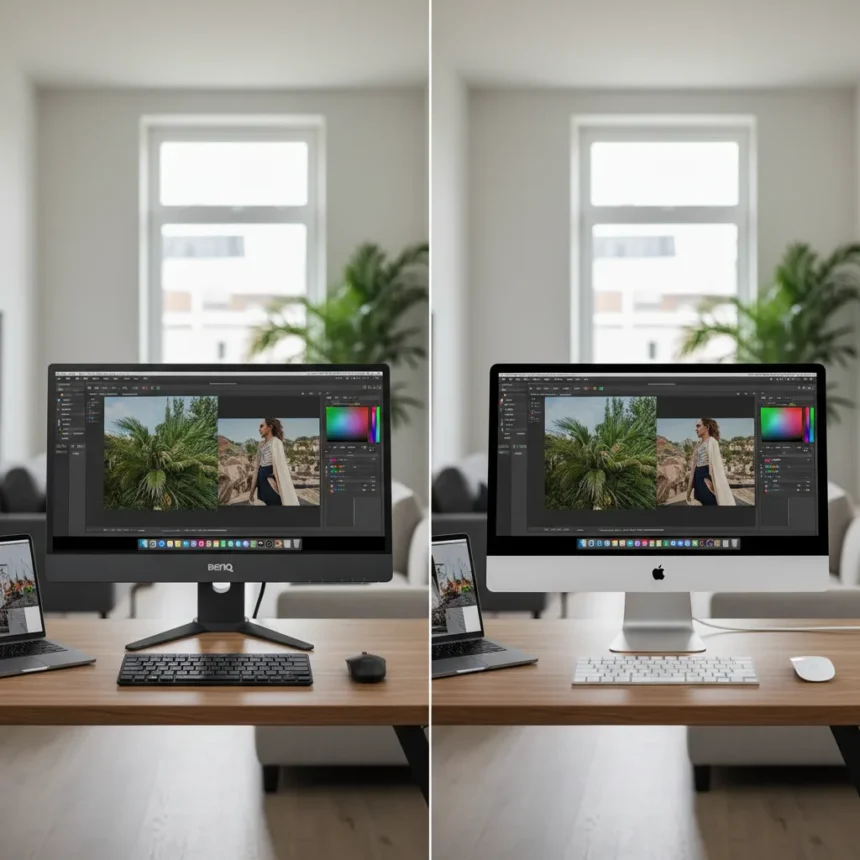
The BenQ PD2730S 5K monitor is a 27-inch professional display with 5120 x 2880 resolution, 99% DCI-P3 color accuracy, and Thunderbolt 4 connectivity, priced at $1,599—$400 less than Apple’s Studio Display. Launched in October 2024, it challenges Apple’s dominance in the premium creator monitor space by delivering comparable color science, superior connectivity, and Mac-optimized features without the premium price tag.
Key Takeaways
- BenQ PD2730S costs $1,599, undercutting Apple Studio Display by $400 while matching 5K resolution and color accuracy.
- Features 99% DCI-P3, 99% Adobe RGB, and Delta E <2 color accuracy for professional creative work.
- Dual Thunderbolt 4 ports with 96W power delivery, plus KVM switch and daisy-chaining support—features Apple omits.
- Mac Color Mode and M-Book mode provide Apple ecosystem integration without vendor lock-in.
- Hotkey Puck G3 controller and Display Pilot 2 software streamline workflow controls and input switching.
Why the BenQ PD2730S 5K Monitor Matters Right Now
Apple’s Studio Display has dominated the professional Mac monitor market since 2022, but the BenQ PD2730S 5K monitor arrives at a moment when creators are demanding more flexibility from their tools. With M4 Mac updates driving renewed interest in high-end creative workstations, a $400 price advantage becomes significant—especially when the BenQ delivers features Apple charges extra for or omits entirely. The 218 pixels-per-inch density matches Apple’s 5K standard, making text and graphics razor-sharp for design, video, and photography work.
What sets the BenQ PD2730S 5K monitor apart is its architecture. While Apple bundles a single Thunderbolt port with limited expansion, BenQ includes dual Thunderbolt 4 connections with 96W power delivery, HDMI 2.1, DisplayPort 1.4, USB-C, three USB-A ports, Ethernet, and a 3.5mm audio jack. This isn’t just port count—it’s workflow freedom. You can daisy-chain a second monitor, connect peripherals without a dock, and toggle between two computers using the integrated KVM switch, all from a single control surface.
Color Accuracy and Professional Calibration
The BenQ PD2730S 5K monitor achieves 99% DCI-P3 and 99% Adobe RGB coverage with Delta E less than 2, meeting the color accuracy demands of film colorists, photographers, and graphic designers. This isn’t marketing speak—the specs match what professionals expect from displays costing twice as much. The 400-nits typical brightness and 600-nits peak HDR brightness handle both bright creative suites and HDR grading workflows without sacrificing color fidelity.


The display includes Mac Color Mode, which mimics Apple’s color science, and M-Book mode for matching MacBook Pro displays—critical for designers who work across multiple screens. BenQ’s AQCOLOR technology offers preset calibrations for sRGB, Rec.709, and DICOM (medical imaging), letting you switch color spaces instantly via the Hotkey Puck G3 controller. If you want absolute precision, the PD2730SC variant ($1,899) adds a built-in colorimeter for one-touch recalibration, eliminating the need for external calibration tools.
Connectivity and Workflow Integration
The BenQ PD2730S 5K monitor’s dual Thunderbolt 4 ports with 96W power delivery mean you can run a Mac laptop, charge it, and connect external storage—all through the monitor. This single-cable simplicity matches what Apple promises, but BenQ extends it further. The integrated KVM switch lets you control two devices with one keyboard and mouse, a feature Apple’s Studio Display lacks entirely. For studios managing multiple workstations, this cuts cable clutter and switching friction dramatically.



Daisy-chaining support means you can stack two BenQ 5K displays on a single Thunderbolt port, creating a 10,240 x 2,880 ultrawide workspace. Apple’s Studio Display supports daisy-chaining too, but the BenQ’s additional ports and KVM functionality make multi-monitor setups far less cumbersome. The Hotkey Puck G3—a physical dial and button controller—sits on your desk, letting you switch between inputs, toggle Mac Color Mode, access on-screen menus, and save custom presets without touching your keyboard or mouse.
How the BenQ PD2730S Compares to Apple Studio Display
Apple’s Studio Display ($1,999 base, up to $2,299 with nano-texture glass) remains a competent monitor, but the value proposition has eroded. Both offer 27-inch 5K resolution and excellent color accuracy. Apple adds a 12MP webcam and spatial audio speakers—features useful for video calls but irrelevant for most creative workflows. Apple charges $300 extra for nano-texture glass to reduce glare; the BenQ’s matte anti-glare coating achieves similar results without the premium. Where Apple stumbles is connectivity: a single Thunderbolt port, no height-adjustable stand on the base model, and no KVM switching mean you’re paying for ecosystem lock-in rather than functionality.
The Samsung ViewFinity S9 ($1,599) sits at the same price point but offers weaker color accuracy (98% DCI-P3 vs. 99%) and lacks Mac-specific features like M-Book mode. Budget alternatives like the Dell UltraSharp U2723QE (~$700) drop to 4K resolution, which means less screen real estate and softer text rendering at 27 inches. The LG 27UP850 ($400) is cheaper but suffers the same resolution compromise. If you need 5K sharpness and professional color accuracy, the BenQ PD2730S 5K monitor is the only non-Apple option that doesn’t force compromises.
Setup and Daily Workflow
Unboxing and setup take minutes. The stand attaches tool-free, and a single Thunderbolt 4 cable connects to your Mac—power, video, and data flow through one port. Download BenQ’s Display Pilot 2 software from their website to unlock advanced controls: split-screen zones (up to four), input switching macros, brightness scheduling, and preset management. For most users, the Hotkey Puck G3 handles 90% of daily adjustments, keeping your hands on a physical controller rather than digging into menus.



The 60Hz refresh rate is standard for professional displays—not a limitation, since creative work doesn’t demand high frame rates. The 5ms response time is snappy enough for occasional gaming, though that’s not the BenQ PD2730S 5K monitor’s target audience. The slim bezels, adjustable stand (height, tilt, swivel, pivot), and VESA mounting compatibility mean it fits any desk setup. At 14.6 pounds with the stand, it’s light enough to reposition but stable enough that you won’t worry about wobble.
Is the BenQ PD2730S 5K Monitor Worth the Investment?
Yes, if you work in color-critical fields and use Mac hardware. The BenQ PD2730S 5K monitor delivers professional-grade color accuracy, superior connectivity, and thoughtful workflow features at a price that makes financial sense. The $400 savings versus Apple’s Studio Display buys you dual Thunderbolt ports, KVM switching, and daisy-chaining capability—features that pay dividends across years of use. If you’re a casual user who just needs a big, sharp screen, cheaper 4K alternatives exist. But if you grade video, retouch photos, or design for print, the 5K resolution and color precision justify the investment, and the BenQ does it without Apple’s premium markup.
Does the BenQ PD2730S support daisy-chaining with other monitors?
Yes. The BenQ PD2730S 5K monitor supports daisy-chaining via Thunderbolt 4, allowing you to connect a second display through the monitor itself. This works with other Thunderbolt-compatible displays, letting you build multi-monitor setups without consuming additional Thunderbolt ports on your Mac.
Can I use the BenQ PD2730S with Windows PCs?
Absolutely. While the BenQ PD2730S 5K monitor includes Mac-optimized features like M-Book mode and Mac Color Mode, it works with any device that supports Thunderbolt 4, USB-C, HDMI, or DisplayPort. The KVM switch lets you control two computers—Mac or Windows—with a single keyboard and mouse.
What’s the difference between the PD2730S and PD2730SC?
The PD2730SC ($1,899) adds a built-in colorimeter for one-touch hardware calibration, eliminating the need for external calibration devices. If you already own a SpyderX or similar tool, the standard PD2730S ($1,599) is the smarter buy. If color precision is mission-critical and you want automatic recalibration, the SC variant is worth the $300 premium.
The BenQ PD2730S 5K monitor proves that professional-grade displays don’t require Apple’s price tag. It matches the Studio Display where it matters most—color accuracy and resolution—while adding practical features Apple omits. For creators tired of paying premium prices for ecosystem lock-in, it’s the wake-up call the market needed.
Where to Buy
BenQ Creative Pro PD2730S: | $1,199 | £988 at Amazon | $1,199.99
Edited by the All Things Geek team.
Source: Tom's Guide




