






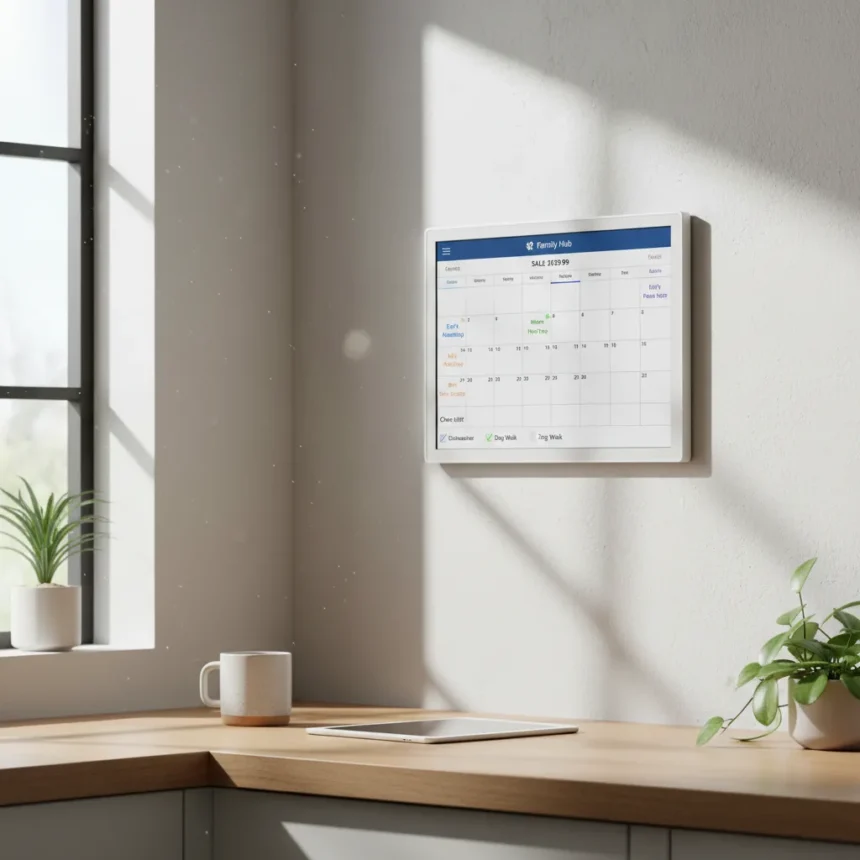
The Skylight Calendar is a 15-inch wall-mounted touchscreen family organizer made by Skylight, currently on sale for $159.99 (down from $199.99) at the Skylight website and Amazon, representing a 40% discount available in the US, Canada, UK, and Australia. This is not just another smart display gathering dust on a shelf—it is purpose-built to handle the scheduling chaos that defines modern family life, with color-coded family members, calendar syncing, chore tracking, and meal planning all accessible from a single wall-mounted frame.
Key Takeaways
- Skylight Calendar is $159.99 on sale (40% off regular $199.99 price) at Skylight and Amazon.
- 15-inch touchscreen syncs Google Calendar, Apple iCloud, Outlook, Cozi, and Yahoo accounts automatically.
- Color-coding, chores, allowances, and meal planning available with optional Skylight Plus ($79/year or $8/month after 30-day free trial).
- Setup takes minutes: mount on wall, connect to Wi-Fi, download app, sync calendars, invite family members.
- Includes 4-month money-back guarantee and 1-year warranty; larger 27-inch Max model available at $399 on sale.
Why the Skylight Calendar Beats Other Wall Displays
The Skylight Calendar competes directly with smart displays like the Amazon Echo Show 15 ($299.99) and Google Nest Hub Max ($229), but it wins on focus and price. Unlike those devices, the Skylight Calendar strips away the distractions—no Alexa voice commands, no camera, no smart home hub overhead. It is a calendar first, a display second. For families drowning in overlapping Google and Apple calendars, this single-purpose approach is refreshing. The 15-inch display is larger than the Nest Hub Max and positioned specifically for wall mounting, not sitting on a nightstand. At $159.99 on sale, it undercuts both competitors while offering something neither can match: a family chore system with allowance tracking built directly into the hardware.
The Skylight Calendar syncs with Google Calendar, Apple iCloud, Outlook, Cozi, and Yahoo—covering the ecosystem fragmentation most households face. Once calendars are linked via the iOS or Android app, events appear automatically on the wall display. No manual entry required. Color-coding by family member means at a glance you see whose soccer practice, dentist appointment, or work deadline is coming up. This visual clarity is something a phone calendar or shared Google Sheet simply cannot replicate on a 15-inch screen in your kitchen or hallway.
What You Get Out of the Box and How to Set It Up
Setup is straightforward and takes roughly 10-15 minutes. The Skylight Calendar arrives with a wall-mounting template, screws, and adhesive options—choose whichever suits your walls. Mount the frame using the included hardware, plug in the 27W power adapter, and connect to Wi-Fi (2.4GHz or 5GHz) via the touchscreen setup menu. Download the Skylight app on your phone, create an account, and scan the QR code displayed on the device to pair it. From there, add your calendar accounts (Gmail, iCloud, Outlook, etc.), and they sync automatically. Invite family members through the app, assign each person a color, and the display starts showing everyone’s schedules in real time. The 1920×1080 IPS display is crisp enough to read from across the room, and the 5.3-pound frame is light enough to hang without requiring a stud finder.



Daily use is intuitive. Tap the screen to add events, to-dos, or photos. Swipe to view the full agenda, weather forecast, or news headlines. If you subscribe to Skylight Plus ($79/year or $8/month after a 30-day free trial), additional features unlock: you can assign chores to kids, set allowances, and let them request payment directly from the touchscreen—parents approve via the app. Meal planning also requires Plus, letting you coordinate dinners across the week and sync shopping lists. For families with young kids, this parental control layer is valuable; you can restrict what children see and do on the device without giving them access to the entire calendar.
The Skylight Calendar Handles What App-Only Alternatives Cannot
Competitors like Cozi and OurHome offer free or low-cost apps for family scheduling and chore management, but they live on phones. A family calendar buried in an app gets ignored. The Skylight Calendar’s physical presence on your wall—in the kitchen, hallway, or common area—makes it impossible to miss. Everyone sees it without opening an app. This is not a minor distinction. Families that have adopted the Skylight Calendar report that the wall-mounted display becomes the single source of truth for the week’s plans, whereas app-only solutions fragment across individual phones and rarely get checked. The alternative is DAKboard, a customizable digital calendar that requires a $39/month subscription and either a tablet or a dedicated display—far more expensive over a year than Skylight’s one-time hardware cost plus optional Plus subscription.



Sale Timing and Value
The 40% discount to $159.99 is timely. Back-to-school season and the return to hybrid work and in-person learning create scheduling urgency—multiple calendars colliding, sports schedules overlapping with work meetings, sibling activities stacking up. Families are actively searching for solutions right now. At this price, the Skylight Calendar is accessible entry into a smart family organizer without the $299+ commitment of an Echo Show or the ongoing $39/month subscription cost of DAKboard. The 4-month money-back guarantee and 1-year warranty reduce risk; if it does not fit your family’s workflow, you can return it. The larger Skylight Calendar Max (27-inch) is also on sale at $399 (down from $499) for families who want a bigger display or plan to mount it in a larger common space like a living room.
Does the Skylight Calendar work with every calendar app?
The Skylight Calendar syncs with Google Calendar, Apple iCloud, Outlook, Cozi, and Yahoo. If your family uses one of these, setup is seamless. If you rely on a niche calendar app or a work-specific platform not on this list, you will need to check the Skylight app compatibility before purchasing. Most households use at least one of the supported services, so this covers the majority of use cases.
Is Skylight Plus worth the subscription cost?
Skylight Plus ($79/year or $8/month) unlocks chores, allowances, meal planning, and priority support. For families with kids or complex meal planning needs, the chore and allowance system alone justifies the cost—it automates what would otherwise require manual tracking. For simpler households, basic calendar syncing and weather display work fine without Plus. The 30-day free trial lets you test whether the Plus features solve real problems in your home before committing.
Can kids accidentally delete events or mess with the calendar?
Parental controls built into the Skylight app restrict what children can do on the device. Parents control access levels via the app, so kids can view schedules and check assigned chores without being able to modify shared events. This prevents accidental (or intentional) calendar sabotage while still making the display useful for the whole family.


At $159.99 on sale, the Skylight Calendar solves a real problem: keeping a multi-person household’s schedule visible, synced, and sane. It is not a magic fix for every scheduling mishap, but it removes the friction of checking five different calendar apps and makes the week’s plan impossible to ignore. For families juggling school, work, sports, and appointments, that clarity is worth the investment.
Where to Buy
15-inch Skylight Calendar on sale for $249 at Amazon | Skylight 15-inch Calendar:
This article was written with AI assistance and editorially reviewed.
Source: Tom's Guide