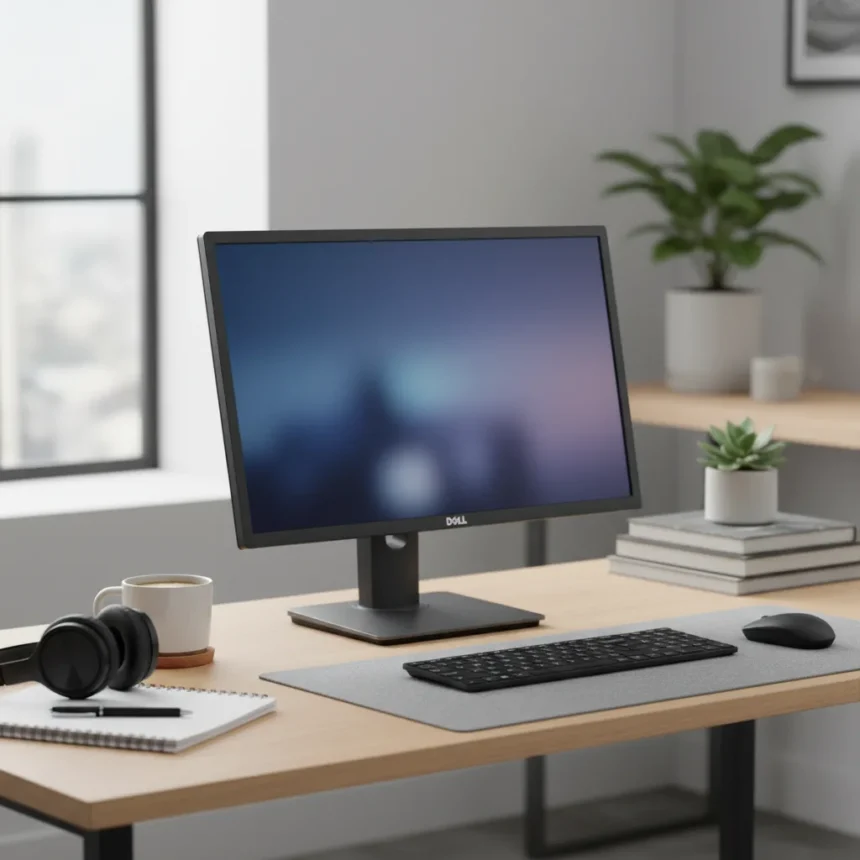
The Dell 24 AIO is a 23.8-inch all-in-one computer designed for students and remote workers tackling web browsing, email, and light productivity tasks. Dell positions this machine as an affordable entry point into the all-in-one category—a stark contrast to Apple’s premium iMac, which starts at $1,300 and commands vastly superior color accuracy and processing power. The reviewed configuration, powered by a 13th Gen Intel Core i3-1315U processor with 8GB RAM and 512GB storage, retails for $599.99 USD, making it accessible to budget-conscious buyers. But affordability comes with trade-offs that become apparent the moment you compare specs side by side.
Key Takeaways
- Dell 24 AIO costs $599.99 with Core i3; Core i5 upgrades push price to roughly $750.
- 13th Gen Intel Core i3-1315U processor handles Office, Zoom, and light Photoshop but throttles under sustained creative workloads.
- Full HD IPS display offers 99% sRGB coverage but lacks the vibrancy and color accuracy of the iMac 24-inch M3.
- Pop-up 5MP webcam with Windows Hello facial recognition; dual 5W speakers deliver adequate but unremarkable audio.
- Height-adjustable stand and USB-C 3.2 Gen 2 port provide practical flexibility absent in cheaper competitors.
Dell 24 AIO Specs and Core Performance
The Dell 24 AIO runs on Intel’s 13th Gen Core i3-1315U, a modest chip designed for efficiency over raw speed. Geekbench 6 scores tell the story: single-core performance reaches 1,900, while multi-core hits 5,200. PCMark 10 returns approximately 4,500, positioning this machine squarely in the entry-level camp. These numbers are respectable for everyday computing—opening 20 browser tabs, running Slack and Zoom simultaneously, or editing a spreadsheet poses no challenge. The integrated Intel UHD Graphics handle basic photo editing without complaint but stumble when you ask for anything demanding, like 4K video exports, which the system struggles to complete without stuttering. The 8GB DDR4-3200 RAM is upgradable to 16GB, though soldering limits future expandability compared to traditional desktops. Storage is a 512GB PCIe NVMe SSD, fast enough for boot times and application launches but tight if you juggle large media files.
What separates the Dell 24 AIO from true budget junk is its display. The 1920 x 1080 IPS panel covers 99% of the sRGB color space and boasts 250 nits brightness with anti-glare coating. For a $599 machine, this is legitimate value. However, the iMac 24-inch M3 achieves near-perfect Delta E 2.5 color accuracy, rendering the Dell’s panel pedestrian by comparison. If you spend your day color-grading photographs or designing marketing materials, the difference matters. If you are answering email and browsing the web, you will not notice.
Design, Ports, and Practical Usability
The Dell 24 AIO measures 21.5 x 15.2–18.1 x 7.3 inches and weighs 12.8 pounds, making it compact enough to fit most desks without dominating the space. The height-adjustable stand tilts from -5° to 20°, offering ergonomic flexibility that budget competitors often omit. A VESA 100mm mount lets you swap the stand for an arm, though the included stand is adequate. Ports are positioned on the rear—a smart choice for cable management that keeps your desk clutter-free. Connectivity includes one USB-C 3.2 Gen 2 port (10Gbps, Power Delivery), two USB-A 3.2 Gen 2 ports (10Gbps), one USB-A 2.0 port, HDMI-in, HDMI-out, Ethernet, SD card reader, and a 3.5mm audio jack. The USB-C implementation is genuinely useful; it supports fast data transfer and can charge compatible devices, a feature absent on many machines in this price range.


The 5MP pop-up webcam with Windows Hello facial recognition is a practical touch. It beats the fixed webcams on older all-in-ones and enables passwordless login. Dual 5W speakers deliver adequate volume for video calls but lack any audio depth—do not expect to enjoy music or gaming audio through them. Quad-array microphones handle Zoom calls cleanly, and the system includes a wireless keyboard and mouse, eliminating immediate accessory costs. At idle, the Dell 24 AIO draws roughly 15W; under load, it climbs to about 50W. The 130W power supply handles this efficiently, and the battery-free design means no charging cable management headaches.
How the Dell 24 AIO Stacks Against Alternatives
The iMac 24-inch M3 remains the gold standard for all-in-one design and performance, but it costs more than double the Dell 24 AIO. The iMac’s M3 chip obliterates the Core i3 in creative workloads, its display rivals professional monitors, and its build quality justifies the premium. For video editing, 3D rendering, or professional photography, the iMac is the right choice. The Dell 24 AIO, by contrast, is built for people who need a functional desktop and refuse to overspend on features they will not use.



Compared to the Lenovo IdeaCentre AIO 3i, the Dell edges ahead with superior USB-C speed (Gen 2 vs Gen 1) and a pop-up webcam instead of a fixed lens. The HP Pavilion 24 offers similar specs and pricing but lacks the Dell’s adjustability and port selection. If you are shopping strictly on price, the base Dell 24 AIO at $499 USD is hard to beat, though stepping up to the Core i5 variant for $750 is worth considering if you plan to keep the machine for more than three years.
Real-World Performance and Limitations
In daily use, the Dell 24 AIO performs as advertised. Microsoft Office runs smoothly. Zoom calls are stable. Google Workspace and web-based productivity tools experience no lag. Browsing with 15-20 tabs open is seamless. The moment you push beyond these fundamentals, limitations appear. Editing a Photoshop file with multiple layers causes noticeable slowdown. Exporting a 4K video is a patience-testing exercise. Running a virtual machine alongside other applications forces the system to throttle. These are not design flaws—they are the natural ceiling of a $599 machine. Anyone expecting professional-grade performance at this price is misreading the product’s purpose.
The low power draw is genuinely appealing for environmentally conscious buyers and those with tight energy budgets. At 50W under load, the Dell 24 AIO consumes significantly less electricity than a traditional tower desktop, and the lack of a battery means no degradation over time. The height-adjustable stand and VESA mount compatibility allow you to tailor the setup to your posture, a feature that pays dividends if you spend eight hours a day in front of the screen.
Should You Buy the Dell 24 AIO?
Yes, if you are a student, remote worker, or casual user who needs a functional desktop without the iMac price tag. The Dell 24 AIO delivers reliable performance for essential tasks, a respectable display, and practical ports at an honest price. No, if you are a creative professional, content creator, or gamer expecting premium performance. The Core i3 and integrated graphics are not equipped for sustained creative workloads, and the display, while competent, lacks the accuracy demanded by design work.



What specs does the Dell 24 AIO come with?
The reviewed configuration features a 13th Gen Intel Core i3-1315U processor, 8GB DDR4-3200 RAM, 512GB PCIe NVMe SSD, and integrated Intel UHD Graphics. The 23.8-inch Full HD IPS display covers 99% sRGB color space. Core i5 upgrades and 16GB RAM options are available at higher price tiers.
How does the Dell 24 AIO compare to the iMac 24-inch?
The iMac 24-inch M3 outperforms the Dell 24 AIO in nearly every meaningful way: faster processor, superior display color accuracy (Delta E 2.5 vs the Dell’s standard coverage), better webcam, and premium build quality. However, the iMac starts at $1,300 and targets creative professionals. The Dell 24 AIO is a budget alternative for everyday computing.
Is the Dell 24 AIO worth upgrading to Core i5?
If you plan to keep the machine for three or more years and anticipate running more demanding applications like Photoshop or Premiere, the Core i5 upgrade is worth the extra $150–200. For basic web browsing and office work, the Core i3 is sufficient and saves money upfront.
The Dell 24 AIO is not trying to dethrone the iMac, and that honest positioning is precisely what makes it appealing. It is a reliable workhorse for remote workers and students who want a modern all-in-one desktop without premium pricing. The display is solid, the ports are practical, and the performance ceiling is clear from the start. Buy it knowing what you are getting—not what you wish it could be.
Edited by the All Things Geek team.
Source: Tom's Guide