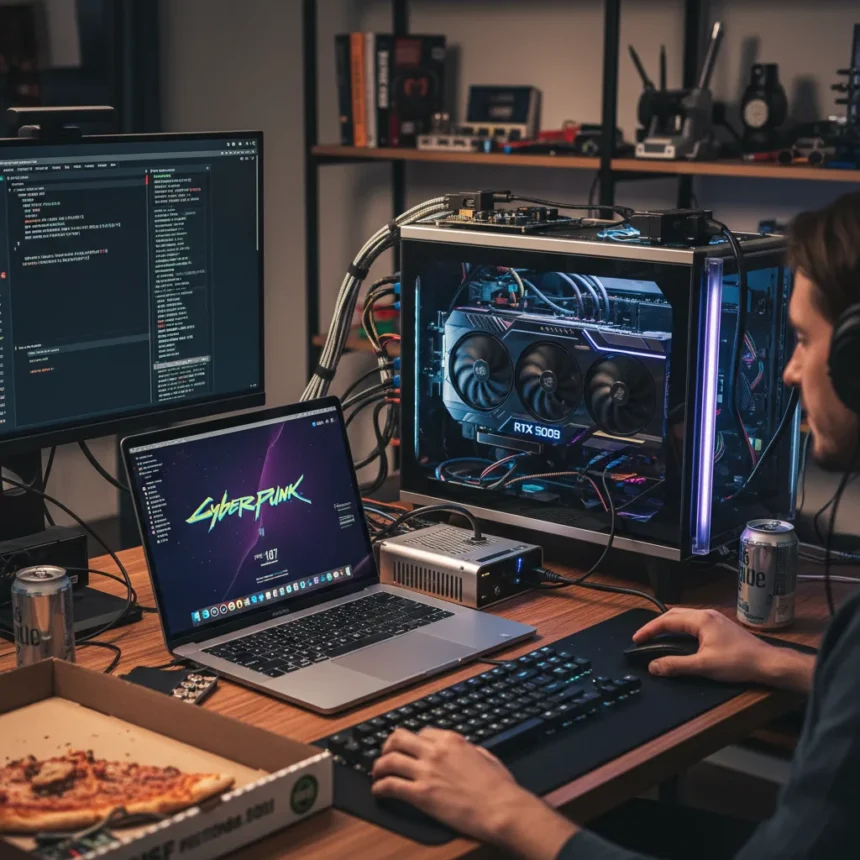
An M5 Max MacBook Pro paired with an RTX 5090 in an external GPU dock has achieved over 100 FPS in Cyberpunk 2077 at maximum settings with frame generation enabled. This unconventional setup, documented by a software engineer, represents a creative workaround to bring high-end NVIDIA gaming performance to Apple Silicon—but it comes at a significant complexity cost.
Key Takeaways
- M5 Max MacBook Pro running RTX 5090 eGPU reached over 100 FPS in Cyberpunk 2077 with max settings and frame generation.
- The setup required a Linux virtual machine and FEX translation layer to function.
- This is not a native macOS gaming solution—it demands extensive tweaking and non-standard configuration.
- RTX 5090 eGPU docks can connect to M5 Pro and M5 Max MacBook Pro via Thunderbolt 5.
- The result demonstrates Apple Silicon’s potential when paired with external discrete GPUs, though it remains niche and complex.
How the M5 Max MacBook Pro RTX 5090 Setup Actually Works
The M5 Max MacBook Pro RTX 5090 configuration relies on external GPU docking rather than integrated graphics. The software engineer connected an RTX 5090 via a Thunderbolt 5 eGPU dock, bypassing macOS’s native gaming limitations entirely. Instead of relying on macOS drivers, the setup runs a Linux virtual machine on the M5 Max, then uses the FEX translation layer to execute games compiled for x86-64 architecture. This layered approach—macOS host, Linux VM, FEX emulation, NVIDIA driver stack—is far removed from plug-and-play gaming.
The process required a lot of tweaking, according to the Tom’s Hardware article documenting the effort. Each component had to be carefully configured to communicate with the next. The M5 Max’s Thunderbolt 5 connectivity enables the bandwidth needed for an RTX 5090’s data transfer, but software compatibility remains the bottleneck. Without the translation layer, games simply would not launch. This is why the result is technically impressive but practically limited—it works, but only for users willing to look at virtualization and emulation layers.
Why This Matters for Apple Silicon Gaming
Apple Silicon Macs have long struggled with gaming, not because of raw CPU or GPU power, but because game developers target Windows and NVIDIA hardware. The M5 Max MacBook Pro RTX 5090 setup sidesteps that ecosystem mismatch by introducing a discrete NVIDIA GPU. It proves that Apple Silicon can orchestrate external GPUs effectively and that Thunderbolt 5 bandwidth is sufficient for high-end gaming workloads. The over 100 FPS result in a demanding title like Cyberpunk 2077 demonstrates that the bottleneck is not the M5 Max’s processor—it is the software layer.


However, this is not a signal that gaming on M5 Max MacBook Pro will become mainstream. The setup requires users to understand virtualization, Linux, translation layers, and GPU driver configuration. Most Mac users will never attempt this. The real value is proof of concept: Apple Silicon can coexist with discrete NVIDIA hardware if the software barriers are overcome. That insight may influence how future Apple systems and external GPU docks are designed, but today’s M5 Max remains fundamentally a productivity machine, not a gaming platform.
Comparing M5 Max MacBook Pro to Native Gaming Alternatives
A Windows laptop with an RTX 5090 would deliver similar or better performance with zero tweaking—games simply install and run natively. The M5 Max MacBook Pro RTX 5090 setup achieves competitive FPS numbers but through emulation and virtualization, which introduce latency and complexity. For a professional who needs both macOS for work and occasional high-end gaming, this eGPU dock approach is genuinely useful. For a pure gamer, a Windows gaming laptop remains far simpler.



The M5 Max itself is a powerful machine for creative and development work. Pairing it with an external RTX 5090 transforms it into a temporary gaming rig when docked, then reverts to a portable workstation when unplugged. That flexibility is the real advantage—not raw performance, which any gaming laptop can match, but the ability to switch contexts without buying two machines. The eGPU dock acts as a bridge between Apple’s ecosystem and NVIDIA’s gaming dominance.
What This Setup Teaches Us About eGPU Future
External GPU docks have existed for years, but they have remained niche. The M5 Max MacBook Pro RTX 5090 example shows why: they require both hardware support (Thunderbolt 5 bandwidth) and software cooperation (drivers, translation layers). Apple’s M5 generation finally delivers the bandwidth. The missing piece is software—native game support or seamless virtualization that does not require manual tweaking.
If NVIDIA and Apple ever collaborate on official M-series GPU drivers, or if macOS gaming libraries expand significantly, eGPU docks could become more mainstream. Until then, this setup remains a proof of concept for enthusiasts and engineers willing to invest time in configuration. The fact that it works at all is encouraging. The fact that it works well enough to exceed 100 FPS in a AAA title is genuinely noteworthy.
Can you use an RTX 5090 eGPU with any MacBook Pro?
Only M5 Pro and M5 Max MacBook Pro models with Thunderbolt 5 support can reliably use an RTX 5090 eGPU dock. Older MacBook Pro generations lack the bandwidth. Even then, the setup requires Linux virtualization and FEX translation to function—it is not supported by macOS natively.


How much tweaking does the M5 Max MacBook Pro RTX 5090 setup require?
The Tom’s Hardware article states the process required a lot of tweaking. This includes configuring the Linux virtual machine, installing FEX translation layers, managing NVIDIA drivers within the VM, and ensuring the eGPU dock is properly recognized. This is not a consumer-ready setup—it demands technical expertise.
Is this the future of gaming on Apple Silicon?
Not necessarily. This setup works, but it is a workaround, not a solution. True gaming on Apple Silicon would require either native game ports, better emulation that requires no manual configuration, or official NVIDIA driver support for macOS. The M5 Max MacBook Pro RTX 5090 result is impressive proof that the hardware can handle it, but software compatibility remains the real barrier.
The M5 Max MacBook Pro RTX 5090 eGPU setup is a remarkable technical achievement that exposes both the potential and the limitations of Apple Silicon gaming. Over 100 FPS in Cyberpunk 2077 is genuinely impressive, but achieving it requires Linux virtualization, translation layers, and extensive tweaking. For professionals who need macOS productivity and occasional gaming, this eGPU approach offers a practical alternative to buying separate machines. For mainstream gamers, Windows laptops remain simpler. The real takeaway is that Apple Silicon can compete with discrete GPUs on performance—it just cannot compete with Windows on convenience.
Edited by the All Things Geek team.
Source: Tom's Hardware