





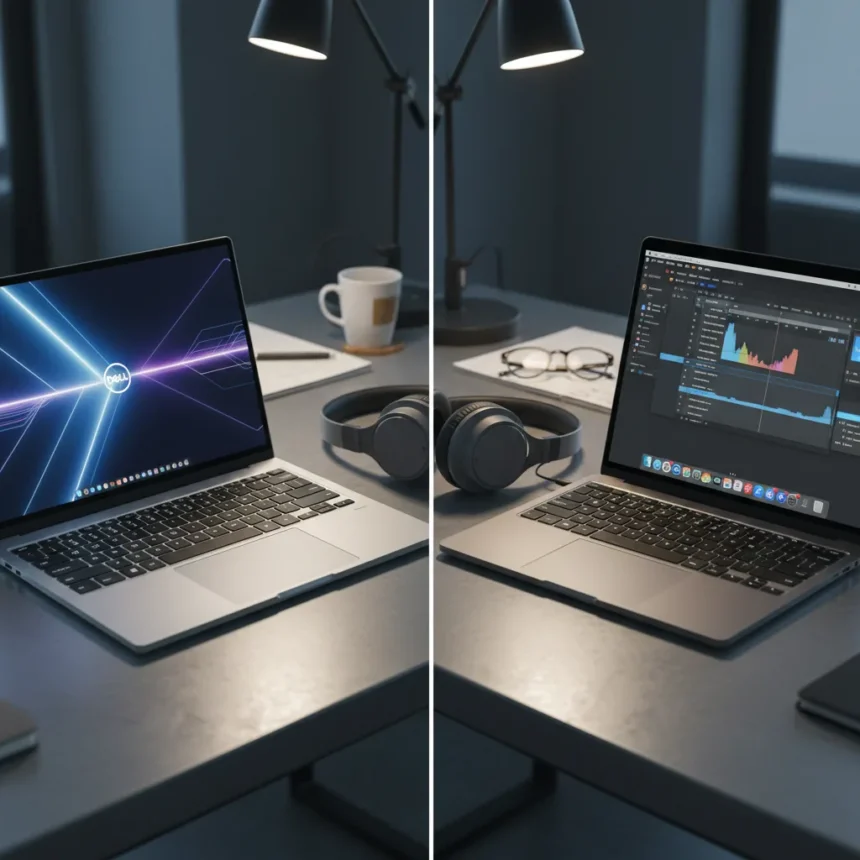
The Dell XPS 14 (2026) represents something unexpected: a Windows laptop that actually tempts you to reconsider your Apple ecosystem. Dell killed the XPS line years ago, then reversed course and brought it roaring back with a fundamentally reimagined 14-inch model that feels like a genuine answer to the MacBook Air and MacBook Pro. The Dell XPS 14 (2026) is a slim, lightweight Windows 11 laptop powered by Intel Core Ultra 300 series processors, featuring up to 20 hours of battery life on the LCD model and a redesigned chassis that Dell claims is the thinnest 14-inch model it has ever made.
Key Takeaways
- Dell XPS 14 (2026) achieves up to 20 hours of battery life on non-OLED LCD displays, matching MacBook endurance claims.
- New physical function keys and an 8MP 4K webcam fix long-standing usability complaints from previous iterations.
- Intel Core Ultra 300 series NPU enables on-device AI features for creative workflows without AMD options.
- The laptop is significantly thinner and lighter than predecessors, with a redesigned thermal system for quieter operation.
- Despite strong improvements, the Windows ecosystem still lags behind macOS for seamless creative workflows.
How the Dell XPS 14 (2026) Challenges Windows Laptop Expectations
For years, Windows laptops felt like they were always chasing rather than leading. The Dell XPS 14 (2026) finally breaks that pattern by focusing on what actually matters to people who work on the move: battery endurance, thermal efficiency, and a display that doesn’t drain your power in three hours. The non-OLED LCD model can stretch to 20 hours of battery life, which is the kind of claim Apple makes and usually backs up. The display itself is 30% more power-efficient than Dell’s previous-generation XPS model, dropping its refresh rate to as low as 1Hz on the LCD variant to preserve charge.
The physical redesign matters more than spec sheets suggest. Dell ditched the controversial capacitive touch function bar and replaced it with a row of mechanical function keys—a decision that sounds minor until you realize how many users complained about the old capacitive setup. The haptic touchpad now has subtle tactile edges, and the 8MP 4K webcam is a massive upgrade for anyone doing video calls or recording content. These are the kinds of fixes that suggest Dell actually listened to years of feedback rather than just throwing more processing power at the problem.
Intel Core Ultra 300 Series and AI Positioning
The Dell XPS 14 (2026) runs exclusively on Intel Core Ultra 300 series processors—there is no AMD option. This matters because the integrated NPU (neural processing unit) supports on-device AI features that Dell is positioning as essential for creative workflows. In the context of Copilot+ PCs, this means AI-powered image editing, content generation, and workflow acceleration happen locally without constantly pinging cloud servers. For creators working offline or in bandwidth-limited environments, this is a genuine advantage over older Windows machines.


The absence of AMD options is a notable constraint. Some users prefer AMD’s power efficiency or pricing flexibility, but Dell’s singular focus on Intel suggests confidence in the Core Ultra 300’s capabilities and thermal efficiency. The thermal system itself is redesigned to keep the machine cooler and quieter than before, which is essential when you are trying to compete with the silent, efficient MacBook experience.
Why This Still Is Not Enough to Ditch Your MacBook Pro
Here is where the review’s central tension lives: the Dell XPS 14 (2026) is genuinely impressive, but it has not solved the fundamental ecosystem problem. MacBook Pro users stay with Apple not because the hardware is flawless—it is not—but because the integration between hardware, software, and services is seamless in ways that Windows still struggles to match. Final Cut Pro, Logic Pro, and the entire creative suite feel native on macOS. On Windows, you are always slightly aware that you are running software that was designed for a broader, more fragmented platform.



The Dell XPS 14 (2026) is strong for creative work on the go, especially when battery life is the deciding factor. For a photographer or video editor who needs to work for a full day without finding an outlet, this laptop delivers. But if you are deep in a Final Cut or Logic workflow, or if you rely heavily on iOS-exclusive apps, the switch to Windows introduces friction that no amount of Intel processing power erases. The Copilot+ AI features are compelling, but they are not yet compelling enough to outweigh the ecosystem lock-in that MacBook users have already accepted.
Dell XPS 14 (2026) vs. MacBook Pro: The Real Trade-Off
Comparing the Dell XPS 14 (2026) directly to a MacBook Pro is not quite fair because they serve slightly different needs. The MacBook Pro is built for sustained, intensive creative work with the assumption that you will stay within Apple’s ecosystem. The Dell XPS 14 (2026) is built for portability and battery endurance, with the assumption that you value flexibility and Windows software compatibility. The Dell is slimmer, claims longer battery life, and offers more configurability. The MacBook Pro has tighter integration with iOS devices, faster SSD speeds in some configurations, and a more refined trackpad experience that years of iteration have perfected.
If you are already a MacBook Pro user, the Dell XPS 14 (2026) is not a reason to switch. If you are a Windows user shopping for a premium 14-inch laptop, this is the first time in years that you have a genuinely compelling option that does not feel like a compromise. That distinction matters. Dell has not created a MacBook killer—it has created a laptop that finally makes Windows feel like a legitimate choice for people who care about design, battery life, and portability.
Should You Buy the Dell XPS 14 (2026)?
If you work primarily in Windows software, value battery life above all else, and want a slim, modern laptop that does not sacrifice usability for thinness, the Dell XPS 14 (2026) is worth serious consideration. The mechanical function keys, improved webcam, and Copilot+ AI integration address real pain points from previous iterations. The battery life claims are ambitious, but the 30% efficiency gain over the previous model suggests they are not hollow marketing speak.



Can the Dell XPS 14 (2026) match MacBook battery life?
The Dell XPS 14 (2026) claims up to 20 hours of battery life on the non-OLED LCD model, which matches or exceeds MacBook Air claims. Real-world endurance depends on screen brightness, workload, and whether you are using the OLED variant (which has a 20Hz refresh rate floor versus the LCD’s 1Hz). For typical office and creative work, 20 hours is genuinely exceptional.
Does the Dell XPS 14 (2026) have AMD processor options?
No. The Dell XPS 14 (2026) uses Intel Core Ultra 300 series processors exclusively. There are no AMD alternatives, which limits flexibility for users who prefer AMD’s power efficiency or pricing.
Is the Dell XPS 14 (2026) worth upgrading from an older Windows laptop?
If your current laptop is more than three years old, the Dell XPS 14 (2026) is a meaningful upgrade. The thermal improvements, display efficiency, and mechanical function keys address frustrations that plagued older premium Windows machines. The Copilot+ AI integration is a bonus for creative workflows, not a necessity.
The Dell XPS 14 (2026) is the first Windows laptop in years that feels like it was designed for the same users who buy MacBook Pros—people who care about thinness, battery life, and a refined experience. It does not win on ecosystem lock-in or the seamless integration that Apple offers. But for anyone who values choice, configurability, and the flexibility of Windows, it is finally a laptop that does not feel like a compromise.
Where to Buy
Edited by the All Things Geek team.
Source: TechRadar




