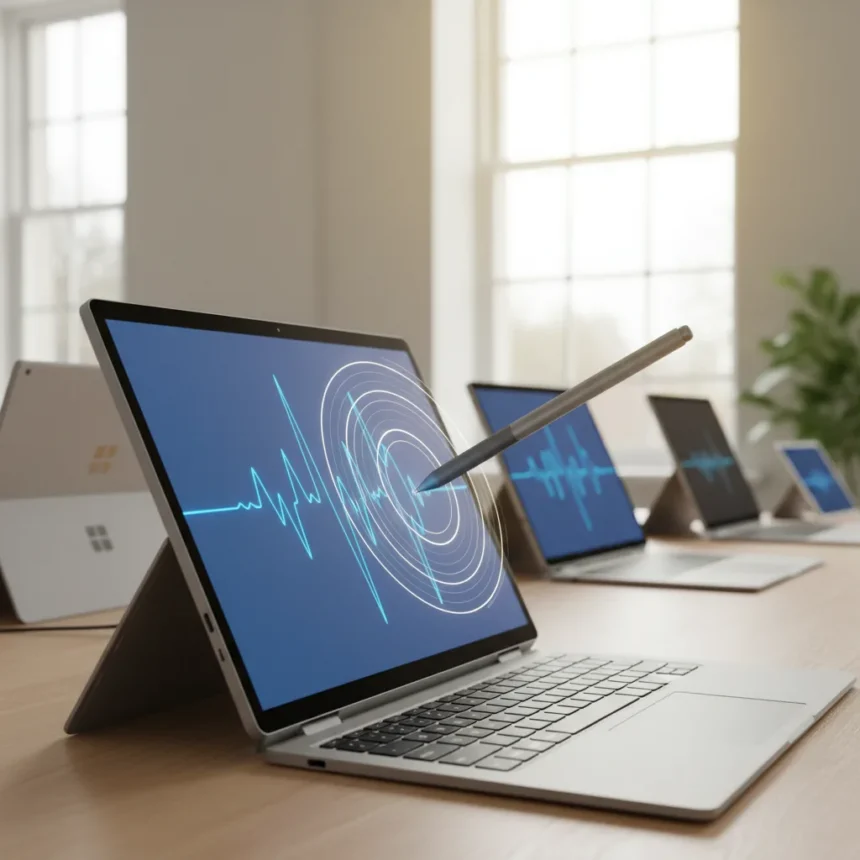
The Surface Slim Pen 2 haptics feature just gained system-level Windows 11 support, making tactile pen feedback available on compatible older Surface hardware instead of forcing users toward expensive new devices like the Surface Pro 12 or Surface Laptop 8. This shift redefines what the stylus can do and who actually needs to buy the latest premium Surface model.
Key Takeaways
- Surface Slim Pen 2 haptics now work system-wide in Windows 11 on supported older Surface devices
- Compatible apps include Adobe Fresco, Microsoft Word, PowerPoint, Whiteboard, and others
- The pen costs about $130 and offers 4,096 pressure points
- Many Surface models from Pro 3 onwards support the pen via Microsoft Pen Protocol
- Haptic feedback reduces the value proposition of buying the newest Surface hardware
What Surface Slim Pen 2 Haptics Actually Delivers
The Surface Slim Pen 2 haptics feature creates tactile feedback that mimics writing with a real pen on paper, giving users physical resistance and vibration cues as they draw, sketch, or write. This is not a minor refinement—it transforms the digital pen from a basic input tool into something that actually feels like traditional media. The haptic motor inside the pen is the key new feature that separates the Slim Pen 2 from its predecessor.
Windows 11’s system-level integration means the haptic experience works across compatible applications without requiring individual app updates. The pen vibrates in response to pen pressure, line weight, and texture, creating a writing experience that closer mimics analog tools. However, the quality of the haptic feedback depends entirely on whether your app supports it and whether your Surface hardware has the necessary hardware capabilities.
Which Surface Devices Actually Support Surface Slim Pen 2 Haptics
The compatibility story is broader than Microsoft’s newest devices suggest. The Surface Slim Pen 2 works with a wide range of older Surface hardware via Microsoft Pen Protocol (MPP), including Surface Pro 3, 4, 5, 6, 7, and 8; Surface Pro X; Surface Go models; Surface Laptop 1, 2, 3, and 4; Surface Studio; and Surface Book 1, 2, and 3. That’s a massive installed base suddenly capable of using the newer pen.


The caveat: while the pen itself connects to all these devices, the full haptic feedback and pen-on-paper feel were initially limited to Surface Laptop Studio or Surface Pro 8 hardware. Microsoft’s documentation now shows that the Surface Pro 12-inch and Surface Pro 13-inch support haptic feedback with the Surface Slim Pen, with integrated wireless charging built into the back of the device. This suggests Microsoft is expanding haptic support beyond just the newest flagship models, though not every older device necessarily receives the same experience.
Apps That Actually Use Surface Slim Pen 2 Haptics
The haptic feature only works if your application supports it, which is where the real limitation sits. At the time of review, compatible apps included Adobe Fresco, LiquidText, Shapr3D, Sketchable, Microsoft Journal, Microsoft PowerPoint, Microsoft Whiteboard, and Microsoft Word. That covers the major creative and productivity categories—sketching, note-taking, 3D design, and document editing—but the ecosystem is still building.



If you primarily use apps outside this list, the haptic motor becomes a wasted feature. A designer working exclusively in Photoshop or Illustrator won’t feel any benefit. The same applies to users of niche CAD software or specialized art applications. The haptics investment only pays off if your workflow aligns with Microsoft’s supported app roster.
Why This Matters for Your Surface Upgrade Decision
The traditional Surface upgrade logic has always been simple: buy the newest model to get the latest features. Surface Slim Pen 2 haptics break that pattern. For $130, you can add tactile feedback to a Surface Pro 7, Surface Laptop 3, or Surface Go 2 without spending $1,500 on a new device. The cost-to-benefit ratio shifts dramatically in favor of the accessory.
This is especially relevant for users who already own a compatible Surface device and assumed they were locked out of the haptic writing experience. A Surface Laptop 4 owner can now buy the Slim Pen 2 and gain access to the same tactile feedback that Microsoft positioned as a premium feature in newer hardware. The pen’s 4,096 points of pressure sensitivity also ensure that older devices still get the full precision input that modern creative work demands.
Microsoft’s strategy here is clever: it extends the lifecycle of older Surface hardware while still maintaining a reason to buy new devices (faster processors, better displays, longer battery life). But for stylus-focused workflows, the incentive to upgrade purely for pen features has evaporated.



Does the Surface Slim Pen 2 Justify Its Price?
At roughly $130, the Surface Slim Pen 2 is a significant accessory investment, but the feature set justifies it for specific use cases. Wireless charging eliminates the friction of hunting for batteries or cables. The haptic motor delivers a genuinely different writing experience compared to non-haptic pens. The pressure sensitivity is industry-standard. For artists, designers, and note-takers, the pen offers real value.
The question is whether you actually need haptics. If you sketch occasionally in OneNote or mark up documents in Word, the haptic feedback is a nice-to-have, not a must-have. If you’re a professional illustrator or architect using compatible apps daily, the haptics become essential. The pen works on any Surface device with MPP support, but you only get the full experience on supported hardware with compatible software.
How Surface Slim Pen 2 Haptics Compare to Competing Styluses
The Surface Slim Pen 2 occupies a middle ground in the stylus market. It is not a universal pen like the Apple Pencil or Wacom styluses that work across multiple device ecosystems. Instead, it is deeply integrated into the Surface and Windows 11 experience, which makes it exceptionally good at what it does within that ecosystem but limits its flexibility. The wireless charging integration and system-level haptic support give it advantages over generic MPP pens, but only if you own a Surface device.
Compared to the standard Surface Pen, the Slim Pen 2’s haptic motor is the defining difference. The standard pen offers pressure sensitivity and connectivity but no tactile feedback. For users upgrading from older Surface pens, the haptic experience is genuinely transformative. For users coming from non-Microsoft styluses, the integration and ecosystem support may feel restrictive.
Should You Buy the Surface Slim Pen 2?
Buy it if you own a compatible Surface device, use one of the supported applications regularly, and want a more natural writing and sketching experience. The haptic feedback genuinely improves the feel of digital pen work, and $130 is far cheaper than upgrading your entire device. Skip it if you rarely use stylus features, primarily use unsupported applications, or your Surface hardware predates the Pro 3 era and lacks MPP support.
The real win here is that Microsoft has finally decoupled premium pen features from premium device pricing. You no longer need the newest Surface to feel what Windows 11 can do with a stylus.
Does the Surface Slim Pen 2 work on non-Surface devices?
The Surface Slim Pen 2 works with any device that supports Microsoft Pen Protocol (MPP), not just Surface hardware. However, the system-level Windows 11 haptic integration is specific to Windows devices, so compatibility depends on your operating system and device manufacturer. Always verify MPP support before purchasing if you plan to use it on non-Surface hardware.
Can you use the Surface Slim Pen 2 on older Surface Pro models?
Yes, the Surface Slim Pen 2 connects to Surface Pro 3 and later models via Bluetooth and Microsoft Pen Protocol. However, the full haptic feedback experience may be limited on older hardware. Newer Surface Pro models like the Pro 12-inch and Pro 13-inch offer complete haptic support with wireless charging built into the device.
What is the difference between Surface Slim Pen 2 and the standard Surface Pen?
The Surface Slim Pen 2 includes a haptic motor that provides tactile feedback, wireless charging capability, and a more compact design. The standard Surface Pen lacks the haptic motor and wireless charging. For users prioritizing the pen-on-paper feel and modern conveniences, the Slim Pen 2 is the better choice, though it costs more.
The Surface Slim Pen 2 haptics update proves that Microsoft understands the real barrier to stylus adoption is not hardware cost—it is the writing experience itself. By making tactile feedback accessible to owners of older Surface devices, Microsoft has solved a problem that plagued the platform for years. The stylus market has always been about feeling the difference between digital and analog. Now, for $130 and a compatible app, that difference nearly disappears.
Edited by the All Things Geek team.
Source: Windows Central