The Corsair 3200D mid-tower case is the company’s redesigned successor to the 3000D, engineered to support the latest high-end components while maintaining strong airflow and practical build features. Corsair released the 3200D in three finishes—Black, White, and Smoke—at $79.99 for the RS model and $89.99 for the RS ARGB variant, making it an accessible option for builders tackling ambitious PC builds.
Key Takeaways
- Supports GPUs up to 370mm, including NVIDIA RTX 5090 and other extra-large cards
- Angled bottom fan mount and GPU anti-sag stabilization arm improve airflow and component longevity
- Rear-connector motherboard compatibility enables cleaner cable management and internal organization
- USB 3.2 Gen 2×2 Type-C (20 Gb/s) front I/O for modern peripheral connectivity
- Supports up to 9x120mm or 4x140mm fans across front, top, rear, and PSU shroud mounts
Corsair 3200D Mid-Tower Case: Design and Layout
The Corsair 3200D mid-tower case measures 495mm in height, 219mm in width, and 458mm in depth, making it a compact yet spacious platform for full-size and smaller motherboards. The chassis supports Mini-ITX, Micro-ATX, and ATX layouts, giving builders flexibility across budget and performance tiers. The case is constructed from steel, plastic, and a slightly tinted tempered glass side panel, balancing durability with visibility into the build.
What sets the 3200D apart from its predecessor is the thoughtful engineering of its internal layout. The side-mounted cable shroud keeps power and data cables organized behind the motherboard tray, while the angled bottom fan mount directs cool air directly toward the GPU—a critical feature as graphics cards continue to grow in size and thermal output. The GPU anti-sag stabilization arm prevents sagging under the weight of heavy cards, protecting both the card and the motherboard over time.
GPU Clearance and Component Compatibility
The Corsair 3200D mid-tower case accommodates GPUs up to 370mm in length, enough to fit NVIDIA’s RTX 5090 and other flagship graphics cards without removing the rear case bracket. If builders need additional clearance, removing the front fans extends the limit to 400mm, though this sacrifices front intake airflow. The case also supports CPU coolers up to 165mm tall and power supplies up to 180mm long, covering the vast majority of consumer-grade components.


Rear-connector motherboards—those with power and storage connections routed to the back of the board rather than the sides—are the design focus of the 3200D. This architecture enables significantly cleaner cable routing and reduces clutter inside the case, a major advantage for builders who prioritize aesthetics and airflow. The case’s cable management features, including the side-mounted shroud, work in tandem with this motherboard design to create a visibly organized build.
Cooling and Fan Support
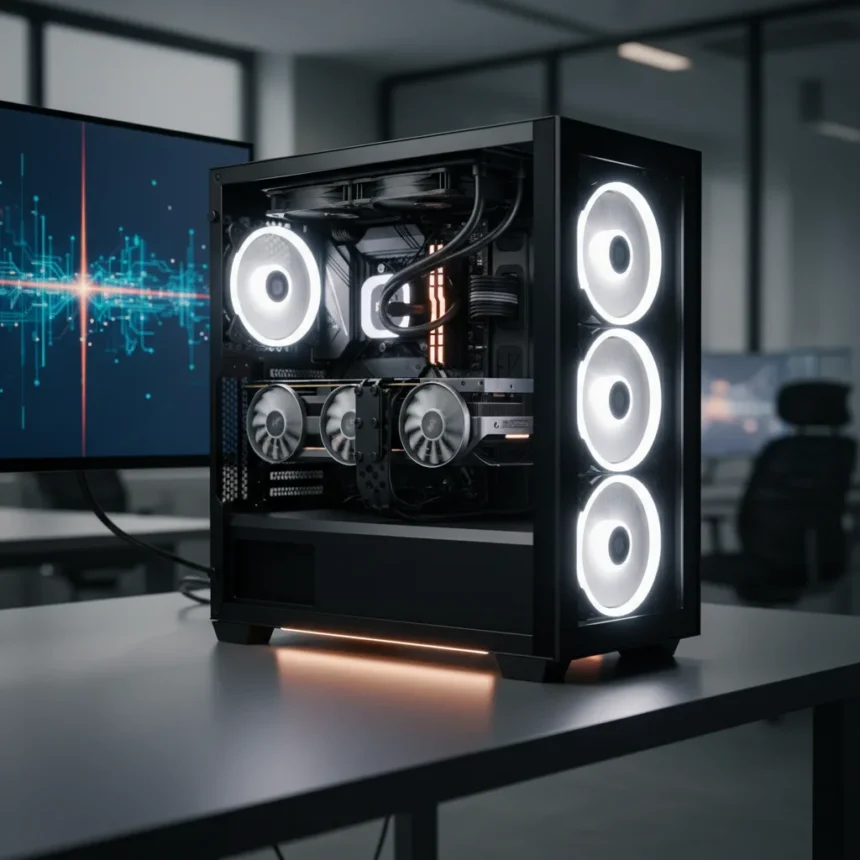
The Corsair 3200D mid-tower case provides extensive cooling options across multiple mounting points. The front supports three 120mm fans or two 140mm fans, or a 360mm radiator for liquid cooling. The top panel offers the same flexibility—three 120mm, two 140mm, or a 360mm radiator. The rear accepts a single 120mm fan, while the PSU shroud includes two 120mm mounts, with one angled to push cool air toward the GPU. In total, the case can accommodate up to nine 120mm fans or four 140mm fans, giving enthusiasts serious thermal headroom.



The pre-installed fans on ARGB models are three 120mm RS ARGB units mounted at the front, providing out-of-the-box airflow without additional purchases. The angled GPU-focused fan mount is a clever design choice—it acknowledges that modern graphics cards are the primary heat source in high-end builds and directs cooling air where it matters most.
Storage and Front I/O
Storage flexibility is solid. The case supports three 2.5-inch SSDs and one 3.5-inch hard drive, or alternative configurations depending on specific models. The front I/O includes USB 3.2 Gen 2×2 Type-C with 20 Gb/s bandwidth—a modern standard that supports fast external storage and high-speed peripherals—plus a USB 2.0 Type-A port.
Corsair 3200D vs. Corsair Frame 4000D
The 3200D targets builders who prioritize strong airflow and component compatibility at an accessible price point. The Frame 4000D, by contrast, emphasizes a showcase design with larger tempered glass panels and a more premium aesthetic. If your build features a high-end GPU and CPU cooler, the 3200D’s focused cooling architecture and rear-connector support make it the better choice. If you want maximum visibility and a more striking case appearance, the Frame 4000D suits that goal—but you may sacrifice some thermal efficiency.
What About the 3000D?
The Corsair 3200D replaces the 3000D with a redesigned chassis that improves airflow routing, adds the GPU anti-sag arm, and includes the USB-C 20Gb/s front connector. If you own a 3000D, the new model is worth considering if you’re upgrading to an RTX 5090 or other extra-large GPU, or if you’re switching to a rear-connector motherboard for a cleaner build aesthetic. For existing 3000D owners with mid-range hardware, the upgrade is optional.



Is the Corsair 3200D worth buying?
Yes, if you’re building or upgrading a PC with high-end components and want practical cable management. The GPU anti-sag arm, angled fan mount, and rear-connector motherboard support are features that matter in ambitious builds. At $79.99 for the RS model, it undercuts premium cases while delivering solid airflow and component support.
Does the Corsair 3200D fit an RTX 5090?
Yes. The case supports GPUs up to 370mm, which accommodates the RTX 5090 and most other flagship graphics cards. Removing the front fans extends clearance to 400mm if you need extra space, though this reduces front intake cooling.
What motherboards work best in the Corsair 3200D?
The case supports Mini-ITX, Micro-ATX, and ATX motherboards, but it is specifically designed for rear-connector motherboards, which route power and storage connections to the back of the board. This design enables cleaner cable management and better airflow. Any standard ATX-layout motherboard will fit, but rear-connector boards unlock the full organizational potential of the case.
The Corsair 3200D mid-tower case succeeds because it solves real problems in modern PC building—GPU size, cable clutter, and thermal management—without charging a premium price. It is a practical case for builders who care about function over flashy aesthetics, and the GPU anti-sag arm and angled cooling mount show that Corsair understands where heat and stress actually occur in today’s high-end builds.
Where to Buy
Edited by the All Things Geek team.
Source: Tom's Hardware