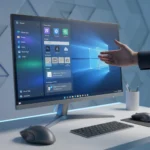





Windows 11 2026 improvements mark Microsoft’s most aggressive pivot toward reliability in years. The company is fundamentally rethinking how the OS is built, with a confirmed commitment to raise quality standards across the board. After years of criticism over bloat, forced AI integration, and advertising clutter, Microsoft is finally listening—and the February 2026 update (KB5077239) proves it.
Key Takeaways
- Movable Taskbar returns as a core feature in Windows 11 2026, addressing years of user frustration
- February 2026 update includes network speed test in taskbar, improved search with result counts, and more responsive UI
- Backend performance changes reduce RAM usage and improve Windows Update responsiveness
- Microsoft is scaling back AI features and advertising in favor of system stability
- Quick Machine Recovery activates by default on Windows 11 Pro, enabling faster system recovery
The Movable Taskbar Finally Returns to Windows 11
The movable Taskbar is the headline feature of Windows 11 2026 improvements, and it matters because users have been demanding this for years. Microsoft locked the Taskbar to the bottom of the screen in Windows 11’s original release, ignoring decades of customization preferences. Now it is coming back. This single feature signals that Microsoft is willing to reverse unpopular decisions when the feedback is loud enough. The February 2026 update also brings a network speed test directly in the Taskbar, plus improved taskbar search with result counts and preview windows. These are not flashy additions, but they address genuine usability gaps that power users and everyday people alike have complained about since launch.
Beyond positioning, the Taskbar itself is becoming more responsive. Sign-in screens, settings panels, and the Taskbar interaction speed have all been optimized. This matters because Windows 11 felt sluggish in certain contexts—opening settings could take seconds, and the Taskbar sometimes lagged when switching between windows. These micro-improvements accumulate into a noticeably snappier experience.
Performance and RAM Reduction Through Backend Overhaul
Microsoft is evolving how Windows is built behind the scenes to raise the quality bar, and that means rethinking the OS architecture itself. The company is targeting lower RAM usage through backend changes, though exact measurements have not been disclosed. What we do know is that Windows Update settings responsiveness and Storage Settings temp file scanning have been optimized to prevent slowdowns. High-volume printing, a notorious performance killer, now includes safeguards to prevent system slowdowns. These fixes suggest Microsoft is addressing memory leaks and inefficient processes that have plagued Windows 11 since launch.


Display wake from sleep has also been improved, a seemingly small fix that matters for laptop users who experience delays when reopening their devices. For docking station users—a growing segment in enterprise and hybrid work—Windows 11 now handles sleep resume more reliably when the laptop lid is closed and AC power is connected. These are not marketing-friendly improvements, but they fix real problems that affect millions of daily users.
Less AI, Less Advertising—A Rare Microsoft Retreat
The Windows 11 2026 improvements roadmap explicitly targets reduced AI and advertising, a remarkable admission that the previous approach backfired. Microsoft had been aggressively pushing Copilot integration and embedding ads throughout the OS—in the Start menu, in Settings, even in File Explorer. Users hated it. Now the company is pulling back. While AI features like click-to-do and camera AI search are still being added, the overall tone has shifted from mandatory integration to optional enhancement. This is not a complete AI retreat, but it is a meaningful course correction that acknowledges user preferences matter more than AI adoption metrics.



Advertising reduction is harder to quantify from available information, but the messaging is clear: Microsoft recognizes that Windows should not feel like adware. The Taskbar improvements and File Explorer enhancements do not push Copilot or Microsoft services as aggressively as previous updates. This restraint is new for Microsoft.
Reliability Fixes Across the Board
Windows 11 2026 improvements include a raft of reliability fixes targeting pain points that have frustrated users since the OS launched in 2021. Login screen stability has been addressed. Nearby Sharing for larger files now works more reliably. The Win+P project pane display function, which often failed silently, has been fixed. File Explorer’s Network page device discovery is more stable. These are not exciting features, but they eliminate daily frustrations that make Windows feel unpolished compared to macOS and Linux alternatives.
Quick Machine Recovery (QMR) is activating by default on non-domain-joined Windows 11 Pro devices, matching the behavior of Windows Home. This feature enables faster system recovery without full reinstallation, a critical capability for users facing system corruption or malware. For enterprise environments, QMR remains optional.
March and April 2026: Incremental Enhancements
The Windows 11 2026 improvements roadmap extends through April, with monthly updates adding features rather than just security patches. March 2026 brings new emojis, an accounts menu on the sign-in screen, a built-in system monitor, full-page widgets settings, and backup/restore functionality for Pro devices. Narrator and voice access improvements, along with voice typing enhancements, continue Microsoft’s accessibility push. File Explorer gains an Extract All function for non-ZIP archives, expanding archive support beyond the traditional ZIP format.



April 2026 focuses on display improvements, allowing monitors to report refresh rates above 1000Hz and enabling USB4 monitors to enter low-power sleep states for better battery life. Auto-rotation reliability post-sleep has been fixed, and HDR support now works with non-compliant DisplayID 2.0 monitors. These are niche improvements for power users and professionals, but they fill gaps that have existed since Windows 11 launched.
How Do Windows 11 2026 Improvements Compare to Competitors?
Microsoft is responding to sustained criticism that Windows 11 felt bloated and unreliable compared to macOS and Linux. The 2026 roadmap directly addresses the gaps that drove users toward alternatives: customization (movable Taskbar), performance (RAM reduction, responsiveness), and advertising (less AI clutter). macOS users have long enjoyed a more stable, less ad-laden experience, and Linux enthusiasts appreciate the control and minimal bloat. Windows 11 2026 improvements represent Microsoft catching up to expectations set by competitors, not leapfrogging them. The company is essentially acknowledging that the previous direction was wrong and course-correcting toward user expectations rather than corporate metrics.
When Do Windows 11 2026 Improvements Roll Out?
The February 2026 update (KB5077239) is already available and includes the most visible improvements: movable Taskbar, network speed test, improved search, and UI responsiveness. March and April 2026 updates will arrive on their respective Patch Tuesdays, with features rolling out gradually through versions 24H2, 25H2, and 26H2. All updates are free and delivered through Windows Update. Phased rollout mechanisms will gradually deploy secure boot certificate updates based on device signals, avoiding the catastrophic update failures that plagued Windows 11 in 2024.
Is Windows 11 worth upgrading to in 2026?
If you have been holding back on Windows 11 due to bloat, forced AI, or missing features like the movable Taskbar, the 2026 updates make a compelling case to upgrade. The combination of reliability fixes, performance improvements, and feature restorations addresses most of the legitimate complaints about the OS. If you are on Windows 10 and happy, there is no urgent reason to jump, but Windows 11 2026 is finally the version that should have shipped at launch.
Will Windows 11 2026 improvements reduce ads in the Start menu?
Microsoft has committed to reducing AI and advertising in Windows 11 2026 improvements, though specific details about Start menu ad removal have not been disclosed. The overall messaging suggests a de-emphasis on promotional content, but expect some ads to remain—Microsoft has monetization incentives that will not disappear entirely. The shift is toward less aggressive advertising rather than zero advertising.
What is Quick Machine Recovery and why does it matter?
Quick Machine Recovery (QMR) is a Windows 11 feature that enables fast system recovery without full OS reinstallation. It activates by default on Windows 11 Pro (non-domain-joined) and Windows Home, allowing users to restore their system when corruption or malware strikes. Previously a paid feature or enterprise-only capability, QMR’s default activation on consumer devices is a significant quality-of-life improvement for non-technical users who would otherwise face lengthy recovery processes.
Windows 11 2026 improvements represent Microsoft finally accepting that users value stability, customization, and minimal clutter over aggressive AI integration and advertising. The movable Taskbar alone signals a willingness to reverse unpopular decisions. Combined with reliability fixes, performance optimizations, and reduced bloat, the 2026 roadmap transforms Windows 11 from a frustrating exercise in corporate overreach into a credible operating system. It is not revolutionary, but it is the course correction Windows users have been demanding since November 2021.
This article was written with AI assistance and editorially reviewed.
Source: Windows Central