


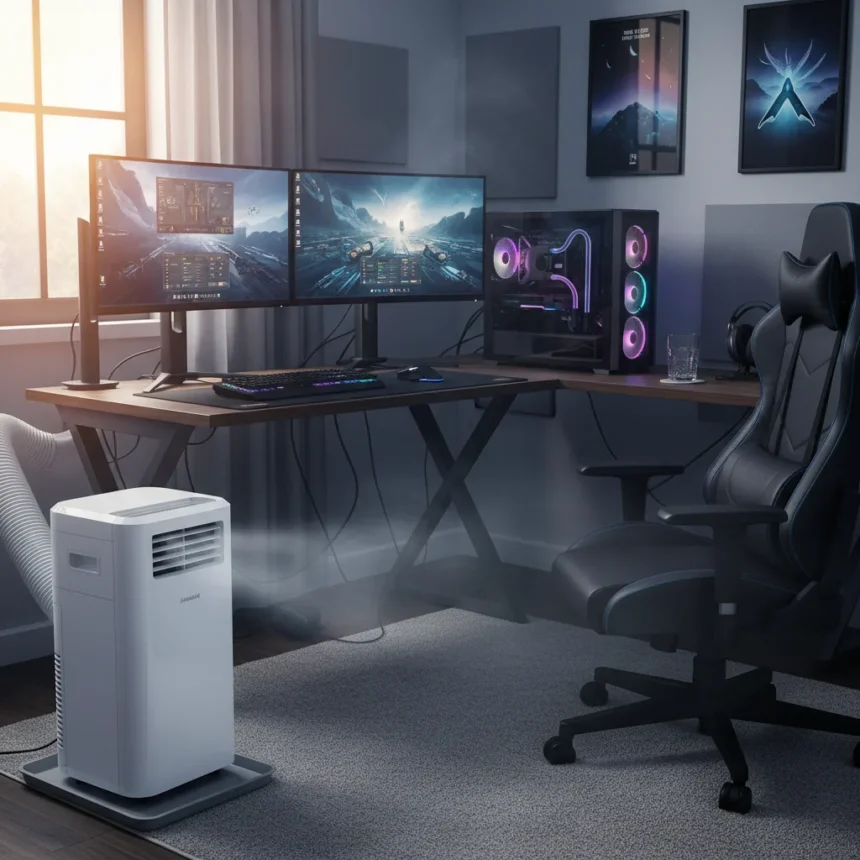
Gaming room cooling has become a critical infrastructure problem for anyone running high-performance PCs, consoles, and VR equipment in enclosed spaces. A serious gaming room is essentially a server closet where you spend eight hours straight, and the heat output from your hardware can turn the space into an unplayable sauna by mid-summer. This is why savvy gamers are investing in cooling solutions before temperatures spike—not after their systems throttle or their gaming sessions become miserable.
Key Takeaways
- Gaming PCs and consoles generate 3,000–5,000 BTU/h of heat per unit, overwhelming standard room ventilation.
- Single-hose portable ACs struggle with sustained cooling, taking 20+ minutes to drop room temperature 5°F versus 15 minutes for window units.
- Dual-hose portables, window units, and ductless mini-splits outperform single-hose models for long gaming sessions.
- Portable ACs double as dehumidifiers, protecting electronics from condensation and keeping fan efficiency high.
- Central AC is inefficient for single-room gaming; zoning with smart thermostats and ERV/HRV systems provide better energy control.
Why Gaming Rooms Generate Extreme Heat
Gaming room cooling starts with understanding the heat load. A single high-wattage gaming PC produces 3,000–5,000 BTU/h of continuous heat output, and that’s before you add a console, multiple displays, VR headsets, RGB accent lighting, and your own body temperature in a small, sealed space. Unlike a living room where airflow can disperse heat across an open floor plan, a gaming room concentrates all this energy in one place. The result: indoor temperatures climb rapidly, throttling GPU performance, shortening hardware lifespan, and making focus impossible during competitive play.
This is not a minor inconvenience. Consumer Reports testing of portable air conditioners found they should be seen as a last resort when other cooling options aren’t available, yet for gaming rooms specifically, they remain one of the few practical solutions for renters and apartment dwellers. The key is choosing the right type and understanding what each option can and cannot deliver.
Single-Hose vs. Dual-Hose vs. Window Units
Gaming room cooling solutions fall into three main categories, and their performance differences are stark. Single-hose portable ACs—the most affordable and mobile option—exhaust conditioned air out a window or vent while pulling in hot, humid replacement air from adjacent rooms. This creates negative pressure, actually drawing warm air into your gaming space. For short bursts, single-hose units work. For a four-hour gaming marathon, they struggle.

Dual-hose portables address this by exhausting air and pulling in fresh air through separate ducts, avoiding negative pressure and performing better for sustained cooling loads. Window units, by contrast, use the outdoor air directly and cool a test chamber from 90°F to 85°F in just 15 minutes—faster than portable units manage the same drop in 20+ minutes. Ductless mini-splits are the efficiency champion: they handle temperature spikes, operate quietly, and can cool multiple zones with a single outdoor unit. The trade-off is installation complexity and upfront cost.
For gaming room cooling, the choice depends on your living situation. Renters benefit from portable or window units. Homeowners with multiple gaming spaces should consider a ductless mini-split or central AC with zoning.



Dehumidification: The Overlooked Cooling Benefit
Gaming room cooling is not just about temperature—humidity matters equally. High humidity degrades electronics performance. Portable ACs like the Honeywell MO08CESWK function as dehumidifiers, pulling moisture from the air and keeping condensation off your PC motherboard, console internals, and display lenses. This secondary benefit extends hardware lifespan and maintains fan efficiency. Without dehumidification, even a cool room can harbor moisture that corrodes circuitry and triggers thermal shutdowns.
For gaming basements or humid climates, pairing a portable AC with a dedicated dehumidifier adds insurance against electronics failure. The investment is modest compared to replacing a $2,000 graphics card or $500 console.
Smart Cooling: Zoning and Pre-Cooling Strategies
If you have central air, gaming room cooling can be optimized through zoning and smart thermostat pre-cooling. Running central AC to cool an entire house just to keep one gaming room at 72°F wastes energy and money. Instead, use a smart thermostat to pre-cool your gaming room 20–30 minutes before a session, then rely on portable AC or a mini-split to maintain that temperature while the rest of the house runs warmer. This reduces overall energy consumption and lowers utility bills during peak summer months.
Advanced setups incorporate ERV (Energy Recovery Ventilation) or HRV (Heat Recovery Ventilation) systems to supply fresh air while exhausting stale air, keeping CO2 levels below 1,000 ppm—critical for mental focus during long gaming sessions. These systems are more common in new construction but can be retrofitted in older homes with sufficient ductwork.



Why Early Investment Matters
Gamers who wait until July to buy cooling equipment face delayed shipping, limited inventory, and inflated prices. Portable ACs are affordable alternatives to window units, mini-splits, or central AC upgrades, making them accessible for bedrooms, basements, and home offices where window restrictions or rental agreements prevent permanent installation. Buying in April or May ensures you have a functioning system before the heat wave hits and your gaming room becomes unplayable.
Is a portable AC enough for serious gaming?
For casual gaming or short sessions, yes. For competitive gaming or eight-hour streaming marathons, a single-hose portable AC is a last resort. Dual-hose portables, window units, or ductless mini-splits handle sustained loads better. Your choice depends on session length, room size, and cooling capacity in BTU.
Can a portable AC protect my gaming PC from overheating?
Portable ACs prevent thermal throttling by maintaining ambient room temperature, but they don’t cool the PC itself. Ensure your PC has adequate case fans and airflow. A portable AC keeps the room at 72°F; your PC’s internal cooling handles the rest.
What’s the difference between cooling and dehumidifying?
Cooling lowers temperature; dehumidifying removes moisture. Portable ACs do both, protecting electronics from condensation while keeping the room comfortable. Humidity control is often overlooked but critical for long-term hardware reliability.
Gaming room cooling is not a luxury—it is infrastructure. Whether you choose a portable unit, a window AC, or a ductless mini-split depends on your space, budget, and commitment level. The only mistake is waiting until summer peaks to act. Buy early, test your setup, and game in comfort.
Where to Buy
Belaco 4-in-1 Portable Air Conditioner is available for £271.99 | Belaco 4-in-1 Portable Air Conditioner: | Pro Breeze 4-in-1 Portable Air Conditioner: | Pro Breeze 4-in-1 Portable Air Conditioner is available for £249.99 | $14.99
Edited by the All Things Geek team.
Source: TechRadar