


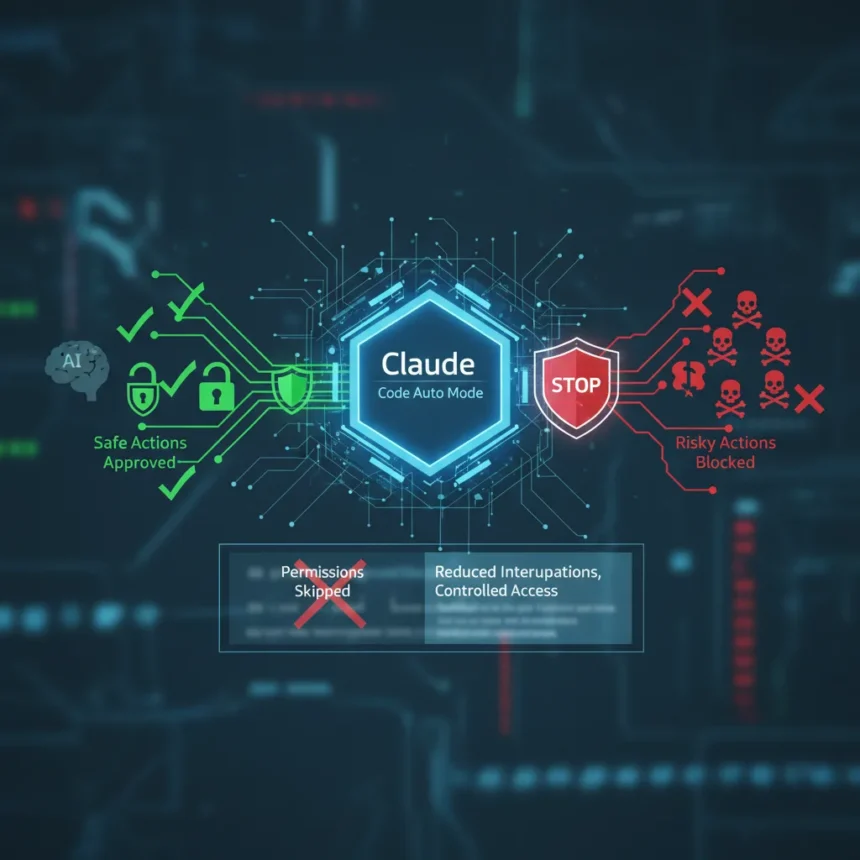
Claude Code auto mode is a new permission system for Anthropic’s Claude Code that allows the AI to autonomously choose and approve its own actions with built-in safety checks, released March 24, 2026, as a research preview for Claude Teams users. It sits between two frustrating extremes: the default mode that interrupts developers with permission prompts for every file write and bash command, and the dangerous –dangerously-skip-permissions flag that ignores all safety checks entirely.
Key Takeaways
- Auto mode uses an AI classifier to review each tool call before execution, blocking destructive actions while auto-approving safe ones.
- Released March 24, 2026, for Claude Teams users; Enterprise and API customers gain access in the coming days.
- Reduces interruptions during long coding tasks while introducing less risk than skipping permissions entirely.
- Enable via CLI with `claude –enable-auto-mode`, then toggle with Shift+Tab or via VS Code/desktop Settings.
- Custom rules can allow staging deployments while blocking production infrastructure changes.
How Claude Code Auto Mode Actually Works
The core mechanism is straightforward but powerful: before each tool call, a classifier reviews the action for destructive patterns like mass file deletions, sensitive data exfiltration, or malicious code execution. Safe actions proceed automatically without interruption. Risky actions get blocked, and Claude redirects itself to take a different approach. If Claude persists with a blocked action, the system triggers a user permission prompt, preserving the human override. This creates a genuine middle path—developers get uninterrupted long coding sessions while maintaining a safety net against catastrophic mistakes.
According to Anthropic, auto mode reduces risk compared to –dangerously-skip-permissions but does not eliminate it entirely, and the company continues to recommend using it in isolated environments. The classifier is not foolproof; false negatives and false positives remain possible depending on how clearly intent is expressed in context. But the tradeoff is explicit: fewer interruptions for genuine safety gains, not total risk elimination.
Setting Up and Configuring Auto Mode
Enabling auto mode requires just one CLI command: `claude –enable-auto-mode`. Once active, you toggle it on and off with Shift+Tab, or access it via Settings in VS Code or the desktop client. The system works with Claude Sonnet 4.6 and Opus 4.6, the latter announced in early February 2026 with coding and agentic improvements.



Custom rule configuration is where auto mode becomes genuinely useful for teams with specific infrastructure patterns. Run `claude auto-mode defaults` to copy Anthropic’s built-in environment, allow, and soft_deny rule sets into your settings.json. Then edit those rules to match your deployment practices. Example rules include allowing source control on specific repositories, permitting deployments to staging namespaces only, or writing to ephemeral S3 buckets. Soft_deny rules—which block actions but let Claude retry differently—can prevent database migrations outside the migrations CLI or production Terraform changes. Verify your configuration with `claude auto-mode config`, and ask Claude itself for feedback on your rules with `claude auto-mode critique`.
The Cost of Convenience
Auto mode is not free. Each tool call now passes through a classifier before execution, which may increase token consumption, expenses, and latency on tool calls. For developers running frequent long-running coding sessions, this overhead compounds. The tradeoff is explicit: you pay in tokens and milliseconds to avoid permission interruptions and the cognitive overhead of repeatedly approving actions. For some workflows—iterative debugging, rapid prototyping—that cost is worth it. For others, the latency may be annoying.



Auto Mode vs. Default and Dangerous Workarounds
Before auto mode, developers faced a binary choice. Default mode prompts on first tool use and requires approval for each file write and bash command, which breaks flow during extended coding sessions. The –dangerously-skip-permissions workaround removed all checks, letting Claude act freely but risking catastrophic errors like accidentally deleting entire directories or exfiltrating sensitive files. Auto mode splits the difference: it runs longer tasks with fewer interruptions while introducing less risk than skipping all permissions. It does not replace human judgment for truly critical infrastructure changes, but it eliminates the death-by-a-thousand-prompts problem that makes default mode impractical for real work.
Who Should Use Auto Mode Right Now
Auto mode is a research preview, which means Anthropic is still testing it and may change behavior. Claude Teams users can access it immediately as of March 24, 2026; Enterprise and API customers get access in the coming days. Teams working in isolated development environments—sandboxes, CI/CD pipelines, ephemeral instances—are the ideal early users. Teams managing production infrastructure should configure soft_deny rules heavily or stick with default mode and human approval for now. The classifier is good, but it is not infallible.
Does auto mode work with all Claude models?
Auto mode is compatible with Claude Sonnet 4.6 and Opus 4.6. Older models are not supported. If your workflow depends on a specific model version, verify compatibility before enabling auto mode in production.
Can I roll back to default permissions if auto mode causes problems?
Yes. You can toggle auto mode on and off with Shift+Tab during a session, or disable it entirely via Settings. Default mode remains the fallback, and –dangerously-skip-permissions is still available for emergencies, though Anthropic does not recommend it for routine use.



What happens if the auto mode classifier makes a mistake?
The classifier is not perfect. If it blocks a safe action, Claude will retry with a different approach. If it misses a risky action—a false negative—the action executes, which is why Anthropic recommends using auto mode only in isolated environments. For critical operations, custom soft_deny rules and human oversight remain the safest path.
Claude Code auto mode solves a real developer problem: the friction between safety and productivity. It is not a silver bullet, and it carries costs in latency and tokens. But for teams willing to configure custom rules and accept that classifier errors are possible, it makes AI-assisted coding substantially more practical. The research preview status means early adopters should expect refinements, but the core idea—AI that can approve its own safe actions while asking for help on risky ones—is sound enough to bet on.
This article was written with AI assistance and editorially reviewed.
Source: TechRadar