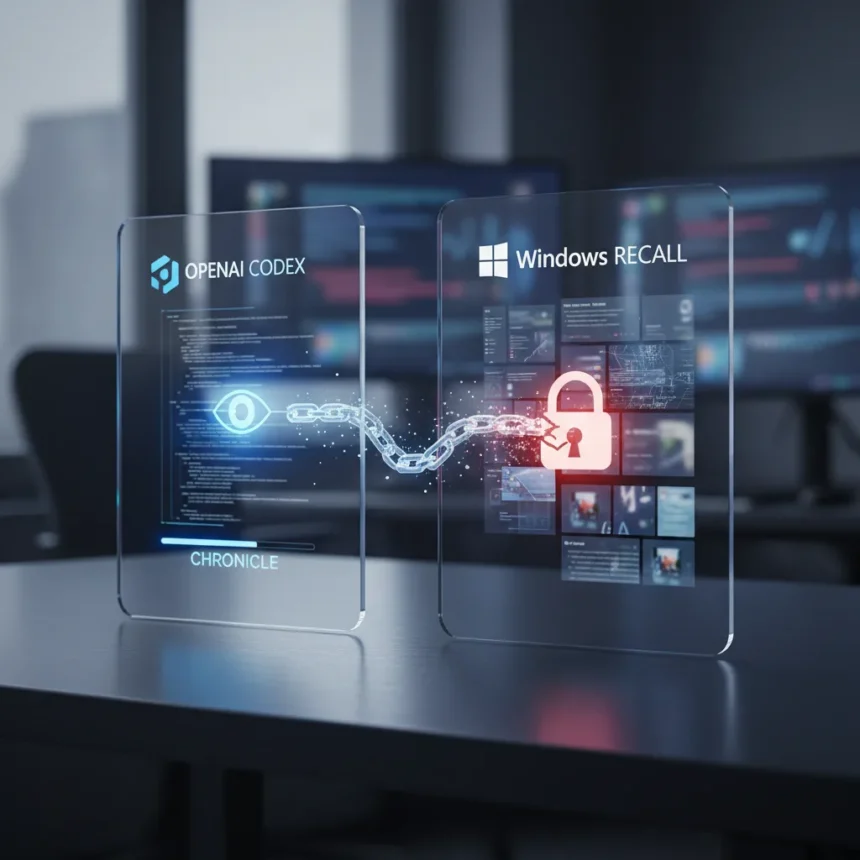
OpenAI’s new Chronicle feature for Codex represents an ambitious attempt to make coding feel like telepathy by automatically capturing screen activity—but it also resurrects the privacy firestorm that engulfed Microsoft’s Windows Recall. The feature, now in research preview for Mac and TUI/app access, enables Codex to remember your workflows, tools, and project context without requiring developers to re-explain their work in every conversation.
Key Takeaways
- Chronicle captures screen activity locally, processes it on OpenAI servers via sandboxed agents, and stores context as unencrypted markdown files
- Memories include stable preferences, recurring workflows, tech stacks, and known pitfalls; short-lived sessions and secrets are automatically excluded
- Feature is off by default and unavailable at launch in the EEA, UK, and Switzerland due to regulatory concerns
- Screenshots are processed but not retained post-processing or used for training, though they do transit through OpenAI servers
- High rate limit consumption from background agents may throttle users relying on frequent memory generation
How Chronicle Works Under the Hood
OpenAI’s Chronicle extends Codex’s existing Memories system, which previously stored conversation history as local context. The new feature fundamentally changes the architecture by introducing automated screen monitoring. When enabled, Chronicle captures your screen activity, processes it through sandboxed background agents equipped with OCR and timing data, and sends summarized context to OpenAI servers via temporary sessions. The system then consolidates this information into memories—unencrypted markdown files stored locally in `~/.codex/memories_extensions/chronicle/`. OpenAI claims screenshots are not stored after processing and are excluded from model training, but the fact that they transit through company servers at all resurrects the exact privacy tension that derailed Windows Recall.
The feature intelligently filters what it remembers. Codex deliberately skips active or short-lived sessions, redacts secrets, and updates memories in the background during idle periods. This design choice suggests OpenAI learned from Recall’s bluntness—but it does not eliminate the fundamental issue. Memories are stored as unencrypted local files accessible to other applications on your machine. A developer working on confidential code, API keys, or proprietary algorithms should understand that Chronicle’s local storage model creates an attack surface that encryption would mitigate.
The Windows Recall Comparison: Lessons Unlearned
Microsoft’s Windows Recall, announced in 2024, promised similar functionality—automatic screen capture and summarization to help users find past work. The backlash was swift and severe. Privacy advocates, security researchers, and enterprise customers raised alarms about continuous screen monitoring, server-side processing, and the potential for data breaches or law enforcement access. Microsoft eventually made Recall opt-in and delayed its rollout. OpenAI’s Chronicle follows a strikingly similar trajectory: screen monitoring, server-side processing, local unencrypted storage, and regulatory caution (unavailability in the EEA, UK, and Switzerland signals legal risk). The difference is framing. OpenAI positions Chronicle as a developer productivity tool, not a personal search engine—but the underlying architecture mirrors Recall’s approach closely enough that the same privacy concerns apply.



Sam Altman’s claim that coding now feels like telepathy masks a harder question: at what cost to privacy? Telepathy works both ways. If Codex can see your screen, OpenAI can theoretically see it too, regardless of stated non-storage policies. Developers handling healthcare, financial, or government code should pause before enabling this feature.
Setup and Control: More Granular Than Recall
To enable Chronicle, users navigate to Settings > Personalization > Memories in the Codex app or edit `~/.codex/config.toml` with `[features] memories = true`. The feature offers thread-level controls that Windows Recall lacked: developers can enable or disable memory generation per session, inject existing memories selectively, and exclude threads that use MCP tool calls or web search. A pause button in the menu bar silences monitoring during meetings or sensitive work. Users can also customize the consolidation model or manually delete and edit memory files to forget information.



This granularity is a genuine improvement over Recall’s all-or-nothing approach. But it does not resolve the core issue: when you enable Chronicle, you are trusting OpenAI’s infrastructure with continuous snapshots of your development environment. Rate limit consumption from background agents compounds the problem—heavy users may find their API quotas drained by memory processing rather than actual code generation.
Regional Restrictions Signal Regulatory Risk
Chronicle’s unavailability in the European Economic Area, UK, and Switzerland at launch is telling. These jurisdictions have stringent data protection laws (GDPR, UK GDPR, Swiss privacy law) that view continuous screen monitoring as high-risk processing. The fact that OpenAI cannot launch Chronicle there without legal review suggests the feature carries real regulatory exposure. U.S. and other markets lack equivalent scrutiny, but that does not mean the privacy risks are lower—only that they are less legally constrained.
What Developers Should Know Before Enabling
Chronicle is designed to reduce friction in coding workflows. The promise is real: Codex can now understand context without re-explanation, remember your tech stack and conventions, and surface relevant past work. For developers working on non-sensitive projects, the productivity gain may outweigh privacy concerns. But for anyone handling proprietary, regulated, or classified code, the unencrypted local storage and server-side processing create unacceptable risk. The feature is off by default, and that default should remain in place for enterprise environments until OpenAI implements end-to-end encryption and provides transparency reports on data requests.
Is Chronicle actually different from Windows Recall?
Both features use screen capture, server-side summarization, and local storage to enhance user workflows. The key difference is scope: Recall aimed to be a system-wide search engine, while Chronicle is narrowly scoped to Codex sessions. That narrowness reduces risk but does not eliminate it. Both also face the same architectural weakness—unencrypted local files and server-side processing create privacy exposure regardless of stated non-storage policies.


Should I enable Chronicle if I work on confidential code?
No. The unencrypted local storage and server-side processing create a data breach risk that outweighs the productivity benefit. Use Chronicle only for open-source or non-sensitive projects. For confidential work, keep the feature disabled and rely on Codex’s standard conversation-based memory.
What happens to my screenshots after Chronicle processes them?
OpenAI states screenshots are not retained post-processing and are not used for training. However, they do transit through OpenAI servers during summarization. If you cannot tolerate that transit—even temporarily—do not enable the feature. Trust in data policies is earned through transparency, and OpenAI has not yet provided the level of detail that would satisfy security-conscious developers.
Chronicle represents OpenAI’s bet that developers will accept screen monitoring in exchange for smoother workflows. But the feature also demonstrates how quickly the industry forgets lessons from privacy backlash. Windows Recall faced fierce resistance for the same architecture. Unless OpenAI adds encryption, provides granular controls, and commits to transparency about data handling, Chronicle risks becoming another cautionary tale about surveillance-as-convenience. For now, the safest move is to leave it off.
Edited by the All Things Geek team.
Source: Windows Central