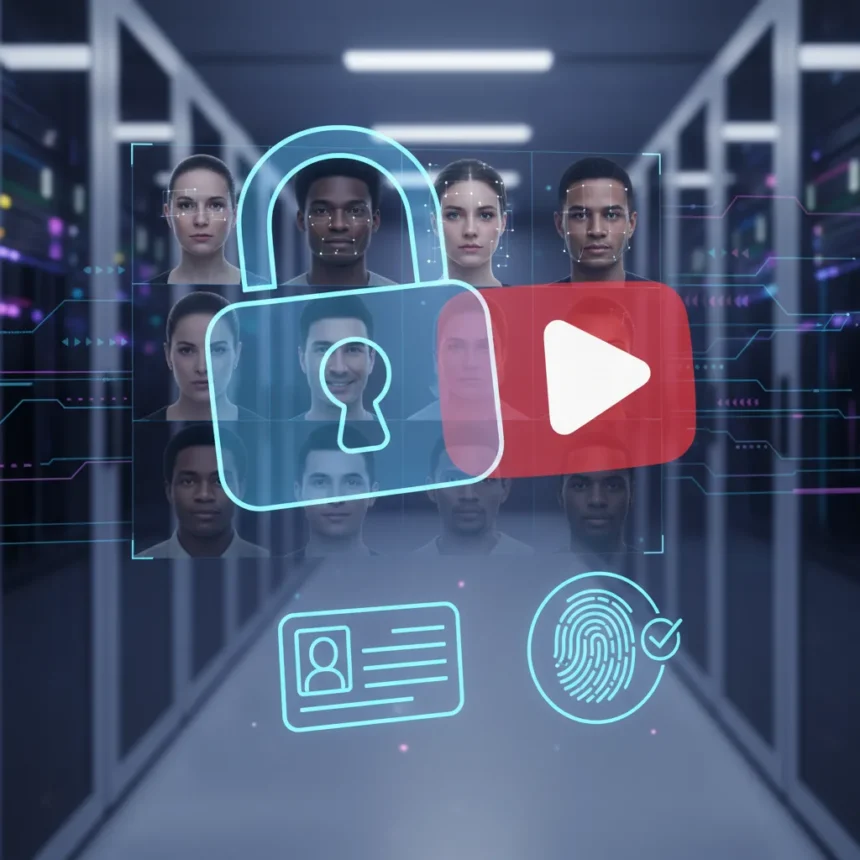
YouTube’s likeness detection tool is expanding beyond a limited group of creators to all channel owners, giving creators a new way to find and report videos where their face appears altered or generated by AI. The feature, which YouTube describes as industry-first protection against unauthorized deepfakes and impersonation, is now rolling out to creators worldwide—but accessing it requires sharing a government-issued ID and submitting to biometric verification.
Key Takeaways
- YouTube’s likeness detection tool is expanding to all channel owners, not just major creators.
- Enrollment requires government-issued ID verification and a selfie video following on-screen motions.
- The feature helps creators detect AI-generated content using their face and request removal.
- Verification can take up to 5 days and is opt-in; creators can opt out anytime.
- Only enrolled creators who consent to biometric processing are identified by the system.
How YouTube’s likeness detection tool works
The YouTube likeness detection tool scans the platform for videos where your face appears to be altered, deepfaked, or synthetically generated. Unlike YouTube’s Content ID system, which focuses on copyright infringement, this feature is specifically designed to protect creators from AI impersonation and unauthorized use of their likeness. Once enrolled and verified, the tool automatically searches YouTube’s library of videos and alerts you when it finds matches.
The tool works best for creators who regularly appear on camera, since the system needs clear facial reference points to identify your likeness. When matches are found, you can review them and request removal if the content violates YouTube’s policies. The system also includes voice-related reporting in some cases, allowing creators to flag videos where their voice may be used without permission.
What verification actually requires
To use YouTube’s likeness detection tool, you must complete identity verification through Google. This is not optional—it is a mandatory step to access the feature. The process involves two components: uploading a photo of your government-issued ID and recording a brief selfie video where you follow simple on-screen motions. YouTube uses this information to confirm your identity and grant permission to use biometric technology to identify content featuring your likeness.



The verification process typically takes a few days to complete, with approval potentially taking up to 5 days. Once YouTube reviews and approves your submission, you receive a confirmation email. Only channel owners or users with a Manager role can set up likeness detection, and you must be at least 18 years old to enroll. If multiple people appear regularly in your videos, each person must complete the verification process separately to gain protection.
Privacy concerns and data handling
The requirement to share government-issued ID and biometric data raises privacy questions that creators should consider carefully. YouTube says it only uses enrolled creators’ biometric data to identify videos featuring their likeness, and that the data is deleted from its systems if you later opt out. However, the process requires granting YouTube explicit permission to process and store your facial biometric information, which is a significant privacy commitment.



The opt-in nature of the feature means creators have control—you can stop using likeness detection anytime by going to Manage Likeness Detection and selecting Stop Finding Matches. But the initial enrollment demands a level of identity disclosure that may deter some creators, particularly those in regions with strict data protection laws. YouTube notes that the feature is experimental and not available in all countries, though the specific country restrictions were not detailed.
Does likeness detection actually solve the deepfake problem?
YouTube’s likeness detection tool addresses one part of the deepfake challenge: finding unauthorized content that uses your face. But it is important to understand what it does not do. Detection does not automatically remove infringing videos—it alerts you so you can review matches and decide whether to request removal. This means the burden of enforcement still falls on creators, not on YouTube’s automated systems.
The tool also works only within YouTube’s platform. If someone posts a deepfake of you on TikTok, Instagram, or another service, this feature will not catch it. For creators concerned about impersonation across the internet, likeness detection is one layer of protection, but not a complete solution. The real value lies in having a dedicated search mechanism within YouTube Studio rather than manually hunting through videos yourself.
How to enroll in YouTube’s likeness detection tool
To set up the feature, open YouTube Studio on a computer and navigate to Content Detection, then select Likeness. Choose Start Now to begin enrollment. You will be asked to agree to YouTube using biometric technology to search for your likeness. Next, complete Google’s identity verification by providing a government-issued ID and recording a brief selfie video where you follow on-screen motions. After submission, wait for YouTube to review your information—approval typically takes a few days to up to 5 days. Once approved, you receive a confirmation email and can begin reviewing matches in the Likeness section of YouTube Studio.


Is the verification requirement worth it?
Whether to enroll depends on how active you are as an on-camera creator and how concerned you are about deepfakes and impersonation. For creators who build their personal brand around their face—vloggers, streamers, public figures—the tool offers genuine value in monitoring and controlling unauthorized use of your likeness. For creators who rarely appear on camera or post infrequently, the privacy cost of ID and biometric verification may outweigh the benefit.
The fact that enrollment is optional is important. YouTube is not forcing creators to hand over government ID; it is offering the tool as an opt-in protection. But the requirement does create a barrier to adoption, particularly for creators in countries with strict privacy regulations or those uncomfortable sharing biometric data with tech companies.
Frequently asked questions
Do I need to verify with government ID to use YouTube’s likeness detection tool?
Yes. Identity verification through Google, including a government-issued ID and a selfie video, is mandatory to enroll in likeness detection. This is YouTube’s way of ensuring only the actual creator can claim ownership of a face and request removal of unauthorized content.
How long does verification take?
Verification can take up to 5 days for YouTube to review your submission. Once approved, you receive a confirmation email and can immediately start using the tool to search for videos featuring your likeness.
What happens to my biometric data if I stop using likeness detection?
YouTube says it deletes your biometric data from its systems after you opt out. You can stop using the feature anytime by going to Manage Likeness Detection and selecting Stop Finding Matches.
YouTube’s expansion of likeness detection to all creators represents a meaningful step toward giving creators more control over their digital identity. But the government ID requirement and biometric verification are not trivial—they reflect YouTube’s trade-off between creator protection and privacy. For creators serious about monitoring deepfakes and impersonation, the tool is worth the enrollment friction. For others, the privacy cost may feel too high. The key takeaway: this is a powerful feature, but it comes with strings attached.
Edited by the All Things Geek team.
Source: TechRadar