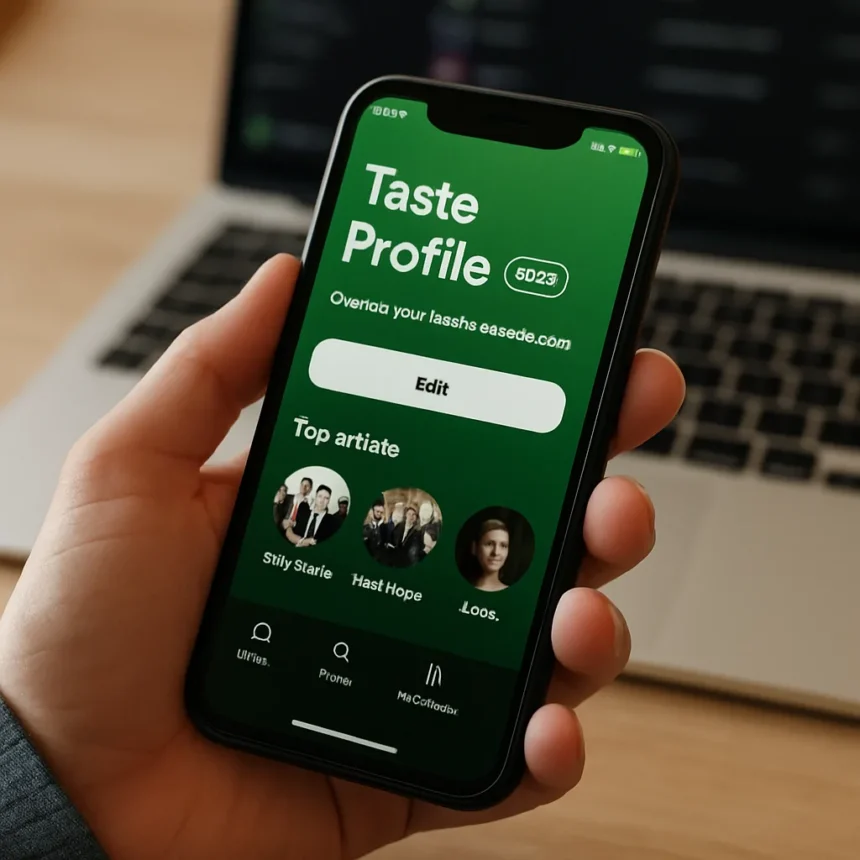
Spotify Taste Profile is a beta feature for Premium subscribers that lets you view, edit, and directly influence how Spotify’s recommendation algorithm understands your music taste. Announced by Spotify Co-CEO Gustav Söderström at SXSW on Friday, the feature rolls out in coming weeks to Premium users in New Zealand, with global expansion planned but no timeline confirmed.
Key Takeaways
- Spotify Taste Profile beta launches in New Zealand for Premium subscribers in coming weeks, not free tier users
- Users can view genres, artists, moods, and daily listening habits aggregated across music, podcasts, and audiobooks
- Edit recommendations using sliders to adjust artist/genre influence or natural language text prompts to steer suggestions
- Directly shapes Discover Weekly, Made For You playlists, and year-end Wrapped summaries
- Addresses skewed data from shared accounts, temporary habits, or one-off listens that distort recommendations
What Spotify Taste Profile Actually Does
Spotify Taste Profile aggregates your listening data into a single dashboard showing genres, artists, moods, and daily habits—like your recent 90s alternative rock exploration or hip-hop influences. Unlike passive recommendation systems that simply track what you play and skip, this feature makes the algorithm’s logic visible and editable. You see exactly what Spotify thinks it knows about your taste, then adjust it.
The interface offers two control methods: sliders to increase or decrease the influence of specific artists, genres, or moods, and a text box for natural language prompts. If Spotify misunderstands your taste—say, it thinks you’re obsessed with lo-fi hip-hop because you played one album during a study session—you can flag the mismatch and dial it down immediately. Or you can leave it untouched and let Spotify work normally.
How Spotify Taste Profile Shapes Your Feed
The Taste Profile influences every personalized feature Spotify serves you: Discover Weekly recommendations, Made For You playlists, homepage suggestions, and year-end Wrapped summaries. According to Spotify’s newsroom, more than 80% of listeners say personalization is what they love most about the service, yet many feel the algorithm misses the mark when temporary habits or shared account activity skew the data. Taste Profile corrects that gap by letting you be the editor, not just the listener.



This approach addresses a real pain point. If you binge true crime podcasts for a month, Spotify’s model might assume that is your dominant interest and start flooding your recommendations with similar content. With Taste Profile, you can acknowledge that listening pattern while signaling it is temporary or context-specific—say, commute listening versus workout music. The algorithm then incorporates that nuance into future suggestions.
Spotify Taste Profile vs. Prompted Playlists
Spotify already launched Prompted Playlists, a generative tool that creates custom playlists based on your mood, activity, or listening history. The two features serve different purposes. Prompted Playlists generates new playlists on demand; Taste Profile edits the underlying recommendation model itself. Think of it this way: Prompted Playlists is generative (creates from scratch), while Taste Profile is corrective (refines what already exists). Together, they represent Spotify’s shift from passive personalization to collaborative curation, where users actively shape their own algorithmic experience.



Both features are part of Spotify’s broader push to make recommendations transparent and user-controlled amid growing scrutiny of algorithmic bias in streaming. The company has used New Zealand as a testing ground for AI-adjacent features, rolling out Prompted Playlists there first before wider rollout.
When and Where Spotify Taste Profile Launches
Spotify Taste Profile beta rolls out in coming weeks to Premium subscribers in New Zealand only. No firm global timeline or free-tier availability has been announced. This is a Premium-only feature, so Standard or Free tier subscribers will not have access. If you are outside New Zealand and a Spotify Premium member, you will need to wait for broader rollout, which the company has not yet scheduled.
The limited regional launch is deliberate. Spotify uses New Zealand as a testing ground to validate features before global deployment, allowing the company to gather user feedback and iron out bugs in a smaller market. This approach has worked well for Prompted Playlists and other AI features.
Does Spotify Taste Profile Work Without Editing?
Yes. You can view your Taste Profile and leave it unchanged, letting Spotify’s recommendations work as normal. The feature is entirely optional. If you prefer passive personalization and do not want to tinker with sliders or type prompts, you can ignore Taste Profile altogether and use Spotify exactly as you do today.



Can you edit Spotify Taste Profile on mobile and desktop?
The research brief does not specify platform availability for Taste Profile. Spotify typically rolls out features across web, iOS, and Android simultaneously or in phases, but exact platform details have not been confirmed.
How does Spotify Taste Profile affect your Wrapped summary?
Taste Profile directly influences your year-end Wrapped summary by shaping which genres, artists, and listening patterns Spotify highlights. If you adjust your profile to downplay a genre you listened to out of habit, Wrapped will reflect your adjusted preferences rather than raw play history. This makes Wrapped more representative of your actual taste versus skewed data from shared accounts or temporary phases.
Spotify Taste Profile represents a meaningful shift in how streaming services approach personalization. Rather than locking users into algorithmic black boxes, Spotify is handing you the editing tools. The feature is not perfect—it launches in only one region, Premium-only, and with no global timeline—but it signals that the future of streaming personalization is collaborative, not passive. For listeners tired of algorithmic misunderstandings, Taste Profile is the first real chance to talk back to the algorithm.
Edited by the All Things Geek team.
Source: Android Central