






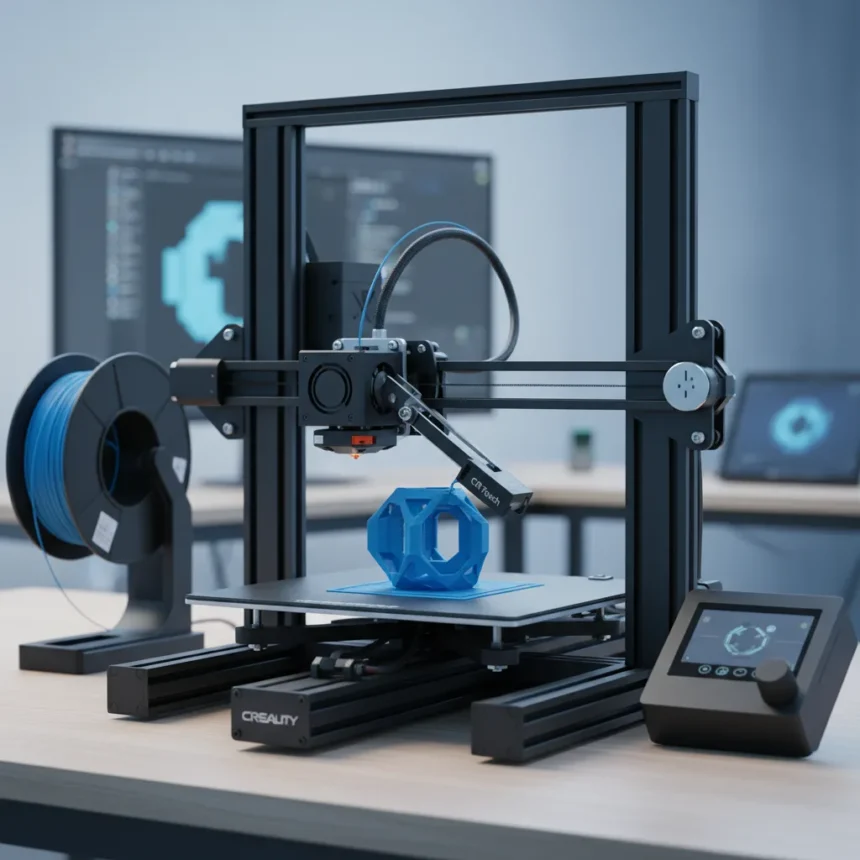
The Creality Ender 3 V3 SE is a direct-drive 3D printer that just hit its lowest price ever at $186.15 on Amazon, undercutting Creality’s own store and making it one of the most affordable entry-level machines with serious capability. For a printer that costs less than a gaming headset, you get 250 mm/s print speed, automatic bed-leveling with CR Touch sensors, and a build platform of 220 x 220 x 250 mm—enough for most hobbyist projects.
Key Takeaways
- Amazon price of $186.15 is a record low, cheaper than Creality’s official store
- Direct-drive Sprite extruder prints up to 250 mm/s, 2.5x faster than older Ender models
- CR Touch auto-leveling with strain sensor eliminates manual bed adjustment frustration
- Supports PLA, PETG, and TPU filaments with printing accuracy of ±0.1 mm
- 3.2-inch color LCD screen and microSD/USB-C connectivity for easy file transfer
Why the Creality Ender 3 V3 SE Matters Right Now
Budget 3D printers have historically meant compromise—slow speeds, finicky leveling, poor print quality. The Creality Ender 3 V3 SE flips that script. At $186.15, this is not a stripped-down beginner trap; it is a genuinely capable machine that addresses the two biggest pain points new users face: bed-leveling and print speed. The CR Touch sensor handles leveling automatically, eliminating the tedious manual process that kills enthusiasm for 50% of first-time buyers. The direct-drive extruder means better filament control and fewer failed prints mid-job.
The speed jump is real. Previous Ender models maxed out around 100 mm/s; this one hits 250 mm/s, cutting print times dramatically. For someone printing small parts, miniatures, or prototypes, that speed difference turns a 4-hour job into 90 minutes. At this price point, you are getting features that were exclusive to printers costing twice as much two years ago.
Specs That Actually Matter for Beginners
The Creality Ender 3 V3 SE builds objects up to 220 x 220 x 250 mm—small enough for desk-side printing, large enough for functional parts, enclosures, and display models. The direct-drive Sprite extruder uses standard 1.75 mm filament with a 0.4 mm nozzle, compatible with PLA, PETG, and flexible TPU (95A). Layer height ranges from 0.1 to 0.4 mm, meaning you can choose speed over detail or vice versa depending on the project.

The 3.2-inch color LCD screen with knob control is intuitive—no smartphone app required, no WiFi dependency. File transfer happens via microSD card or USB-C, both dead simple. Power loss recovery means if your electricity hiccups mid-print, the machine resumes where it left off. The 32-bit silent mainboard keeps noise below 50 dB, so it will not sound like a chainsaw in your bedroom.
How the Creality Ender 3 V3 SE Compares to Alternatives
Older Ender models like the Ender 3 V2 are still available used or discounted, but they lack the direct-drive extruder and auto-leveling that make the V3 SE so beginner-friendly. Those machines require manual bed-leveling with a piece of paper—a ritual that frustrates new users. Pricier models from other brands add features like enclosed chambers, multi-material heads, or larger build volumes, but for someone starting out, those extras are overkill. The V3 SE hits the sweet spot: fast enough to respect your time, automatic enough to reduce failure, cheap enough to not hurt if you abandon the hobby next month.


The Amazon price of $186.15 is particularly noteworthy because it beats Creality’s official store pricing. This is not a flash sale or a regional discount—it is a sustained price drop that makes the machine accessible to skeptics who thought 3D printing was a $500+ commitment. At this price, the barrier to entry is lower than a decent wireless keyboard.
Who Should Buy the Creality Ender 3 V3 SE
This printer is purpose-built for people new to 3D printing who want to avoid the learning cliff. If you are curious about the technology but worried about complexity, the auto-leveling and simple interface remove two major sources of frustration. If you are a maker who wants to prototype parts, print organizers, or build miniature terrain for tabletop games, you have a capable machine. If you are a student or hobbyist on a tight budget, $186.15 is defensible even if you only use it a handful of times.
Skip this if you need a multi-material printer, a huge build volume, or enclosed heating—those are not this machine’s game. But for pure beginner-to-intermediate capability at this price, the Creality Ender 3 V3 SE has no real competition right now.
What About Connectivity and Slicing Software?
The Creality Ender 3 V3 SE works with open-source slicers including OrcaSlicer, Cura, and PrusaSlicer, so you are not locked into proprietary software. You design or download STL files, slice them on your computer, save to microSD, and print. No cloud account required, no subscription fees. The USB-C port allows direct printing from a computer if you want, though most users prefer the simplicity of sneaker-net file transfer.



Is the Creality Ender 3 V3 SE worth $186?
Absolutely. For the price, you are getting direct-drive printing, automatic leveling, and 250 mm/s speed—features that cost significantly more on competing machines. The main limitation is build volume; if you need to print larger objects, you will outgrow it. But as a first printer or a secondary machine for rapid prototyping, it delivers serious value.
Where can you buy the Creality Ender 3 V3 SE at this price?
Amazon has it at $186.15 as of now. Creality’s official store charges more. Best Buy, B&H Photo, and Polyfab3D also carry it, though prices at those retailers were not specified in current listings.
The Creality Ender 3 V3 SE proves that entry-level 3D printing no longer means frustration or failure. For $186, you get a machine that prints fast, levels itself, and actually works. If you have been waiting for the right moment to jump into 3D printing, this is it.
Where to Buy
pick up the Creality Ender 3 V3 SE for just $186.15 | Creality Ender 3 V3 SE: | Creality Ender 3 V3 SE Bundle with 4x Filament: | $209.89 bundle
This article was written with AI assistance and editorially reviewed.
Source: Tom's Hardware