




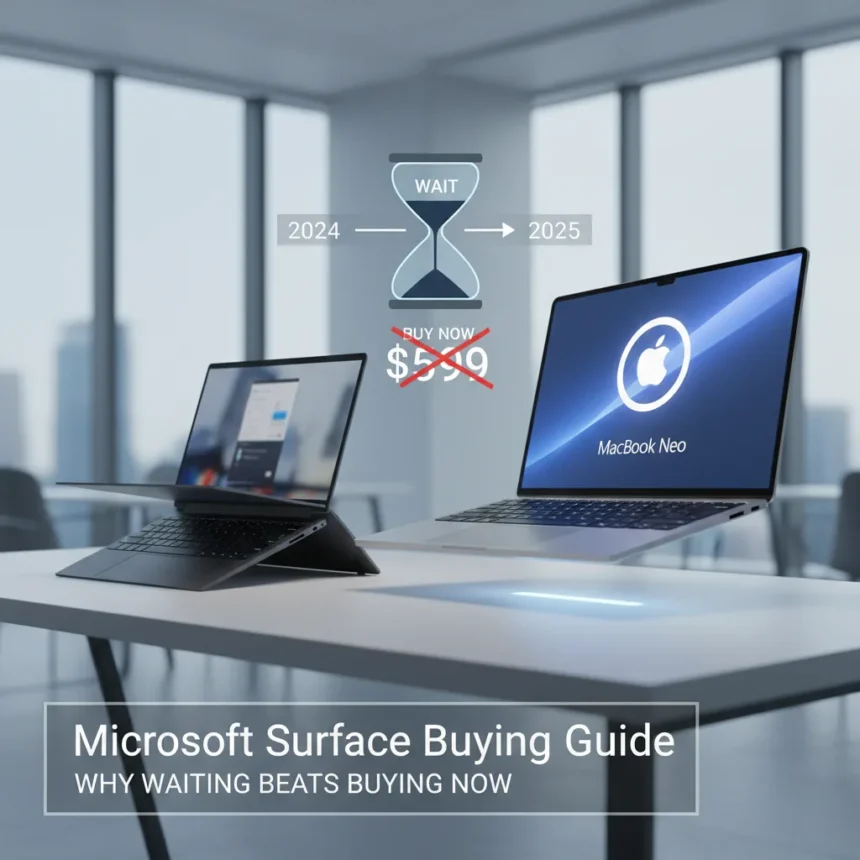
The Microsoft Surface buying guide right now points to one clear conclusion: don’t buy yet. Microsoft’s current Surface lineup is trapped between aging 2024 internals and an imminent product refresh, while Apple’s $599 MacBook Neo has fundamentally disrupted the value proposition that once made Surface compelling.
Key Takeaways
- Microsoft Surface devices use older Snapdragon X Plus processors from 2024, lacking competitive performance against newer alternatives.
- Apple MacBook Neo ($599) delivers 116.3% better value-for-money compared to Surface Laptop 13 with equivalent RAM.
- MacBook Neo outperforms Surface in single-core (+813%) and multithreading (+403%) benchmarks.
- Surface Pro models retain advantages in touchscreen, stylus support, and tablet flexibility that MacBook Neo cannot match.
- Spring 2025 refresh expected for Surface lineup, making current inventory a poor purchase timing decision.
Why the Microsoft Surface buying guide says wait right now
The timing is brutal. Microsoft’s current Surface devices—including the Surface Laptop 13 and Surface Pro 12—are built around Snapdragon X Plus processors that launched in 2024. These chips are no longer competitive. Meanwhile, the market has shifted. Apple’s MacBook Neo, arriving in 2026 at just $599, delivers performance that makes current Surface pricing look indefensible. The value-for-money gap is stark: MacBook Neo offers 116.3% better value compared to a Surface Laptop 13 with 8GB RAM. For most buyers, that single metric should freeze your finger on the purchase button.
The performance delta is staggering. MacBook Neo’s A18 Pro CPU crushes Snapdragon X Plus in single-core performance by 813% and multithreading by 403%. These are not marginal differences—they represent generational gaps in raw computing power. If you need sustained performance, battery life that actually lasts, or ecosystem integration with other Apple devices, MacBook Neo at $599 is objectively the better choice. Microsoft knows this. The company is planning a Spring refresh to address this exact weakness, which means buying Surface hardware today is buying yesterday’s technology at tomorrow’s prices.
When Microsoft Surface still makes sense
The Microsoft Surface buying guide is not a blanket rejection. Surface devices retain genuine strengths that MacBook Neo simply cannot match. Touchscreen functionality, stylus support, and tablet modes are not gimmicks—they are legitimate productivity features. If you’re a creative professional, note-taker, or anyone who values interactive workflows, Surface Pro models add value that keyboard-only laptops cannot replicate. Every Surface Pro matches MacBook Neo on RAM and storage specifications while adding detachable keyboards, touchscreen interfaces, and pen support. That versatility matters for specific use cases.



The form factor argument is real. Surface devices blur the line between laptop and tablet, offering flexibility that MacBooks do not. If your workflow depends on switching between laptop mode and tablet mode, if you sketch or annotate regularly, or if you need broader software compatibility across Windows applications, Surface remains a stronger choice than MacBook Neo. The question is not whether Surface is good—it is whether the current aging hardware justifies the price premium you will pay right now instead of waiting for refreshed internals in Spring.
Microsoft Surface buying guide: the Spring refresh factor
Here is the core argument: Microsoft is preparing a Spring refresh. Waiting a few months means you will get newer processors, updated designs, and current-generation performance rather than last year’s technology. The current Surface lineup is a bridge product—something you buy only if you absolutely cannot wait. For everyone else, patience is the smarter play. You will get better hardware, potentially at similar pricing, without the regret of owning a device that is obsolete the moment you unbox it.


The MacBook Neo disruption accelerates this timeline. Apple’s aggressive $599 pricing has forced the entire industry to recalibrate value expectations. By the time Microsoft refreshes Surface, it will need to respond to this new baseline. That response will likely include processor upgrades, potentially better pricing, or both. Buying Surface today means missing that competitive recalibration entirely.
Is the MacBook Neo worth buying instead of Surface?
If you are purely chasing performance and value, yes. MacBook Neo at $599 with A18 Pro and 5-core GPU is objectively the stronger purchase for most users. You get superior sustained performance, excellent battery life, and seamless ecosystem integration if you own other Apple devices. The trade-off is losing touchscreen, stylus, and tablet functionality. For writers, developers, and general productivity users, those losses barely register. For creatives and power users, they matter deeply.
Should I wait for the Microsoft Surface Spring refresh?
Absolutely, unless you have an immediate, non-negotiable need for a new device right now. Waiting costs you nothing except time, and you gain access to current-generation hardware without the performance and value penalties of the aging 2024 lineup. If you can delay your purchase by 2-3 months, do it.
What makes Surface Pro different from Surface Laptop in the buying guide?
Surface Pro models add tablet functionality and detachable keyboards, making them more versatile for hybrid workflows. Surface Laptop 13 is a traditional clamshell device. If you value interactive features and form factor flexibility, Pro is worth the premium. If you need a straightforward laptop, Laptop 13 is simpler—but both are hamstrung by aging internals right now.



The Microsoft Surface buying guide boils down to this: current inventory is a trap. Aging processors, weakened value proposition against MacBook Neo, and a Spring refresh on the horizon make now the worst possible time to commit. Wait for refreshed hardware, let the market stabilize around Apple’s new pricing floor, and buy a Surface device that does not feel obsolete the moment you power it on. Patience is not just prudent—it is the only rational choice.
This article was written with AI assistance and editorially reviewed.
Source: Windows Central