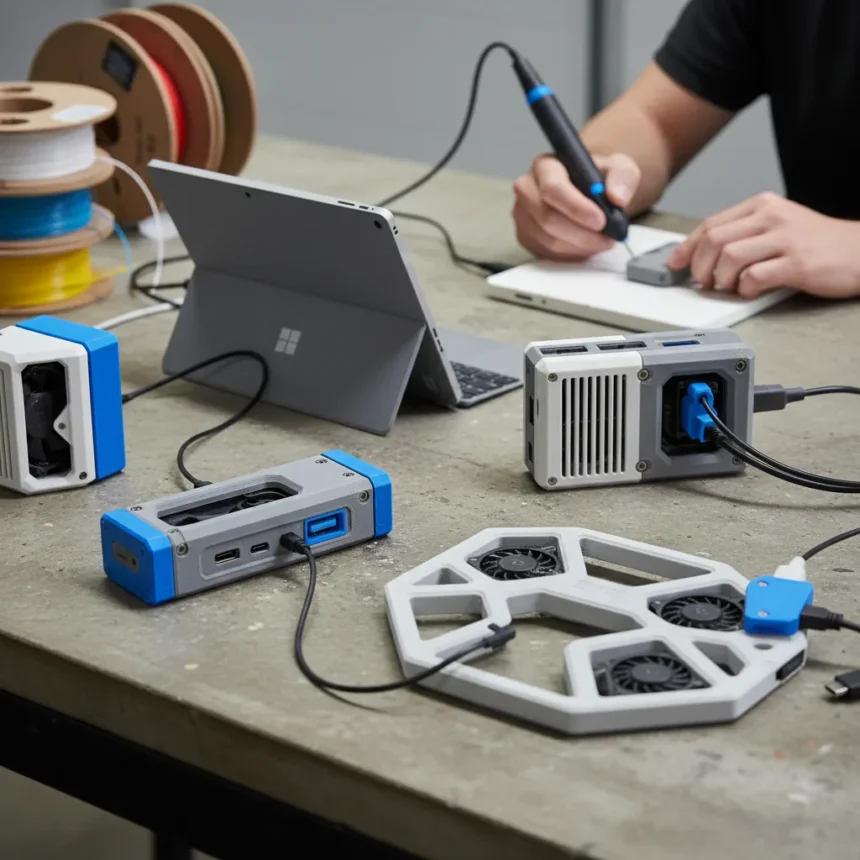
3D-printed Surface accessories are becoming the unofficial solution to Microsoft’s hardware shortcomings, with fans designing custom docks, cooling adapters, and keyboard compatibility solutions that the company refuses to manufacture. The Surface community has moved beyond complaints—they’re now manufacturing their own fixes.
Key Takeaways
- Surface fans design and print custom docks to improve lap usability and keyboard compatibility.
- Microsoft officially released free 3D files for a Surface Pro 3 Docking Station Adapter compatible with Surface Pro 4.
- A YouTube creator prototyped a blower fan cooling duct for Surface Pro 7 gaming, available on Thingiverse.
- Thingiverse and Printables host dozens of free Surface device models, licensed under Creative Commons.
- All 3D-printed solutions are free to download and print, though they remain community prototypes without official testing.
Microsoft’s Hardware Gaps Drive DIY Solutions
Microsoft has never prioritized accessory depth for Surface devices. The company offers its official Surface Dock, but users report frustration with lap usability, keyboard pairing limitations, and thermal management during demanding tasks. Rather than wait for official solutions, the Surface community is filling these voids with 3D-printed alternatives. This shift reflects a broader trend: when manufacturers leave obvious product gaps, engaged users will design around them.
The most telling example is lapability—the ability to comfortably use a Surface device on your lap. A fan-designed 3D-printed dock specifically addresses this ergonomic gap, and includes compatibility with Lenovo’s TrackPoint keyboard, a feature Microsoft’s official accessories do not support. This is not a niche request. It is a fundamental use case that Microsoft’s product line ignores, forcing users to either accept the limitation or print their own solution.
Official Microsoft Support for 3D-Printed Adapters
Microsoft has acknowledged the trend by officially releasing 3D-printable files. The company made available an adapter that attaches to your Surface Pro 3 Docking Station so your Surface Pro 4 can snugly hold your new Surface Pro 4, accommodating dimension changes between generations. Users can download the files free and print them at home, or request a physical copy from Microsoft Customer Support for free, plus shipping and handling costs.


This move is significant—it represents Microsoft tacitly admitting that its hardware ecosystem has compatibility gaps. Rather than design a unified dock that works across generations, the company outsourced the problem to users. The adapter is a workaround, not a solution. But it is an official workaround, which legitimizes 3D printing as an acceptable way to extend Surface hardware compatibility.
The Cooling Adapter: Gaming Meets DIY Engineering
Beyond docks, Surface fans are addressing thermal performance. A YouTube creator designed a blower fan adapter for Surface Pro 7 gaming, prototyping what he calls a “frankencooler duct” using TinkerCad. The design boxes over the device’s top vent and smoothly directs air from a 75x15mm blower fan to a nozzle, creating targeted cooling during intensive gaming sessions. The creator warns that the adapter may scratch the device, a risk users accept in exchange for better thermals.



This solution highlights a real gap in Microsoft‘s product thinking. Surface devices are marketed as capable machines, yet Microsoft provides no official cooling solutions for users who want to push performance. Third-party fans exist, but they are generic—a 3D-printed duct designed specifically for Surface Pro 7 geometry is far more effective. The fact that fans are willing to risk scratching their devices to achieve this speaks to how underserved this segment feels.
Where to Find 3D-Printed Surface Models
The ecosystem for 3D-printed Surface accessories is growing. Thingiverse hosts a Surface Laptop 4 Dock designed by user yasuocidal, licensed under Creative Commons – Attribution – Share Alike. Printables.com features a broader collection tagged #microsoftsurface, offering models for multiple device generations. All files are free to download, and printing costs vary based on material and local printer access—typically under the cost of a single official Microsoft accessory.
This decentralized approach has advantages. Users can customize designs, remix them, and share improvements. A dock that works for one person’s workflow can be modified by another for different needs. Microsoft’s official accessories cannot offer this flexibility. The trade-off is that community designs are prototypes. They are not stress-tested, not officially supported, and not guaranteed to work without damaging your device.
Why Microsoft Refuses to Build These Accessories
The logical question: why doesn’t Microsoft manufacture these items? The answer reveals the company’s product strategy. Official docks, cooling solutions, and keyboard adapters require design investment, manufacturing setup, and ongoing support. For a company focused on selling Surface devices themselves, accessories are a lower priority. Microsoft assumes most users will accept the hardware as-is or purchase third-party solutions from established accessory makers.



But third-party manufacturers often do not build Surface-specific solutions either—the market is too small relative to iPhone or iPad accessories. This leaves a gap that 3D printing fills perfectly. The barrier to entry for a 3D-printed design is near zero. A single engineer can design and release a model in hours. Microsoft cannot compete with that speed or cost structure, so it doesn’t try.
Is 3D-Printing Your Surface Accessories Safe?
Community-designed 3D-printed accessories are not tested by Microsoft or independent labs. Users assume all risk. The cooling duct creator explicitly warns that the adapter may scratch your device. A poorly designed dock could damage your Surface’s connectors or screen. Before printing any design, research user reviews on Thingiverse or Printables, and test with a device you can afford to lose.
Microsoft’s official adapter is the safest bet, since the company engineered it specifically for Surface Pro compatibility. Community designs are more experimental, but they also offer features Microsoft will never provide—like lap optimization or TrackPoint keyboard support. Choose based on your risk tolerance and specific needs.
What happens if my 3D-printed dock damages my Surface?
Microsoft will not cover damage caused by third-party or user-designed accessories. Your warranty is void if a 3D-printed dock scratches your screen, cracks your hinge, or damages internal components. This is why testing on a secondary device or reading user reviews is critical before printing. The community is generally honest about design flaws, but you are ultimately responsible for the outcome.
Can I sell 3D-printed Surface accessories?
Most designs on Thingiverse and Printables are licensed under Creative Commons – Attribution – Share Alike, which permits commercial use as long as you credit the original designer and release your modifications under the same license. However, check the specific license of any design before selling. Some creators restrict commercial use entirely. Selling without permission or proper attribution is copyright infringement and will get your shop shut down.
Why doesn’t Microsoft just make these accessories official?
Microsoft has decided that docks, cooling solutions, and keyboard adapters fall outside its core business. The company makes money selling Surface devices, not accessories. Designing, manufacturing, and supporting a full line of specialized docks would require resources Microsoft would rather spend on software, chipsets, or marketing. The company’s strategy is to let third parties and now the DIY community handle these gaps. It is a deliberate choice, not an oversight.
The rise of 3D-printed Surface accessories is a vote of no confidence in Microsoft’s hardware strategy. Users are not waiting for official solutions because they have learned that Microsoft will not provide them. Instead, they are taking manufacturing into their own hands. This is the future of consumer hardware: when companies leave gaps, engaged communities will fill them. Microsoft’s willingness to release official 3D files suggests the company understands this shift. But understanding and acting are different things. Until Microsoft commits to accessory breadth, fans will keep printing.
Edited by the All Things Geek team.
Source: Windows Central