





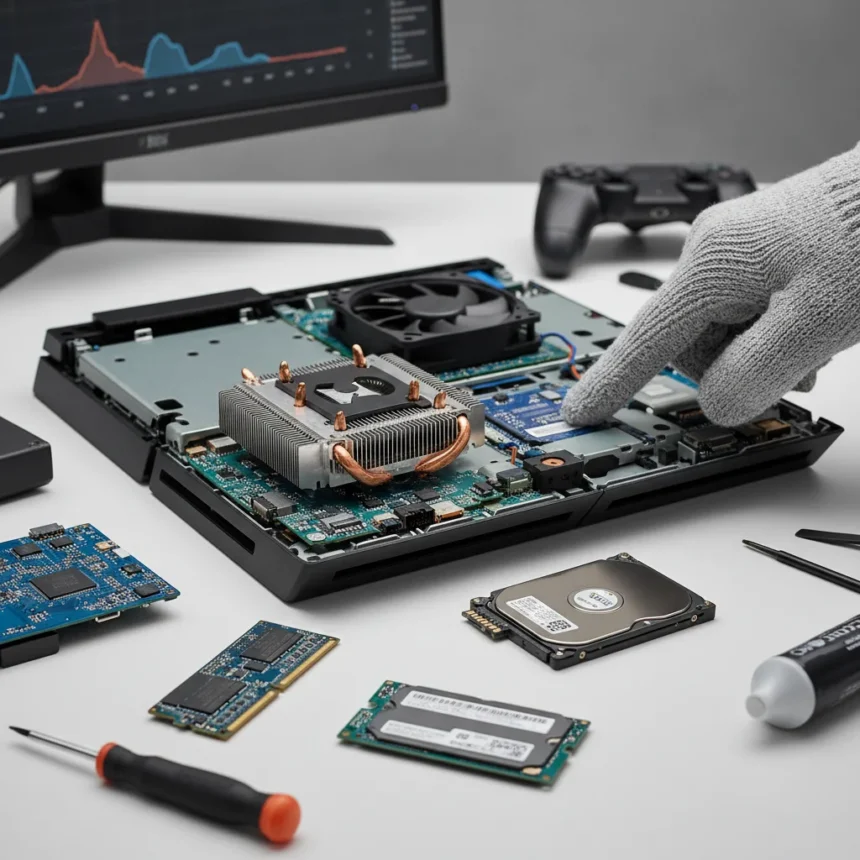
PS4 hardware upgrades remain one of the most misunderstood topics in console gaming. The PlayStation 4 launched in 2013, and nearly a decade later, millions of players still rely on the original hardware. Yet the conversation around what actually improves PS4 performance is muddled by hype and half-truths. Some upgrades deliver genuine benefits. Others? They’re expensive distractions that won’t meaningfully change your experience.
Key Takeaways
- PS4 cleaning removes dust buildup that throttles thermal performance and frame rates.
- Storage upgrades like SSDs can improve load times but require technical knowledge to install.
- Parental controls and system settings optimization have minimal impact on raw gaming speed.
- Most PS4 hardware upgrades extend console lifespan rather than unlock new performance levels.
- Thermal management through cleaning is the single most cost-effective upgrade available.
Why PS4 Hardware Upgrades Matter Right Now
The PS5 launched in 2020, but millions of gamers still play on PS4 hardware. Some prefer the existing library. Others cannot justify a console upgrade. For these players, understanding which PS4 hardware upgrades actually work separates smart investments from wasted money. The question is not whether upgrades exist—it is which ones genuinely move the needle on performance and longevity.
PS4 consoles accumulate dust inside their cooling systems over years of use. This buildup forces the processor to throttle performance to prevent overheating. A thorough internal cleaning removes this thermal barrier, allowing the console to run at full clock speeds consistently. This is the single most impactful PS4 hardware upgrade available, and it costs almost nothing beyond an hour of careful disassembly. The improvement is measurable: frame rates stabilize, load times drop slightly, and the console runs cooler during demanding games.
Storage Upgrades and Load Time Reality
Storage upgrades represent the second category of PS4 hardware upgrades worth considering. The original PS4 ships with a 500GB or 1TB mechanical hard drive. Replacing it with an SSD can reduce load times by 30 to 50 percent depending on the game. However, this upgrade requires opening the console, removing the original drive, and installing a compatible replacement—a task that intimidates many users and voids warranties on some models.


The performance gain is real but context-dependent. Games like Bloodborne and The Witcher 3 see dramatic load time reductions. Others show modest improvements. Critically, SSD upgrades do not increase frame rates or resolution. They make existing performance feel snappier by eliminating wait states between areas. For players who spend significant time loading into open-world games, the investment makes sense. For casual players, the hassle-to-benefit ratio is less favorable.
One practical limitation: PS4 storage upgrades are limited by the console’s hardware ceiling. The maximum supported drive capacity is 2TB. Once you hit that limit, you cannot expand further without external USB storage, which introduces its own performance trade-offs. Planning your storage strategy matters more than simply buying the largest drive available.



What PS4 Hardware Upgrades Do NOT Improve
This is where myth collides with reality. Parental controls, system updates, and network optimizations are often marketed as performance boosters. They are not. Parental controls restrict access to content and limit playtime—valuable for families, irrelevant for gaming speed. System settings like resolution modes and frame rate caps let you choose between visual quality and performance, but they do not unlock new capabilities. These are trade-offs, not upgrades.
Similarly, external USB drives and network improvements address storage and connectivity, not raw gaming performance. A faster internet connection helps with online multiplayer stability, but it will not make your PS4 render frames faster. Confusing these peripheral improvements with actual PS4 hardware upgrades is how players waste money chasing performance gains that do not exist.
Thermal Management: The Overlooked Foundation
Every PS4 hardware upgrade discussion should begin with thermal management. The console’s APU—the unified processor and graphics chip—throttles clock speed when it approaches thermal limits. This throttling is invisible to players but measurable in frame rate drops during demanding scenes. A clean cooling system allows sustained peak performance. A clogged one guarantees performance degradation over time.
Cleaning involves removing the plastic shell, accessing the heatsink and fan, and carefully removing years of accumulated dust. It sounds daunting but takes roughly one hour with basic tools. The payoff is substantial: cooler running temperatures, stable frame rates, and a console that sounds quieter because the fan runs less aggressively. This is not a glamorous upgrade. It is the foundation that makes every other upgrade more effective.


Comparing PS4 Upgrades to Console Replacement
At what point do PS4 hardware upgrades become less sensible than simply buying a PS5? That calculation depends on your gaming priorities. If you play primarily PS4 exclusives and value the existing library, upgrades extend console life cost-effectively. If you want latest performance, ray tracing, and 4K resolution, no amount of PS4 hardware upgrades will get you there. The PS4’s GPU architecture is fixed. You cannot upgrade your way to next-generation visuals.
For budget-conscious players, a cleaned PS4 with an SSD delivers a noticeably improved experience at a fraction of PS5 cost. For performance-focused gamers, the upgrade path leads elsewhere. Understanding this distinction prevents buyer regret and wasted spending on modifications that cannot deliver what the console’s fundamental architecture does not support.
Should I clean my PS4 as a hardware upgrade?
Yes. Internal dust accumulation is the primary cause of PS4 thermal throttling. Cleaning removes this barrier and restores the console to near-original performance levels. It is the most cost-effective PS4 hardware upgrade available and requires only basic tools and careful disassembly. Most players notice improved frame rate stability and quieter operation immediately after cleaning.
Does an SSD really improve PS4 gaming performance?
An SSD improves load times significantly—typically 30 to 50 percent faster—but does not increase frame rates or resolution. The benefit is most noticeable in games with large open worlds or frequent area transitions. However, installation requires technical skill and voids some warranties. The upgrade makes sense if you value faster loading over the installation hassle.
Are there any PS4 hardware upgrades that increase frame rates?
No. PS4 frame rate is determined by the GPU and CPU, which cannot be upgraded. Cleaning improves thermal performance and prevents throttling, which helps maintain advertised frame rates under load, but does not increase them beyond the game’s original specifications. Frame rate gains require newer console hardware.
PS4 hardware upgrades work best when expectations align with reality. Cleaning and storage upgrades deliver measurable improvements within the console’s architectural limits. Everything else is either a sidegrade or a distraction. The PS4 is not secretly holding itself back—it is simply an aging console reaching the end of its performance ceiling. Smart upgrades extend its useful life. Unrealistic expectations about what upgrades can achieve only lead to disappointment.
Where to Buy
Sony PlayStation 5 Slim | Microsoft Xbox Series X | Nintendo Switch OLED | Microsoft Xbox Series X
Edited by the All Things Geek team.
Source: Tom's Guide




