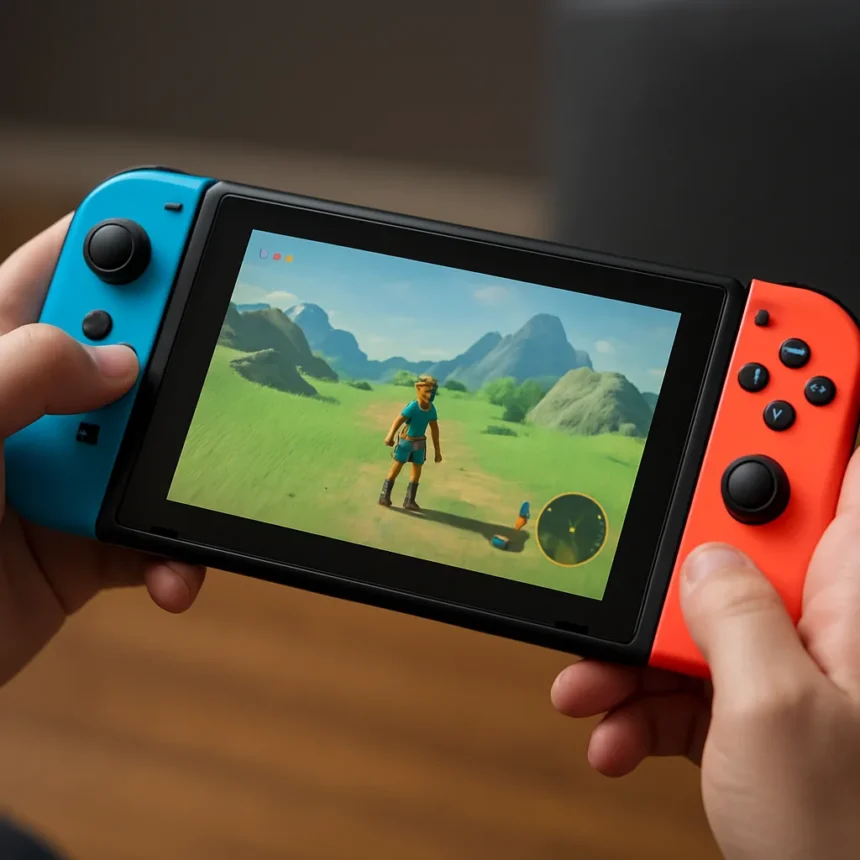
Nintendo Switch 2 Handheld Mode Boost is a system feature that lets you run original Switch games at docked performance levels while holding the console in your hands. The feature arrived in system update version 22.0.0, released March 17, 2026, as a major win for backward compatibility. Instead of accepting lower resolution and frame rates in portable mode, players can now toggle Handheld Mode Boost to unlock TV-quality visuals on the go—at the cost of increased battery drain.
Key Takeaways
- Handheld Mode Boost enables Switch 2 to run original Switch games at docked mode resolutions, frame rates, and graphics while in handheld mode.
- Feature must be manually toggled on in System Settings under Switch software handling; it is not enabled by default.
- Tested on six games including Marvel Ultimate Alliance 3, Batman Arkham City, Astral Chain, and Bayonetta 3 with confirmed visual improvements.
- Exclusive to Switch 2; the original Switch received a separate update without this capability.
- Higher performance demands increased battery consumption compared to standard handheld mode.
How Nintendo Switch 2 Handheld Mode Boost Works
Handheld Mode Boost essentially tricks your Switch 2 games into running at docked specifications even when you are holding the device. The feature works by applying the same resolution, frame rate, and graphics settings that games normally use when docked—delivering sharper visuals and smoother performance in portable form. When activated, the touch screen disables and your Joy-Cons function as a traditional controller, mimicking the docked experience.
To enable the feature, navigate to System Settings, select Switch software handling, and toggle Handheld Mode Boost on. Once activated, supported games automatically run at their docked specifications. The visual difference is immediate—Minecraft, for example, displays noticeably sharper textures and cleaner detail when Handheld Mode Boost is active. This addresses a long-standing limitation of handheld gaming: the trade-off between portability and visual quality.
Performance Gains Across Your Switch Library
Nintendo Switch 2 Handheld Mode Boost delivers measurable improvements across the original Switch catalog. Testing on six games—Marvel Ultimate Alliance 3, Batman Arkham City, Astral Chain, Bayonetta 3, and others—confirmed that docked-mode performance translates directly to handheld play. Games that previously struggled with lower resolutions and frame rates in portable mode now maintain the visual fidelity they deliver when docked.
The Switch 2’s hardware makes this possible. The console features a Full HD (1080p) handheld screen with roughly double the pixel count of the original Switch, combined with support for up to 120 fps and variable refresh rate technology. These specs provide the foundation for Handheld Mode Boost to deliver genuinely improved visuals without requiring game-specific patches or developer intervention. Your entire backward-compatible library gains the upgrade automatically.
The Battery Trade-Off You Need to Know
Handheld Mode Boost is optional precisely because it demands more power. Running games at docked performance levels drains the battery faster than standard handheld mode, which is why Nintendo made the feature manual rather than default. Players who prioritize extended play sessions can leave Handheld Mode Boost disabled and accept lower visuals; those willing to sacrifice battery life for better graphics can toggle it on per gaming session.
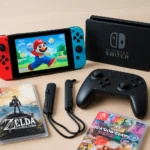
This design choice respects player choice in a way many hardware updates do not. You are not forced into a performance mode that kills your battery mid-commute. Instead, you decide when the visual upgrade justifies the power cost—a decision that varies depending on your location, available charging options, and game choice.
What Else Changed in System Update 22.0.0
Beyond Handheld Mode Boost, the March 17 update introduced improved Airplane Mode toggles that now save your settings. Previously, enabling Airplane Mode would reset all wireless preferences. Now you can toggle Bluetooth on or off for controllers without losing your other Airplane Mode settings, making the feature more practical for travel and situations where you want selective wireless control.
Is Handheld Mode Boost worth enabling for every game?
Not necessarily. Handheld Mode Boost is best suited for games where visual quality matters most to you—action titles, story-driven adventures, and visually demanding ports benefit most from docked-mode graphics. Lighter games, indie titles, or sessions where battery life is critical may not justify the power drain. Enable it selectively based on what you are playing and where you are playing.
Does Handheld Mode Boost work on all original Switch games?
The feature is designed for backward-compatible Switch 1 games, but not every title may support it equally. Nintendo tested it on six games with confirmed improvements, suggesting broad compatibility, but specific support varies by game. Check individual game performance in your library to see which titles benefit most from the boost.

Why does the touch screen disable when Handheld Mode Boost is on?
The touch screen disables because Handheld Mode Boost mimics the docked experience, where touch input is unavailable. This prevents accidental screen presses while you are gripping the Joy-Cons as controllers. If a game relies on touch controls, you will need to disable Handheld Mode Boost to use them.
Nintendo Switch 2 Handheld Mode Boost represents the kind of incremental refinement that makes a new console generation feel complete. It does not reshape gaming, but it solves a real problem: the gap between portable and docked performance. By letting players choose when to prioritize visuals over battery life, Nintendo gives portable gamers genuine control over their experience. For anyone with a library of original Switch games, this update is reason enough to dust off titles you may have shelved years ago.
Edited by the All Things Geek team.
Source: Tom's Hardware