


Windows 11 1000Hz refresh rate support just arrived, and it is not just another spec bump buried in a patch note. The KB5079391 update, rolling out across Windows 11 builds, adds native support for displays running at 1,000 hertz—a threshold that seemed impossible for mainstream computing just months ago. This matters because it signals a fundamental shift in how Windows handles display hardware, opening doors for gaming, professional work, and everyday computing that previously required workarounds or specialized drivers.
Key Takeaways
- Windows 11 KB5079391 adds native 1,000Hz refresh rate support for compatible displays
- The first consumer 1,000Hz gaming monitor was announced at CES 2026
- Support is rolling out gradually across Windows 11 devices
- The update also includes File Explorer improvements and Smart App Control changes
- This update addresses a technical gap that previously required manual driver intervention
Why 1,000Hz Matters More Than You Think
A thousand hertz sounds like a gaming-only spec, but the implications reach far beyond esports players chasing fractional millisecond advantages. Windows 11 1000Hz refresh rate support enables a new class of displays that were previously unsupported at the operating system level. Before this update, running a 1,000Hz monitor on Windows 11 required workarounds—custom drivers, NVIDIA or AMD overrides, or manual configuration that most users would never attempt. Now, Windows handles it natively, which means plug-and-play compatibility, better power management, and cleaner driver stacks.
For competitive gamers, the difference between 240Hz and 1,000Hz is measurable but not always perceptual—human visual perception peaks around 300-400Hz for most people. What matters is consistency. A 1,000Hz display eliminates frame pacing stutters that plague even high-end 360Hz monitors. For professional work—video editing, 3D modeling, animation scrubbing—higher refresh rates reduce eye strain during long sessions and make real-time preview feedback snappier. And for everyday users? Scrolling through web pages, dragging windows, and navigating interfaces all feel smoother on high-refresh displays, even if you cannot consciously perceive the difference.
What Changed in KB5079391
The KB5079391 update arrived in March 2026 with a specific mandate: close the gap between Windows’ display capabilities and hardware that manufacturers were already shipping. Beyond 1,000Hz refresh rate support, the patch includes File Explorer improvements and revisions to Smart App Control, Microsoft’s security feature that restricts unsigned applications. The refresh rate addition is the headline, but the broader update represents Windows catching up to monitor technology that was already available—a rare moment where hardware outpaced software support.
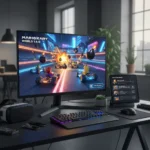
The rollout is gradual, not instant. Not every Windows 11 device received KB5079391 simultaneously. Microsoft staged the deployment across different builds and regions, which is standard practice for large system updates but frustrating for early adopters eager to test new hardware. If you own a 1,000Hz display and have not yet seen the update, checking for manual updates through Windows Update settings may accelerate the process.
Windows 11 1000Hz Refresh Rate vs. Previous Limitations
Before this update, Windows 11 capped refresh rate support at lower thresholds without explicit driver intervention. Running a 1,000Hz monitor required choosing between accepting reduced refresh rates in Windows settings or installing manufacturer-specific drivers that bypassed the operating system’s standard display pipeline. This created fragmentation—NVIDIA users had different experiences than AMD users, and Intel integrated graphics users were often left behind entirely. Windows 11 1000Hz refresh rate support eliminates that fragmentation by making 1,000Hz a first-class citizen in the display stack. This approach mirrors how Windows has historically handled resolution and color depth improvements: standardize the capability, then let hardware vendors build on top of it.



Compared to macOS and Linux, Windows was lagging on high-refresh display support until now. macOS has supported high-refresh displays for years through its native compositing engine, and Linux had driver-level support even earlier. This update closes that gap, though it took longer than expected.
Who Actually Needs 1,000Hz?
Gamers chasing competitive advantage are the obvious audience. A 1,000Hz display reduces input lag and frame pacing issues that can cost milliseconds in fast-paced shooters or fighting games. But the second wave of beneficiaries is less obvious: professional content creators working with real-time rendering. 3D animators, visual effects artists, and game developers benefit from smoother viewport feedback when scrubbing timelines or rotating models. The responsiveness compounds across hours of work, reducing fatigue and improving iteration speed.
For casual users, the practical benefit is subtler. Web browsing, document editing, and everyday tasks do not require 1,000Hz. A 144Hz or 240Hz display is the practical ceiling for most productivity work. But as 1,000Hz displays become cheaper—which historically happens 12-18 months after launch—they may become the default high-end option, and Windows 11 1000Hz refresh rate support ensures they work correctly when that happens.
What About Compatibility and Performance?
Not every GPU or display connection supports 1,000Hz. DisplayPort 2.1 is the primary standard enabling this bandwidth, though USB-C alt mode and proprietary connections exist. NVIDIA’s latest graphics cards support it, AMD’s RDNA 3 and newer chips support it, and Intel’s Arc GPUs support it. Older hardware—anything from 2020 or earlier—likely cannot drive 1,000Hz even with this Windows update. This is a hardware limitation, not a software one. Windows 11 1000Hz refresh rate support assumes you have the right equipment. If you do not, the update changes nothing for you.



Power consumption is another consideration. A 1,000Hz display draws more power than a 240Hz equivalent. On laptops, this translates to shorter battery life. On desktops, it is negligible. Windows 11 handles power management intelligently—the system will not force 1,000Hz if your GPU cannot sustain it, and it will drop to lower refresh rates under load to preserve stability. This adaptive behavior is built into the update, not an afterthought.
When Will You Actually See 1,000Hz Displays?
The first consumer 1,000Hz gaming monitor was announced at CES 2026, marking the moment this technology transitioned from theoretical to purchasable. Expect pricing to be premium initially—probably double or triple the cost of a 240Hz equivalent. Within two years, as manufacturing scales and competition increases, 1,000Hz displays should become the flagship option in gaming and professional monitor lineups. Windows 11 1000Hz refresh rate support arriving now is strategic: Microsoft is preparing the platform for hardware that will become commonplace by 2028.
Is Windows 11 1000Hz refresh rate support worth upgrading for?
If you own a 1,000Hz display, yes—update immediately. If you do not, this update is not a reason to upgrade Windows or buy new hardware. The practical benefit only exists if you have compatible equipment. For most users, this is a nice-to-have that becomes relevant when you eventually upgrade your monitor.
Will older graphics cards support 1,000Hz displays?
No. Graphics cards older than 2023 lack the bandwidth and firmware support for 1,000Hz over standard connections like DisplayPort or HDMI. You will need a recent GPU from NVIDIA, AMD, or Intel to drive these displays. Windows 11 1000Hz refresh rate support is only half the equation—the hardware has to be there.
Does 1,000Hz actually feel different than 240Hz?
Most people cannot consciously perceive the difference between 240Hz and 1,000Hz during normal use. Competitive gamers and professional users working with real-time rendering will notice reduced latency and frame pacing improvements. For scrolling web pages or editing documents, 240Hz is already imperceptibly smooth. The benefit of 1,000Hz is consistency and future-proofing, not a night-and-day visual transformation.
Windows 11 1000Hz refresh rate support is a quiet but significant milestone. It represents the platform finally catching up to monitor technology that manufacturers were already shipping, eliminating workarounds and fragmentation that plagued early adopters. If you are buying a high-end display in 2026 or later, you will benefit from this update—either immediately or when you eventually upgrade your graphics card. For everyone else, it is a nice feature that does not demand action today but will matter when your next hardware refresh arrives.
This article was written with AI assistance and editorially reviewed.
Source: Windows Central


