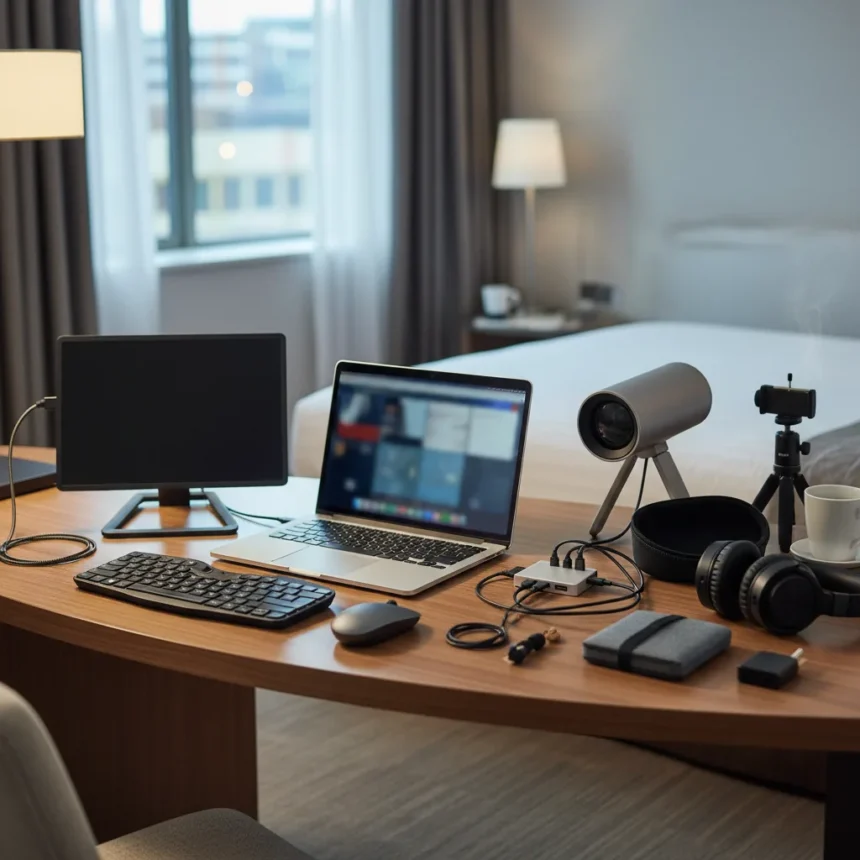
Travel tech essentials are the difference between struggling through a trade show and actually getting work done from your hotel room. A standard hotel workspace was never designed for productivity—weak WiFi, a single outlet, and a desk the size of a shoebox are the baseline reality. The right gear transforms that nightmare into something manageable.
Key Takeaways
- Hotel rooms lack the infrastructure for serious work—power outlets, bandwidth, and desk space are all constrained.
- A portable power solution is non-negotiable for keeping multiple devices charged during long days.
- Connectivity tools like USB-C hubs and adapters prevent the frustration of incompatible ports.
- Ergonomic accessories prevent physical strain during extended work sessions away from home.
- Backup power and redundant connectivity options protect against hotel infrastructure failures.
Why Standard Hotel Setups Fail for Work
Hotel rooms are built for sleeping, not working. Most rooms have two or three electrical outlets, usually positioned behind furniture or next to the bed—nowhere near a desk. WiFi is often oversold and unreliable, especially during peak hours when every guest is streaming. Desks are cramped, chairs lack support, and the lighting is designed for ambiance, not focus. A trade-show attendee juggling a laptop, phone, tablet, and noise-canceling headphones immediately runs into power constraints and port conflicts.
The real problem emerges after eight hours of conference sessions. You return to your room needing to send emails, edit presentations, and charge everything simultaneously. That single outlet becomes a bottleneck. Your laptop’s USB ports are already occupied by a mouse and external drive. The hotel’s WiFi drops every twenty minutes. These aren’t minor inconveniences—they’re workflow killers that compound across a multi-day event.
Power Solutions That Actually Keep Up
A high-capacity portable power bank is the foundation of any travel tech setup. You need something with enough output to charge a laptop, not just a phone. Look for units with multiple USB ports and USB-C power delivery, which allows simultaneous charging of different device types at full speed. A quality power bank should handle a laptop charge cycle plus several phone top-ups without running dry.

Wall outlets in hotel rooms should be treated as a secondary resource, not your primary power source. Bring a portable power strip with USB ports built in—this solves the single-outlet problem immediately. Some models include surge protection, which is valuable when hotel electrical systems are unpredictable. A power strip with at least four outlets and two USB ports gives you enough capacity to charge your laptop, phone, tablet, and peripheral devices without choosing which one gets power.
Connectivity and Port Expansion
Your laptop likely has two USB-C ports. Your phone uses a different connector. Your tablet might have yet another standard. Your external drive needs a full-size USB-A port. A USB-C hub with multiple output types solves this fragmentation instantly. A good hub includes USB-A ports, HDMI output for presentations, SD card readers, and additional USB-C ports for daisy-chaining other devices.



Hotel WiFi is unreliable by design—it’s stretched across hundreds of rooms with varying connection quality. A mobile hotspot from your phone or a dedicated portable WiFi device provides a backup connection that you control. This matters when you’re on a video call during a critical business moment and the hotel network decides to disconnect. A portable hotspot keeps you connected even if the primary WiFi fails.
Ergonomics and Physical Comfort
Working from a hotel chair for ten hours straight causes real physical damage. A laptop stand raises your screen to eye level, preventing neck strain. A portable keyboard and mouse let you position your hands correctly instead of hunching over a laptop keyboard. These items weigh almost nothing and fit in a carry-on, but they prevent the back and neck pain that makes the second half of a trade show miserable.
A travel pillow for your neck and a lumbar support cushion are less about tech and more about survival. Hotel chairs lack lumbar support, and sitting upright for hours without it creates cumulative strain. These accessories cost under thirty dollars and take up minimal space, but they’re the difference between finishing the week energized and finishing it injured.
Backup Solutions and Redundancy
Assume something will fail. Your laptop battery might degrade faster than expected. Your phone might develop a charging issue. The hotel WiFi might be down for hours. Redundancy isn’t paranoia—it’s preparation. A second portable charger, a wired backup internet connection option, and a physical notepad for offline note-taking cover your bases.



Cables are failure points. Bring two USB-C cables, two phone charging cables, and a USB-A cable. A single frayed cable at a critical moment leaves you without power. Extra cables weigh nothing and take up minimal packing space. This is the cheapest insurance you can buy.
What Matters Less Than You Think
You do not need a second laptop. You do not need a portable projector. You do not need specialized travel keyboards or mice—standard ones work fine and weigh less. You do not need a travel router. You do not need smart luggage or any internet-connected travel gadgets. These are nice-to-haves that add weight and complexity without solving core problems. Focus on power, connectivity, and ergonomics. Everything else is distraction.
How much should I spend on travel tech essentials?
A functional setup costs between 150 and 300 dollars depending on your choices. A quality power bank runs 40 to 80 dollars. A USB-C hub costs 25 to 60 dollars. A power strip with USB ports is 20 to 40 dollars. A laptop stand and portable keyboard together cost 50 to 100 dollars. Everything else is under 50 dollars. This is a one-time investment that you’ll use for years across multiple trips.
Can I use my phone as a hotspot instead of a portable WiFi device?
Yes, if your phone plan includes sufficient data. A phone hotspot drains your battery quickly, which is why a backup power solution becomes critical. A dedicated portable hotspot device lasts longer on battery and doesn’t deplete your phone’s charge, leaving you unable to make calls or take photos. For trade shows where you’re working all day, a dedicated device is more reliable.
Should I invest in smart luggage or internet-connected travel gear?
No. Smart luggage adds weight, complexity, and battery drain without solving workspace problems. Standard luggage works fine. Internet-connected travel gadgets require charging, app setup, and cloud accounts—none of which improve productivity. Stick to passive tools: power banks, hubs, cables, and ergonomic accessories. They work without batteries, apps, or connectivity.
Trade-show season is grueling. The right travel tech essentials remove friction from your workspace setup, letting you focus on the actual work instead of fighting hotel infrastructure. Power, connectivity, and ergonomics are non-negotiable. Everything else is optional. Pack smart, work efficiently, and survive the circuit.
Where to Buy
mini VPN travel router | foldable keyboard, mouse, and case | passport holder that has a built-in tracker | GL.iNetGl.inet Mini VPN Travel Router$39.99shop now | SatechiPassport Holder With Find My Tracker$59.99shop now
Edited by the All Things Geek team.
Source: TechRadar