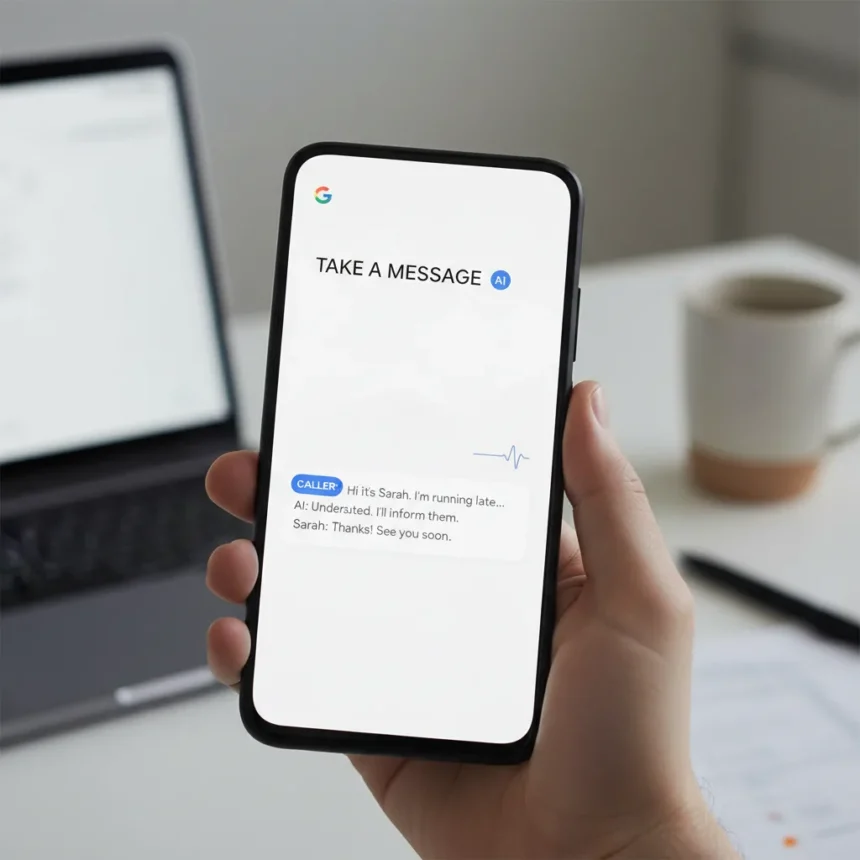
Google Pixel’s Take a Message feature is an AI-powered call-answering system that replaces traditional voicemail by automatically transcribing messages from callers who reach your phone when you’re unavailable or choose not to pick up. Instead of relying on your carrier’s voicemail infrastructure, Pixel phones handle the job directly—smarter, faster, and more securely than the decades-old systems most people still use.
Key Takeaways
- Take a Message answers missed or declined calls automatically and transcribes the caller’s message for you.
- The feature eliminates the need for traditional carrier voicemail on Pixel phones.
- Messages are transcribed in real time, giving you text records of what callers said.
- Take a Message is described as more secure than standard voicemail systems.
- The feature is built into Pixel phones as part of Google’s AI calling tools.
How Pixel Take a Message Feature Works
When you miss a call or decline to answer, Take a Message springs into action automatically. The feature engages the caller, letting them know their message is being recorded and transcribed. As they speak, the AI converts their words into text in real time, creating a searchable transcript you can read later. No dialing into a voicemail box. No waiting through automated menus. The message lands in your call history as a text record you can scan instantly.
The workflow mirrors how modern communication should work: asynchronous, transparent, and text-first. Callers hear that their message is being transcribed, which typically encourages them to leave clear, concise messages. You get a searchable record instead of an audio file buried in a voicemail app most people ignore anyway. This approach is fundamentally different from carrier voicemail, which stores audio files on remote servers and forces you to call in to retrieve them.
Why Take a Message Beats Traditional Voicemail
Traditional voicemail is a relic. It requires you to call a number, enter a PIN, listen through a robot’s greeting, and then hear your messages one at a time. If you miss a detail, you rewind. If you want to share a message with someone else, you have to replay it aloud or transcribe it manually. Voicemail transcription, when carriers offer it at all, is often inaccurate and arrives minutes after the call.


Pixel‘s Take a Message feature handles all of this differently. Transcription happens instantly as the caller speaks. You get text immediately, which you can search, share, or reference without ever listening to audio. The feature is more secure than carrier voicemail because messages stay on your device and in your Google account rather than sitting on your carrier’s servers. For anyone who screens calls or frequently misses them, this is a dramatic quality-of-life upgrade.
Take a Message vs. iPhone’s Call Screening
Apple’s iPhone offers a somewhat similar feature called Call Screening, which can answer calls and display live transcription on your screen as the caller speaks. However, Call Screening is designed primarily for screening unwanted calls in real time, not for taking messages when you’re unavailable. Pixel’s Take a Message is purpose-built for message capture: it activates when you don’t answer, records the entire message, and gives you a complete transcript to review later. The two solve different problems. If you want to filter spam calls live, iPhone’s approach works. If you want a modern voicemail replacement, Pixel’s is cleaner.



Setting Up and Using Take a Message
Take a Message is built into Pixel phones and works with the Phone app. The feature activates automatically when you miss a call or decline to answer. You don’t need to configure anything special—it’s part of the Pixel calling experience. When a caller reaches your phone and you don’t pick up, they’ll hear a message explaining that their call is being recorded and transcribed. They then leave their message, which is immediately converted to text and stored in your call history.
You access your transcribed messages the same way you’d check any call history: open the Phone app, look at your recent calls, and tap on the missed call to see the transcribed message. The transcript is searchable, so you can find specific information across all your recorded messages. This integration into the standard call interface means there’s no separate voicemail app to manage or legacy system to navigate.
Is Take a Message Right for You?
If you’re tired of voicemail and want a faster way to capture and reference caller messages, Take a Message is a compelling reason to consider a Pixel phone. It’s especially useful for people who receive a lot of calls but screen them heavily, or for anyone who forgets to check voicemail. The feature also works well for accessibility—transcripts are easier to scan than audio, and you can share text without replaying voicemails.
The trade-off is that you need a Pixel phone to use it. If you’re on another Android device or an iPhone, you’re still stuck with carrier voicemail or third-party apps. But for Pixel owners, Take a Message is a genuinely useful feature that makes one of the phone’s core functions—receiving calls—simpler and smarter than the alternatives.



Does Take a Message work on all Pixel models?
Take a Message is built into Pixel phones as part of Google’s AI calling suite. The feature is available on recent Pixel devices, though exact model compatibility details are not specified in the available documentation. If you own a current-generation Pixel phone, you should have access to the feature automatically.
Can callers refuse to leave a message with Take a Message?
Callers can hang up at any time, just as they can with traditional voicemail. However, Take a Message is designed to be transparent about what’s happening—callers know their message is being recorded and transcribed, which typically encourages them to leave clear messages rather than hang up.
Is my transcribed message data stored securely?
Take a Message transcripts are stored on your Pixel phone and integrated with your Google account, which means they’re encrypted and subject to Google’s security standards. This is more secure than carrier voicemail, where messages sit on your carrier’s servers and are subject to different privacy and security policies.
Take a Message represents a genuine shift away from outdated voicemail infrastructure toward a modern, AI-powered alternative. If you’re a Pixel user frustrated with voicemail, this feature alone justifies paying attention to what Google is building into its phones. It’s not flashy, but it solves a real problem that’s annoyed phone users for decades.
Edited by the All Things Geek team.
Source: Tom's Guide