





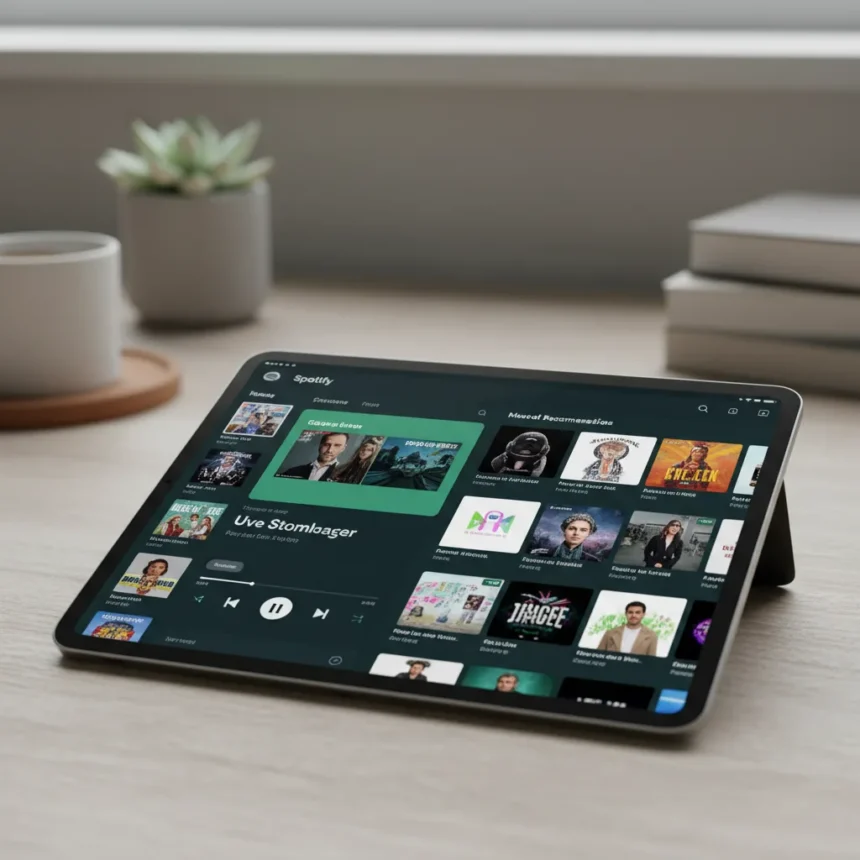
Spotify’s tablet redesign finally solves a problem that has frustrated users for years: the music player consuming nearly the entire screen, leaving playlists and navigation tools crammed into corners. The update introduces a layout that mirrors Spotify’s desktop application, placing the player in a fixed position on the right side while dedicating the left side to browsing content.
Key Takeaways
- Music player moves from full-screen dominance to a fixed right-side panel on tablets
- Left sidebar now displays library, playlists, Home, and Search navigation
- Users can adjust the player’s size to accommodate different tablet dimensions
- Bottom navigation bar includes quick-start button for creating new playlists
- Spotify is developing additional customization options for simpler interfaces
Why the Spotify tablet redesign matters
The previous tablet layout wasted enormous amounts of display space. On a 10-inch or 12-inch tablet, the playback controls and album artwork dominated the screen, forcing users to swipe repeatedly to access their library or search for new music. The new Spotify tablet redesign addresses this fundamental usability flaw by adopting a split-panel architecture similar to what desktop users already know. This approach transforms tablets from glorified phones into functional music-browsing devices.
The redesign reflects how people actually use tablets. They hold them horizontally, have larger screens available, and expect interfaces to take advantage of that extra real estate. Forcing a phone-optimized layout onto a tablet feels dated in 2025. By moving the music player to a fixed right column, Spotify reclaims the entire left side for meaningful navigation and content discovery.
What changed in the Spotify tablet interface
The layout now features a persistent navigation bar at the bottom providing access to Home, Search, and Library. A quick-start button for creating new playlists sits alongside these core navigation options, reducing friction for users who frequently build custom collections. The left sidebar displays your library and playlists prominently, eliminating the need to dig through menus to find saved content.


The music player itself is no longer locked to a fixed size. Users can adjust the player’s dimensions to fit their tablet’s screen proportions, whether they prefer a compact sidebar or a larger album artwork display. This flexibility respects different user preferences without forcing a one-size-fits-all approach. The persistent right-side player means you can browse your entire library while music plays without the interface switching contexts.
How Spotify tablet redesign compares to the phone experience
On smartphones, Spotify’s full-screen player makes sense—there is nowhere else to put controls on a 6-inch display. But tablets occupy a middle ground between phones and desktops, and the old design treated them like oversized phones. The Spotify tablet redesign borrows from the desktop app’s column-based layout, which separates playback from browsing into distinct zones. This architectural difference is crucial: it lets you queue songs from your library while the current track plays, something the old tablet layout made awkward.



The comparison reveals why this update was overdue. Desktop users have enjoyed side-by-side browsing and playback for years. Tablet users have been waiting for parity. The redesign finally delivers it.
Customization and future developments
Spotify is reportedly developing additional customization options for users who prefer simpler interfaces. This suggests the company recognizes that not everyone wants the full split-panel layout. Some users may prefer a cleaner aesthetic or have specific workflow preferences. Rather than locking everyone into one design, Spotify is building flexibility into the tablet experience.
These customization features remain in development, so exact details are not yet public. The direction, however, is clear: Spotify wants tablets to feel like first-class citizens in its ecosystem, not afterthoughts squeezed into a phone-shaped template.
Is the Spotify tablet redesign available now?
The redesign is rolling out to tablet users, though availability may vary by region and device. Check your app store to see if the update is available on your tablet. If not, it should arrive within the coming weeks as Spotify completes its rollout.



Can I adjust the player size on my tablet?
Yes. The Spotify tablet redesign allows you to adjust the music player’s size to fit your preferences and tablet dimensions, letting you balance album artwork visibility with browsing space.
Will Spotify offer simpler tablet layouts?
Spotify is developing additional customization options for users who prefer less complex interfaces. These features are still in development, so they are not yet available, but the company is actively working on giving users more control over their tablet experience.
The Spotify tablet redesign represents a long-overdue acknowledgment that tablets deserve better than scaled-up phone interfaces. By borrowing from its desktop design and adding tablet-specific touches like adjustable player sizing, Spotify has created a layout that actually respects the form factor. For anyone frustrated by the old full-screen player dominating their tablet, this update is exactly what you have been waiting for.
Edited by the All Things Geek team.
Source: Android Central




