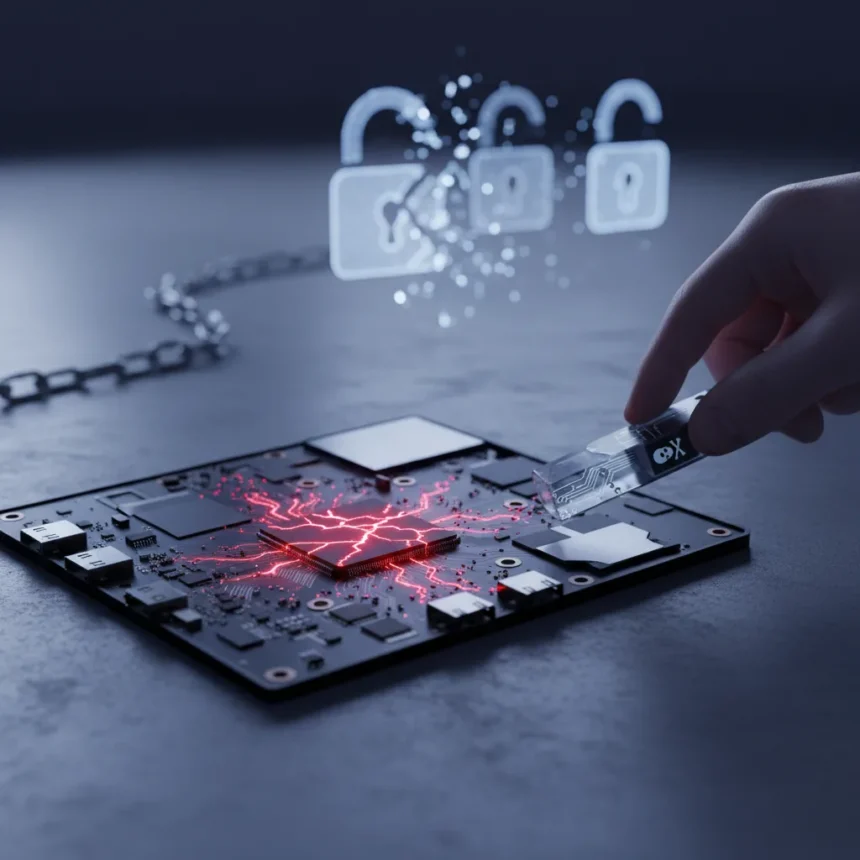
BitLocker physical attacks are no longer theoretical threats confined to high-value targets—they are becoming accessible, affordable exploits that organizations can no longer ignore. The default TPM-only configuration shipping with Windows creates a predictable attack window that skilled adversaries with brief physical access can weaponize to extract encrypted data, bypass security controls, and pivot into corporate networks.
Key Takeaways
- Default BitLocker TPM-only mode automatically releases disk encryption keys without user authentication, creating an exploitable attack window.
- Physical attacks like TPM bus sniffing and bootloader downgrades require only temporary device access but can compromise highly regulated organizations.
- Pre-boot authentication (PIN or password) blocks known bypass methods, though it increases user friction and support costs.
- HP TPM Guard and Kernel DMA Protection offer hardware-level defenses against physical exploits that software-only configurations cannot match.
- Intune compliance policies recommend enforcing BitLocker with TPM, Secure Boot, and Code Integrity as baseline standards.
Why Default BitLocker Fails Against Physical Threats
The default TPM-only BitLocker configuration prioritizes user convenience over security. When a Windows device boots with the expected firmware configuration, the TPM automatically unseals and releases the disk decryption key without requiring a PIN, password, or any user interaction. This design choice makes sense for consumer devices in low-threat environments. For enterprises handling regulated data, government agencies, or any organization where a stolen laptop could trigger financial and regulatory repercussions, it is catastrophically insufficient.
Attackers with physical access can exploit this auto-unseal behavior through TPM bus sniffing—intercepting the BitLocker Volume Master Key (VMK) during the boot sequence. The attack requires technical skill and specialized hardware, but the cost and complexity have fallen dramatically. Bootloader downgrade attacks present another vector: an attacker gains one-time physical access, downgrades the firmware to an older, vulnerable version, then extracts data from the default configuration without needing a PIN or password. These are not hypothetical scenarios. They are repeatable, documented attack workflows that work against unmodified Windows devices sitting in corporate environments right now.
Physical Attack Vectors Organizations Must Address
Physical attacks span multiple threat models, each requiring different defensive layers. Bootloader downgrades exploit outdated firmware to bypass BitLocker entirely, making firmware updates and BIOS/UEFI password protection essential. Direct Memory Access (DMA) attacks via Thunderbolt can manipulate system memory to bypass lock screens, a threat that Kernel DMA Protection directly mitigates by blocking unknown Thunderbolt devices when the screen is locked.


The severity of these threats depends on organizational context. Casual theft—a laptop stolen from a coffee shop—remains the most common physical loss scenario, and BitLocker without TPM still provides solid protection against everyday data theft if configured with strong passphrases, Secure Boot, and proper key storage. But targeted attacks on journalists, dissidents, government officials, or enterprises handling trade secrets operate in a different threat model entirely. For these targets, default BitLocker is not just insufficient—it is a liability.
Hardening BitLocker Against Physical Attacks
Organizations have multiple hardening strategies, each trading convenience for security. The most direct approach is enabling pre-boot authentication by pairing a USB startup key with a strong passphrase, creating two-factor protection that requires both the physical key and the memorized passphrase. This eliminates the auto-unseal vulnerability entirely. One security expert noted that no known method exists to bypass pre-boot authentication, meaning a stolen device with this configuration remains secure even with sustained physical access.



Complementary measures include enabling Secure Boot and UEFI native mode (disabling Legacy and CSM boot) to block unauthorized bootloaders and Evil Maid attacks. Disabling booting from external media (USB and DVD) in BIOS/UEFI prevents attackers from bypassing BitLocker startup entirely. Setting a BIOS/UEFI password prevents attackers from tampering with firmware settings. Enabling Virtualization Based Security and Kernel DMA Protection adds hardware-level defenses that software-only configurations cannot provide.
For organizations managing large device fleets, Intune compliance policies enforce these controls at scale. Microsoft’s baseline recommendation requires BitLocker on the OS drive with TPM, Secure Boot, Code Integrity, and TPM as mandatory device health requirements. This policy-driven approach removes individual configuration drift and ensures consistent security posture across thousands of endpoints.
Hardware Solutions: HP TPM Guard and Beyond
Software hardening has limits. HP TPM Guard represents a hardware-level advancement—a solution from HP Wolf Security that protects BitLocker from physical attacks like bus sniffing and other exploits that standard TPM implementations cannot defend against. For regulated industries handling sensitive data, such hardware innovations become critical because they close attack vectors that configuration alone cannot address.
The distinction between TPM-only and TPM-plus-PIN configurations illustrates the security-convenience tradeoff. Default TPM-only mode is convenient but vulnerable to physical attacks. Adding a PIN reduces auto-unseal convenience but dramatically increases security—at the cost of user friction and support burden. Organizations must evaluate their threat model and make explicit choices rather than accepting defaults by accident.



Is pre-boot authentication the only defense against physical attacks?
Pre-boot authentication (PIN or password) blocks the known bypass methods and is considered the strongest single control available. However, a complete defense requires layering: pre-boot auth plus Secure Boot plus BIOS/UEFI password plus Kernel DMA Protection plus hardware solutions like HP TPM Guard. No single control is sufficient against a determined, skilled attacker with sustained physical access.
What is the difference between BitLocker with and without TPM?
BitLocker without TPM relies entirely on software-based key storage, typically with USB keys and passphrases. It protects against casual theft but is weaker against advanced physical and forensic attacks compared to TPM-backed configurations, which provide hardware key isolation and measured boot validation. TPM offers superior protection but does not eliminate physical attack vectors—it only makes them harder.
Does enabling Secure Boot prevent bootloader downgrade attacks?
Secure Boot prevents unauthorized bootloaders from loading, but attackers can downgrade firmware to versions before Secure Boot enforcement existed. Combining Secure Boot with BIOS/UEFI passwords and disabling external boot media creates multiple layers that make downgrade attacks significantly harder, though not impossible against a determined adversary with extended physical access.
Physical attacks on endpoints are no longer edge cases that only governments and Fortune 500 companies need to worry about. The tools have become cheaper, the techniques more documented, and the attack surface wider as remote work distributes devices across unsecured locations. Organizations handling regulated data, intellectual property, or sensitive communications must move beyond default BitLocker configurations and implement layered defenses—pre-boot authentication, Secure Boot, BIOS passwords, Kernel DMA Protection, and where appropriate, hardware solutions like HP TPM Guard. The cost of hardening is far lower than the cost of a breach triggered by a stolen laptop with default encryption.
Edited by the All Things Geek team.
Source: TechRadar