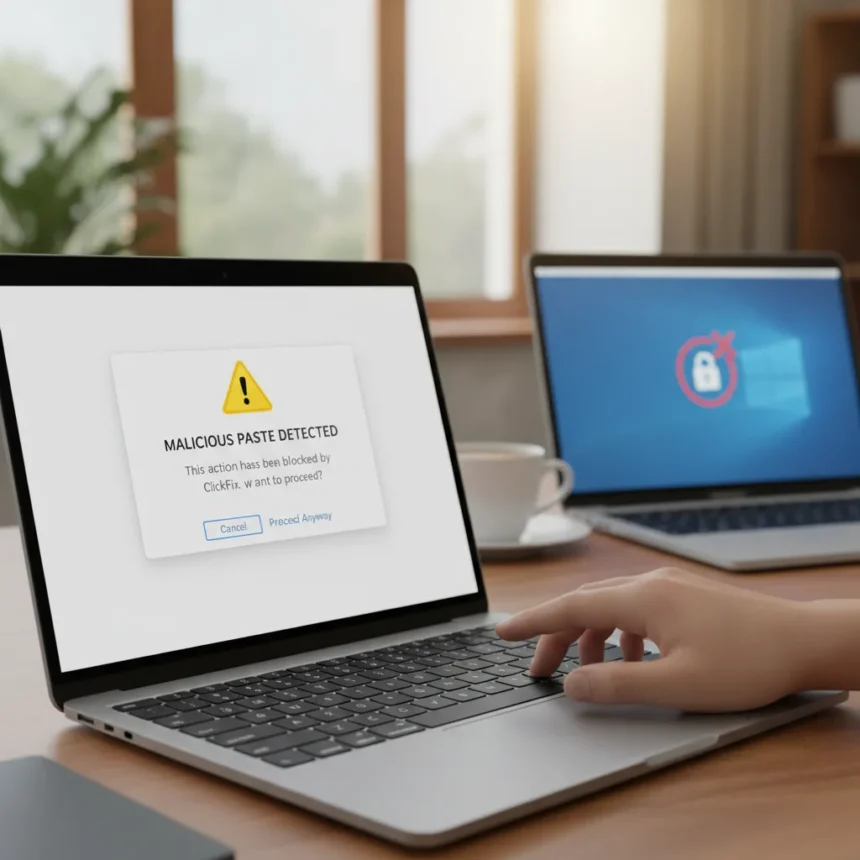
Apple’s macOS ClickFix warning is a security feature in macOS Tahoe 26.4 that blocks and alerts users when they attempt to paste potentially malicious commands into Terminal, introduced quietly without mention in official release notes. The feature appeared first in release candidates and has since been confirmed working in the latest version, intercepting a social engineering attack that has become the dominant malware delivery method across Windows, macOS, and Linux in 2025.
Key Takeaways
- macOS ClickFix warning triggers when pasting suspicious commands from browsers into Terminal, delaying execution with a popup alert.
- ClickFix attacks account for more than half of all malware loader activity in 2025 and over half of Huntress-tracked malware incidents.
- The feature analyzes pasted content and only alerts on genuinely suspicious commands; benign text passes through silently.
- Users can bypass the warning by selecting “Paste Anyway,” making the feature most effective against less technical users.
- Windows remains undefended against ClickFix attacks, lacking any equivalent Terminal paste protection.
What ClickFix Actually Does
ClickFix is a social engineering attack that tricks users into pasting malicious Terminal commands by exploiting fake error messages, broken CAPTCHAs, or impersonating legitimate services like QuickBooks, Booking.com, and Birdeye. The commands typically use encoded curl with flags like -kfsSL to bypass TLS verification, suppress error messages, and hide the process from view. Once pasted and executed, these commands install malware loaders that give attackers a foothold on the system. The attack first emerged targeting Windows in 2024 but expanded to macOS and Linux in 2025, where it has exploded in prevalence.
The reason ClickFix works so effectively is psychological. Users trust their own browsers and the websites they visit. When a website or chat agent tells them to paste a command to “fix” something, they comply without questioning whether the command is legitimate. By 2025, this tactic had become dominant—responsible for more than half of all malware loader activity and more than half of malware incidents tracked by security firm Huntress. The attack has evolved rapidly, incorporating new encoding methods and AI-generated fake error pages to evade detection and social engineering detection.
How macOS ClickFix Warning Works in Practice
When you attempt to paste a suspicious command from Safari or another browser into Terminal, macOS Tahoe 26.4 intercepts the action and displays a warning popup that reads: “Possible malware, Paste blocked. Your Mac has not been harmed. Scammers often encourage pasting text into Terminal to try and harm your Mac or compromise your privacy. These instructions are commonly offered via websites, chat agents, apps, files, or a phone call.” The paste is delayed, giving you a moment to reconsider. You can then choose to paste anyway or cancel.


Testing confirms the feature appears once per session and only triggers on genuinely suspicious commands. Innocuous commands—a simple ls or cd command copied from a legitimate tutorial—pass through without triggering any alert. This specificity matters. A security feature that cried wolf on every paste would quickly be ignored or disabled. Apple’s approach targets the actual threat: encoded malware delivery commands, not normal terminal usage. The detection logic remains opaque, but it clearly analyzes the pasted content before deciding whether to warn.
The feature is bypassable. Users can select “Paste Anyway” and proceed, making it most effective as a friction layer for less technical users who might pause and reconsider. Power users or determined attackers can circumvent it. But for the mainstream macOS audience—the exact users ClickFix targets—this warning raises awareness of a threat many had never heard of and introduces a moment of hesitation that could prevent infection.



Why Windows Is Left Behind
Windows remains completely undefended against ClickFix attacks. There is no equivalent Terminal paste warning, no alert mechanism, no friction layer. ClickFix first emerged as a Windows-targeted attack in 2024 and has only intensified. Microsoft’s PowerShell and Command Prompt offer no built-in protection against pasted malicious commands, leaving Windows users vulnerable to the exact attack method responsible for the majority of malware loader infections in 2025.
Third-party tools like Malwarebytes Browser Guard offer paste protection on some browsers, but this is not a system-level defense and requires users to install additional software. It is not native, it is not universal, and it is not enabled by default for most Windows users. The gap between macOS and Windows on this specific threat is stark. Apple has moved first with a simple, effective countermeasure. Windows users have no equivalent.
Microsoft has the opportunity to implement a similar feature in Windows 11 and beyond. A system-level warning when pasting suspicious content into PowerShell or Command Prompt would raise awareness and introduce friction at the exact moment of attack. The technical implementation is straightforward—analyze pasted content before execution and alert on suspicious patterns. The security benefit is immediate and measurable against a threat that is actively compromising millions of systems.
Is the macOS ClickFix Warning Enough?
No single security feature stops all attacks. The macOS ClickFix warning is a good first step, but it is not a complete defense. Determined attackers will continue evolving their tactics, finding new encoding methods, and developing new social engineering angles. The warning can be bypassed. It will not protect users who ignore it or who receive attacks through channels other than Terminal paste (like direct execution of downloaded files). Users should never execute unknown commands from any source on any operating system, regardless of whether a warning appears.



What the feature does accomplish is raising baseline awareness and introducing friction at a critical decision point. For users who have never heard of ClickFix, the warning explains the threat clearly. For users who were on the fence about pasting that command, the warning provides a reason to pause and verify. In a threat landscape where ClickFix is responsible for the majority of malware loader activity, even a modest improvement in user behavior is significant.
FAQ
Does the macOS ClickFix warning protect against all malware?
No. The feature specifically targets ClickFix attacks—malicious commands pasted into Terminal. It does not protect against malware delivered through other methods, such as downloaded files, email attachments, or compromised websites. It is one layer of defense, not a complete solution.
Can I disable the macOS ClickFix warning?
The research brief does not specify whether users can disable this feature. What is confirmed is that users can bypass individual warnings by selecting “Paste Anyway” when a suspicious command is detected.
Will Windows get a similar feature?
Microsoft has not announced plans for a Terminal paste warning equivalent to macOS. The feature remains exclusive to macOS Tahoe 26.4 and later, leaving Windows users without native protection against ClickFix attacks.
Apple’s macOS ClickFix warning is a rare example of a security feature that is both simple and effective. It does not require users to understand malware or encoding. It does not demand installation of third-party tools. It simply raises awareness at the moment of maximum risk. With ClickFix responsible for over half of 2025’s malware loader activity, this quiet update may prevent more infections than any flashy security announcement. Windows users should hope Microsoft is paying attention.
Edited by the All Things Geek team.
Source: Tom's Guide