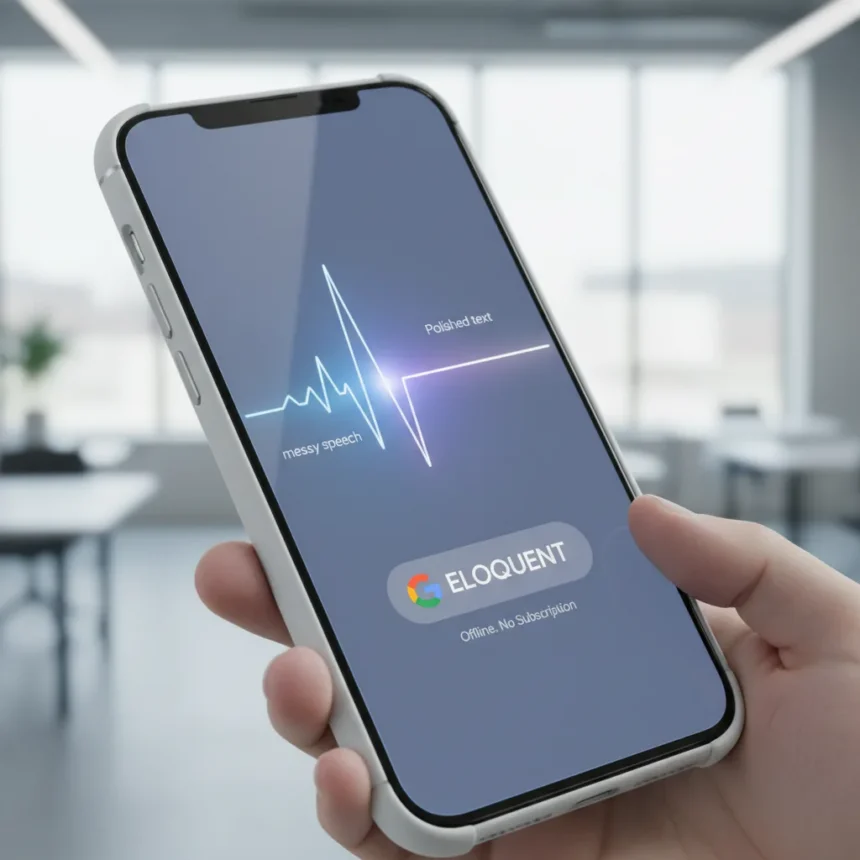
Google AI Edge Eloquent is a free AI dictation app made by Google, launched quietly on the iOS App Store on April 6, 2026, with no subscription or usage caps. The app removes filler words like “um” and “ah” while automatically polishing your speech into clean, professional text—and it does all of this entirely offline on your device.
Key Takeaways
- Google AI Edge Eloquent launched April 6, 2026, on iOS as a free, offline-first dictation app with no subscription fees.
- Uses Gemma-based speech recognition models downloaded to your device for completely private, on-device processing.
- Automatically removes filler words, self-corrections, and stumbles, outputting clean prose ready to use.
- Optional cloud mode uses Gemini for enhanced text cleanup if you choose to enable it.
- Includes personal vocabulary dictionary, transcription history, and real-time waveform display during dictation.
How Google AI Edge Eloquent Works Offline
The app processes audio entirely on your device using Gemma-based automatic speech recognition models that you download once. Nothing leaves your phone unless you explicitly toggle cloud mode, which optionally uses Gemini for enhanced text polishing. According to the App Store description, Google AI Edge Eloquent is engineered to bridge the gap between natural speech and professional, ready-to-use text, automatically editing out stumbles and filler words verbatim. You dictate, the app transcribes in real-time with a live waveform display, and when you pause or stop, it automatically removes “ums,” “uhs,” and mid-sentence self-corrections, outputting clean, accurate prose.
The cleansed transcript auto-copies to your clipboard, ready to paste into email, documents, or any app. This offline-first approach means your speech data never touches Google’s servers unless you enable the optional cloud mode—a privacy advantage over competitors like Wispr Flow, SuperWhisper, and Willow, which rely on cloud processing.
Customization and Smart Vocabulary Learning
Google AI Edge Eloquent includes a personal vocabulary dictionary where you can manually add custom words, names, and technical jargon. You can also optionally import recent vocabulary from your Gmail account by signing in with your Google Account, allowing the app to learn your language patterns over time. This vocabulary learning improves accuracy on names and technical terms you use frequently, making the app smarter the longer you use it.


The app also offers text transformation options—you can toggle between “Key points,” “Formal,” “Short,” and “Long” formats to reshape your dictation into different styles. Beyond transcription, the app tracks transcription history, lets you search past sessions, and displays words-per-minute speed and total word count from your last session.
Why Google AI Edge Eloquent Matters Right Now
Google’s quiet launch of Google AI Edge Eloquent arrives as speech-to-text technology matures and privacy concerns push users toward on-device AI. Unlike standard dictation software that captures every stutter and hesitation verbatim, this app assumes you want clean output, not a raw transcript. The free, unlimited model is aggressive—no subscriptions, no caps on how much you can dictate, no upsells. This directly challenges paid competitors that charge monthly fees or limit usage.



The offline capability is the real differentiator. Wispr Flow, SuperWhisper, and Willow all exist, but Google AI Edge Eloquent’s ability to run entirely on-device means faster processing, zero latency waiting for cloud responses, and zero exposure of your audio to external servers. For anyone dictating sensitive information—medical notes, legal briefs, personal writing—this is a material advantage.
What’s Missing and What’s Coming
Google AI Edge Eloquent is iOS-only for now, though an Android version is referenced in the App Store listing and could launch if the iOS rollout succeeds. Keyboard integration on iOS is listed as an upcoming feature, which would let you use Google AI Edge Eloquent’s polishing engine directly within any text field on your phone.
The app is labeled experimental, which is honest—it’s a bridge product between natural speech and professional text, not a full-featured note-taking app or voice recorder. You dictate, it cleans, you copy and paste. Simple. But that simplicity is also its strength: it solves one problem exceptionally well instead of bloating itself with features nobody asked for.
Is Google AI Edge Eloquent worth downloading?
Yes, if you dictate regularly and want your speech automatically polished into clean text without paying a subscription. The offline processing is faster and more private than cloud alternatives, and the vocabulary dictionary learns your speech patterns over time. If you rarely dictate or prefer raw transcripts, this app adds no value.



Can you use Google AI Edge Eloquent without signing in?
Yes. The app works entirely offline without a Google Account. Signing in is optional and only required if you want to import vocabulary from your recent Gmail to help the app learn your language faster.
How does Google AI Edge Eloquent compare to Wispr Flow and SuperWhisper?
Google AI Edge Eloquent is free with no usage limits, while Wispr Flow and SuperWhisper charge monthly subscriptions. Google AI Edge Eloquent processes audio entirely on-device by default, whereas competitors typically rely on cloud processing. All three remove filler words and auto-edit speech, but Google AI Edge Eloquent’s vocabulary learning and text style options give it more customization depth.
Google AI Edge Eloquent is a rare win: a free, privacy-first tool that solves a real problem without nagging you to upgrade. The quiet April launch suggests Google is testing the market before a bigger push. If you dictate anything—emails, notes, voice memos—download it now and see if it sticks. For most people, it will.
Edited by the All Things Geek team.
Source: Tom's Guide