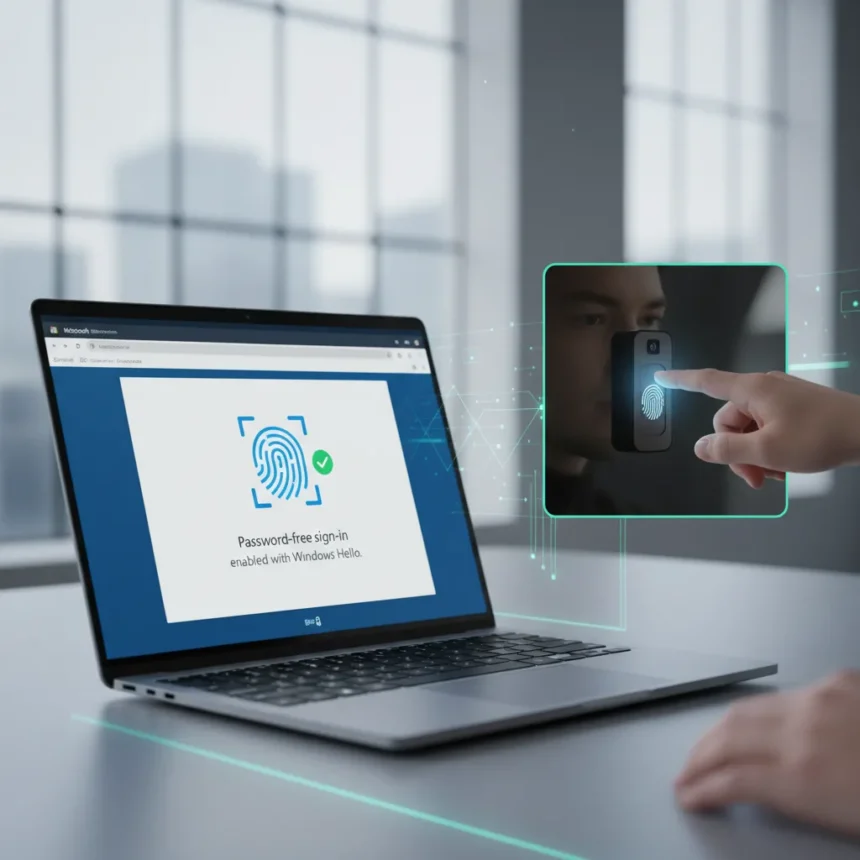
Microsoft Edge is eliminating its master password feature and replacing it with Windows Hello authentication, a shift that fundamentally changes how you unlock saved credentials in the browser. The change takes effect today, June 4, moving Edge away from a single memorized password toward device-bound biometric and PIN-based access.
Key Takeaways
- Microsoft Edge master password is being retired in favor of Windows Hello authentication methods.
- Windows Hello PIN, fingerprint, or facial recognition will now protect access to saved passwords.
- Edge passwords remain encrypted on disk using AES encryption with OS-level key storage.
- Users can export existing passwords before the transition using edge://settings/passwords.
- The change reflects Microsoft’s broader shift away from password-based security toward passkeys and device authentication.
Why Microsoft Edge Master Password Is Disappearing
The Microsoft Edge master password required users to enter a single password whenever they wanted to autofill credentials on a web page. This approach, while offering some protection, relied on something you had to remember—exactly what Microsoft has been working to eliminate across its ecosystem. The company is pushing passkeys and device-bound authentication as replacements for traditional passwords.
Microsoft’s security guidance now recommends the Edge password manager for most threat models, a significant shift from earlier advice that suggested disabling it. By tying password access to Windows Hello rather than a memorized master password, Microsoft is anchoring security to something you are (biometric) or something tied to your device (PIN) rather than something you remember.
How Windows Hello Replaces Microsoft Edge Master Password
Under the new system, accessing your saved passwords in Edge requires Windows Hello authentication using one of three methods: a Windows PIN, fingerprint recognition, or facial recognition. This means anyone trying to use your stored credentials must first authenticate through your device’s biometric or PIN system, adding a layer of protection tied directly to Windows itself.


Edge’s password manager encrypts all passwords on disk using AES encryption, with the encryption key stored in a Windows OS storage area. Microsoft says passwords, credit card numbers, and cookies are encrypted when saved, and the browser’s security model ensures passwords can be accessed only when you are logged into the operating system. This architecture means even if someone gains access to your computer files, the encrypted passwords remain inaccessible without Windows authentication.
The shift also introduces authentication before autofill, which prevents anyone but the authenticated user from using stored passwords. This is a meaningful privacy improvement over the old master password model, where someone with knowledge of your master password could potentially access all your credentials.



Transitioning From Microsoft Edge Master Password
If you have saved passwords in Edge, Microsoft provides a clear export process before the transition completes. Go to edge://settings/passwords, click the three dots next to your saved passwords, and select Export passwords. The export process requires your Windows login credentials to proceed.
Once you have exported your passwords, save the file securely in a protected location such as OneDrive Personal Vault or on a USB drive. If you forget your primary password before exporting, you can reset it by going to Manage Primary Password and selecting Forgot. Microsoft’s troubleshooting guidance also recommends checking for updates, clearing cache and cookies, disabling extensions, scanning for malware, and resetting Edge settings if you encounter any issues with the password manager during the transition.
Microsoft Edge Password Manager vs. Third-Party Alternatives
The removal of the master password may prompt some users to consider third-party password managers as alternatives. However, Microsoft’s own security documentation positions the built-in Edge password manager as the recommended option for most users, given its integration with Windows security features and OS-level encryption.
Third-party password managers offer their own advantages—cross-platform support, advanced organizational features, and independence from your operating system. But they introduce additional security dependencies and require trust in a separate vendor. For users already invested in the Windows and Edge ecosystem, the new Windows Hello approach offers seamless integration without requiring a separate subscription or service.



Is the Microsoft Edge master password completely gone?
Yes, Microsoft is removing the master password feature entirely and replacing it with Windows Hello authentication. If you are currently using the master password, you will need to transition to Windows Hello PIN, fingerprint, or facial recognition to access your saved credentials.
Can I export my passwords before Microsoft Edge master password disappears?
Yes. Go to edge://settings/passwords, click the three dots menu next to your saved passwords, and select Export passwords. You will need to authenticate with your Windows login credentials, and Microsoft recommends saving the exported file securely in OneDrive Personal Vault or on a USB drive.
What happens if I forget my Windows Hello PIN or fingerprint?
Windows Hello authentication is tied to your device and Windows account. If you forget your PIN, you can reset it through Windows settings. If biometric authentication fails, you can fall back to your Windows PIN as an alternative authentication method.
The shift from Microsoft Edge master password to Windows Hello marks a meaningful step in Microsoft’s broader move away from password-based security. By anchoring credential access to your device and biometric authentication, Edge gains stronger protection against credential theft while maintaining the convenience of saved passwords. For users comfortable with Windows Hello, the transition is transparent and arguably more secure than memorizing a master password ever was.
Edited by the All Things Geek team.
Source: Tom's Guide