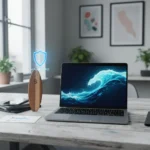




Nothing’s Warp is a new open-source app designed to simplify Android Mac file sharing by mimicking Apple’s seamless AirDrop experience on macOS. For years, Android users have watched iOS owners effortlessly beam files across devices while they fumbled with Google Drive or email attachments. Nothing’s answer fills that gap—but not perfectly.
Key Takeaways
- Warp is a free, open-source tool for one-way Android to macOS file transfers
- It simulates AirDrop by allowing automatic downloads without manual Mac confirmation
- Installation requires downloading from GitHub; no app store convenience
- Uses Android’s native Nearby Share functionality as its foundation
- Addresses the cross-platform interoperability gap Apple dominates
How Android Mac File Sharing Works with Warp
Nothing’s Warp leverages Android’s built-in Nearby Share feature to create an experience that feels almost native. The workflow is straightforward: select files on your Android phone, open Nearby Share, and the Mac running Warp appears in the device list. Tap the Mac’s name, confirm on your desktop, and the files transfer automatically—no separate dialogs or manual acceptance required. This automatic handling is where Warp diverges from older cross-platform solutions.
The setup process, however, demands more effort than AirDrop. You must download and install Warp from its GitHub repository rather than grabbing it from an app store. This open-source approach keeps the tool free and community-driven, but it’s a friction point for casual users. Once installed and running, though, the actual file transfer feels polished enough for daily use.
The design prioritizes functionality over elegance—it’s not the most visually refined tool you’ll use, but it accomplishes its job reliably.

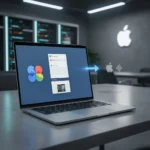
The One-Way Limitation That Matters
Warp’s defining characteristic is also its biggest constraint: it transfers files from Android to macOS only, not the reverse. You cannot send files from your Mac to your phone using this tool. For users accustomed to AirDrop’s bidirectional convenience, this one-way street feels limiting. If you need to move files from desktop to phone, you’re back to Google Drive, email, or cloud storage.
This limitation exists by design—Nothing built Warp to solve a specific problem, not to replicate every AirDrop feature. For workflows that primarily involve moving photos, documents, or media from phone to computer, the one-way approach works. For those who regularly share files in both directions, Warp becomes part of a multi-tool solution rather than a complete replacement.

Android Mac File Sharing vs. Existing Alternatives
NearDrop, an unofficial macOS app for Google’s Nearby Share, offers similar functionality but requires manual confirmation on the Mac side, making the experience less seamless. Google’s own ecosystem—Drive, Photos, and other cloud services—provides bidirectional sharing but sacrifices the directness of peer-to-peer transfer and adds cloud storage overhead. Apple’s AirDrop remains the gold standard for speed and simplicity, but it’s exclusive to the Apple ecosystem.
Warp’s open-source nature gives it an advantage over proprietary solutions: the community can contribute improvements, fix bugs, and adapt it to new Android or macOS versions. This collaborative approach potentially makes it more resilient than closed tools dependent on a single company’s maintenance.
Should You Install Warp?
If you frequently move files from Android to Mac and want a faster, more direct method than cloud storage, Warp is worth the GitHub download. It’s free, it works, and it requires no subscription or account creation. The lack of visual polish is a minor trade-off for functionality that actually solves a real problem.
However, if your workflow demands bidirectional sharing or you prefer app store convenience, you’ll find Warp incomplete. The tool shines for specific use cases—photographers moving shots to a Mac, content creators transferring assets, or anyone tired of email attachments—rather than as a universal file-sharing solution.


Is Warp available for Windows?
No, Warp is built specifically for macOS and Android. Windows users seeking cross-platform file sharing with Android phones must rely on alternatives like cloud storage, Google’s Nearby Share on Windows (where available), or third-party solutions.
Does Warp require an internet connection?
Warp uses Nearby Share, which operates over local networks, so it does not require internet for file transfers. Both devices must be on the same network for the connection to establish.
Can Warp transfer large files?
The research brief does not specify file size limits for Warp transfers. Since it uses Nearby Share as its foundation, performance likely depends on your local network speed and the capabilities of that underlying protocol.
Nothing’s Warp won’t dethrone AirDrop or replace cloud storage entirely, but it solves a genuine friction point for Android-to-Mac workflows. In an ecosystem fragmented by competing platforms, even a one-way bridge that works reliably is progress.
Where to Buy
This article was written with AI assistance and editorially reviewed.
Source: Android Central