




Galaxy S26 camera features announced at Samsung Galaxy Unpacked represent a meaningful leap forward in mobile photography, moving beyond incremental sensor upgrades to AI-powered post-capture tools that genuinely improve results. After weeks of testing, three capabilities stand out: image restoration, multi-photo merging, and enhanced low-light processing. These are not gimmicks. They solve real problems photographers face daily.
Key Takeaways
- Galaxy S26 camera features include AI image restoration that recovers detail in damaged or low-quality photos
- Photo merging capability automatically combines multiple captures to reduce noise and improve sharpness
- Low-light enhancement processing delivers usable shots in conditions that previously required manual editing
- Horizon Lock stabilization improves video quality by automatically leveling footage during handheld recording
- Disabling auto lens switching on S26 Ultra improves telephoto macro photography results
Image Restoration: The Feature That Actually Works
Image restoration sounds like marketing nonsense until you try it. Galaxy S26 camera features include an AI restoration tool that takes blurry, underexposed, or otherwise compromised photos and recovers usable detail. The system doesn’t create fake pixels—it analyzes the image data you already captured and reconstructs what the camera missed. In practice, this means shots taken in poor conditions, accidentally zoomed images, or photos damaged by compression actually become salvageable without hours in Lightroom.
This addresses a genuine pain point. Every photographer has a moment where the perfect shot came out soft or dark, and the original is lost. Rather than forcing users to retake the image or accept defeat, Samsung‘s approach lets you rescue the capture you already have. The restoration runs on-device, processes in seconds, and produces results that look natural rather than processed.
Multi-Photo Merging Reduces Noise Without Computational Photography Gimmicks
Galaxy S26 camera features also include a photo merging system that automatically combines multiple exposures to reduce noise and improve sharpness. Unlike traditional computational photography that blends frames invisibly, this tool lets you see what it’s doing. You capture multiple shots—the camera suggests which ones work best together—and the system merges them into a single frame.

The practical benefit is cleaner, sharper images in low light without the aggressive processing that can make photos look plastic or artificial. This is particularly useful for night photography or indoor scenes where single-frame captures tend toward noise and softness. The merged result retains texture and natural detail better than most AI noise reduction alternatives.
Low-Light Enhancement: The Workhorse Feature
Low-light enhancement processing is where Galaxy S26 camera features prove their worth in daily use. Rather than requiring manual exposure compensation or external lighting, the system automatically detects low-light conditions and applies intelligent processing to brighten and clarify the scene while preserving color accuracy and shadow detail.



This is not new in concept—many phones attempt low-light enhancement—but the execution matters. Galaxy S26’s approach avoids the blown-out highlights and muddy shadows that plague simpler night modes. Scenes that would normally require a tripod or external flash become handholdable, and the results remain natural enough for social media or print without obvious processing artifacts.
Video Stabilization Adds Horizon Lock for Handheld Recording
Galaxy S26 camera features extend beyond still photography. Horizon Lock automatically levels video footage during handheld recording, preventing the tilted, drifting horizon that plagues casual video makers. This is a small feature that solves a specific problem—keeping your video straight without requiring a gimbal or tripod. For content creators or anyone recording quick clips, this alone justifies upgrading.
One Caveat: Telephoto Macro Requires Manual Adjustment
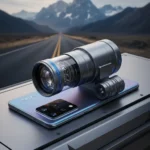
Not every Galaxy S26 camera feature works perfectly out of the box. The S26 Ultra’s auto lens switching can actually degrade telephoto macro results by switching to the wrong focal length at the wrong moment. The workaround is simple—disable auto lens switching in settings—but it reveals that these AI features sometimes need human override. This is not a failure, just a reminder that automation has limits.
How do Galaxy S26 camera features compare to previous models?
Galaxy S26 camera features introduce AI-powered post-capture tools that previous Galaxy phones lacked entirely. Rather than relying solely on hardware improvements or in-camera processing, the S26 emphasizes restoration and merging—tools that work on images after capture. This represents a philosophical shift from traditional computational photography toward user-controlled AI enhancement.



Can you use Galaxy S26 camera features on older photos?
Image restoration and photo merging work on images already on your device, not just newly captured photos. This means you can apply these Galaxy S26 camera features to old shots you’ve been meaning to edit or rescue photos that didn’t turn out right months ago. The tools are retroactive, not limited to new captures.
Does low-light enhancement work in complete darkness?
Low-light enhancement processes scenes with some ambient light—streetlights, moonlight, interior lighting. In complete darkness with zero light, no camera can manufacture detail that was never captured. Galaxy S26 camera features work best in twilight, dimly lit interiors, and night scenes with environmental light sources, not in pitch-black conditions.
Galaxy S26 camera features matter because they solve real photographic problems without requiring users to become post-processing experts. Image restoration rescues compromised shots, merging reduces noise naturally, and low-light enhancement makes handheld night photography viable. These are not revolutionary, but they are genuinely useful—and that is rarer in smartphone photography than it should be.
Where to Buy
Samsung Galaxy S26 | Samsung Galaxy S26 Plus | Samsung Galaxy S26 Ultra
This article was written with AI assistance and editorially reviewed.
Source: Android Central