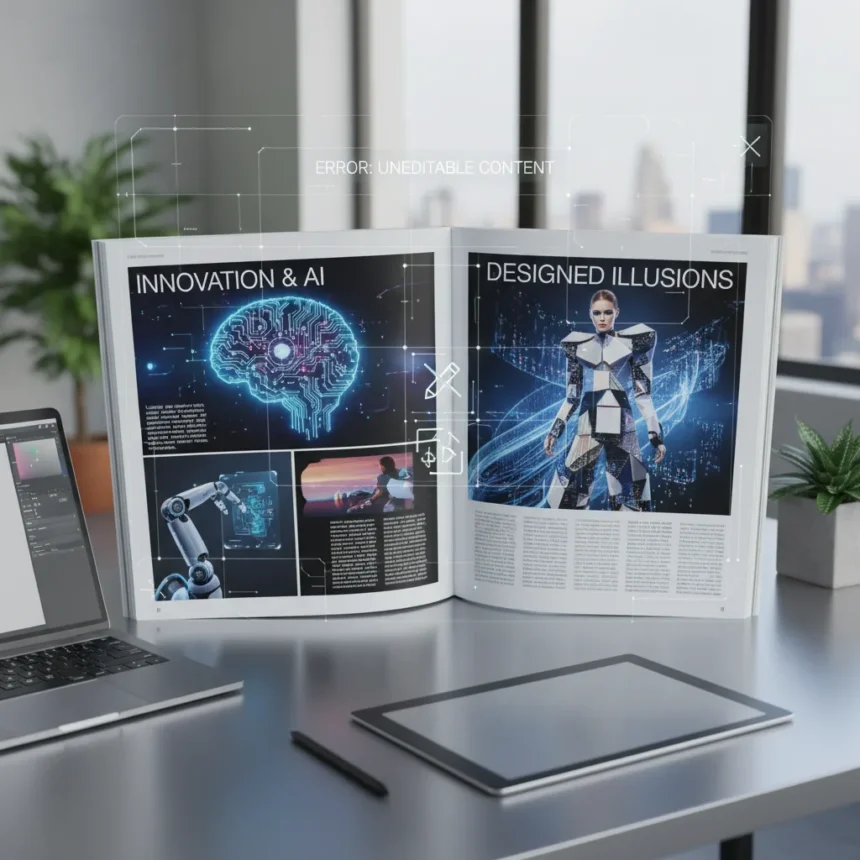
ChatGPT Images 2 magazine layouts represent a fundamental disconnect between visual polish and practical utility. The new image generation model from OpenAI can produce layouts that look impressively real at first glance, but they are completely unusable in professional design workflows, according to a former print magazine editor who tested the feature extensively.
Key Takeaways
- ChatGPT Images 2 generates layouts that appear visually realistic but cannot be edited or modified after generation.
- Text rendering in generated layouts is often broken and requires external tools like Canva to fix.
- No integration exists with professional design software like InDesign or Photoshop, limiting workflow viability.
- The model struggles with consistency across iterations and defaults to impressionist styles despite realistic prompts.
- Generation takes 1–2 minutes per image with slower performance than previous versions.
Why ChatGPT Images 2 Magazine Layouts Fail in Practice
The core problem with ChatGPT Images 2 magazine layouts is that they function as surface-level illusions rather than usable design assets. Once generated, these layouts cannot be edited. You cannot adjust individual text, reposition images, modify colors, or change any element without regenerating the entire image from scratch. For professional magazine production, this is a dealbreaker. A designer working in InDesign or Photoshop can tweak typography, adjust kerning, swap images, and refine layouts in minutes. ChatGPT Images 2 offers none of this flexibility.
Text rendering presents another critical failure point. The model frequently produces broken or illegible text within generated layouts, forcing designers to export the image and fix typography in external tools like Canva. This workaround adds time and friction to what should be a streamlined creative process. For publications that need consistent, professional typography, relying on ChatGPT Images 2 as a layout generator is impractical.
Generation Speed and Quality Issues
ChatGPT Images 2 is slower than expected. Each image takes 1–2 minutes to generate, a significant slowdown compared to earlier versions. Beyond speed, the model struggles with consistency and creative output. Users report bland, uninspired results that often miss the mark entirely. The model has a tendency to default to impressionist or painted styles even when prompts explicitly request realistic, crisp imagery. Uploading reference images helps somewhat, but does not fully resolve the style drift.



Consistency degrades further across iterations. If you ask the model to modify a generated layout—say, adjusting the ratio or repositioning elements—the model may rearrange components unpredictably, losing details or altering the original composition in ways that are difficult to control. Sketches used as prompts can improve layout control to some degree, but this workaround requires additional effort and still does not guarantee precision.
ChatGPT Images 2 vs. Professional Design Tools
The gap between ChatGPT Images 2 magazine layouts and actual design software is enormous. Photoshop excels at precision—edges, typography, kerning, layout control, and brand asset management. It is slower for initial ideation but unmatched for pixel-perfect production work. Canva fills a middle ground, offering quick edits and text fixes, but it is not designed for high-end magazine production. Midjourney V4 produces better prompt parsing than ChatGPT Images 2, but even that tool falls short for professional marketing applications unless the aesthetic imperfection is intentional.



For designers seeking faster concept generation, ChatGPT Images 2 has limited appeal. The conversational editing feature—where you can request ratio changes or layout adjustments through chat—sounds promising but produces inconsistent results. The model often misinterprets requests, generating wrong shapes, incorrect sizing, or layouts that contradict the original intent. Professional designers cannot afford this level of unpredictability in production workflows.
When ChatGPT Images 2 Magazine Layouts Might Work
ChatGPT Images 2 magazine layouts have a narrow use case: rapid concept exploration and visual brainstorming. If you need to generate multiple layout variations quickly to show a client direction, the tool can produce visually coherent mockups that communicate an idea, even if they cannot be directly used for publication. The layouts look real enough to spark discussion and guide design decisions.
Beyond that, the tool falls short. For actual production, designers must export the generated image, import it into Photoshop or InDesign, and rebuild the layout from scratch using the AI output as reference only. This process negates the time savings that AI generation promises. A designer could sketch a layout and build it in InDesign faster than waiting for ChatGPT Images 2 to generate an image, then manually reconstructing it.
What Would Make ChatGPT Images 2 Magazine Layouts Usable
For ChatGPT Images 2 to become a viable tool for magazine designers, OpenAI would need to address three fundamental gaps. First, generated layouts must be editable—either natively within ChatGPT or through export to standard design software with layers intact. Second, text rendering must be reliable and legible, eliminating the need for post-generation fixes in Canva or other tools. Third, the model needs tighter consistency controls and the ability to respect design constraints without drifting into impressionist or painted aesthetics.



None of these improvements exist in the current version. Until they do, ChatGPT Images 2 magazine layouts remain impressive-looking but fundamentally impractical for professional publication work.
Can you edit ChatGPT Images 2 magazine layouts after generation?
No. Once generated, ChatGPT Images 2 magazine layouts cannot be edited. You cannot modify text, adjust images, reposition elements, or change colors without regenerating the entire layout. This lack of editability is the primary reason the tool fails for professional magazine design.
How do you fix broken text in ChatGPT Images 2 layouts?
Export the generated image and import it into Canva or similar tools. Use text recognition to convert the image text into editable layers, then adjust font size, boldness, and positioning as needed. This workaround adds time to the design process and defeats the purpose of AI-assisted layout generation.
Is ChatGPT Images 2 faster than DALL-E 3?
No. ChatGPT Images 2 takes 1–2 minutes per image and users report slower generation overall compared to earlier versions. While the model offers conversational editing, the performance trade-off and quality issues make it less practical than alternative approaches for professional magazine layout work.
ChatGPT Images 2 magazine layouts expose a hard truth about AI image generation: visual realism is not the same as functional utility. The model can produce layouts that look like they came from a professional designer, but they lack the editability, consistency, and workflow integration that real design work demands. For magazine editors and designers, the tool remains a concept generator only—not a production asset. Until OpenAI addresses editability and integrates with professional design software, ChatGPT Images 2 will continue to disappoint professionals who need more than pretty pictures.
Edited by the All Things Geek team.
Source: TechRadar