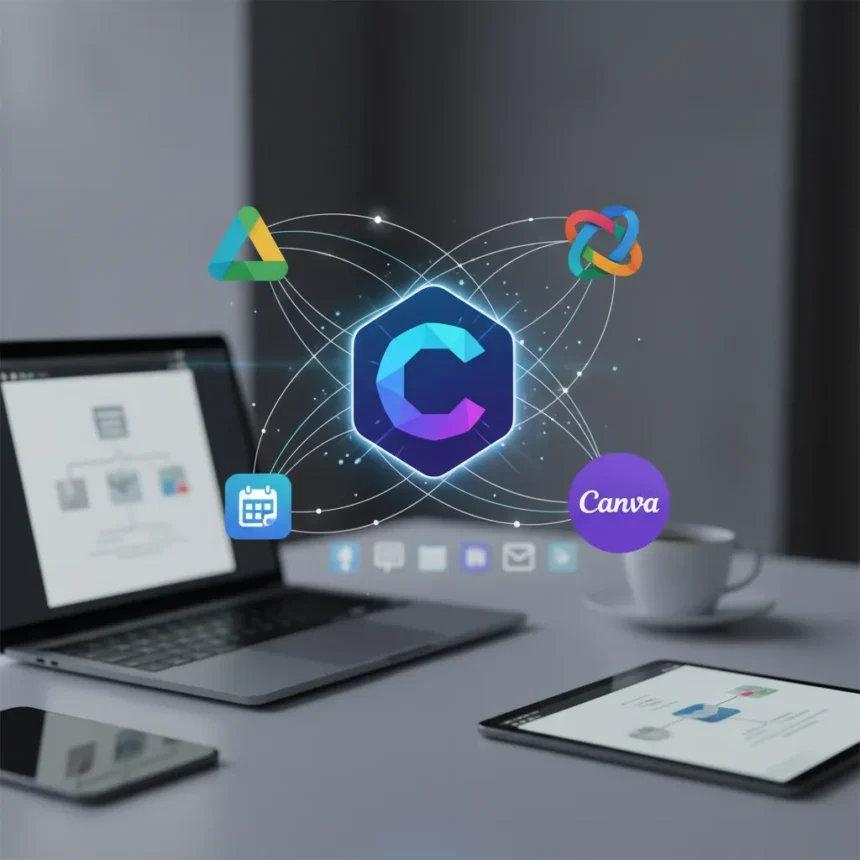
Claude app integrations have expanded significantly, allowing the AI to connect directly to tools you already use—Google Drive, Slack, Canva, and others—without requiring manual data transfer or complex setup. These connectors represent a shift in how AI assistants interact with your existing ecosystem, moving beyond chat-only interfaces into active workflow participation.
Key Takeaways
- Claude now connects to Google Drive, Slack, Canva, and Notion through native integrations
- Connectors allow Claude to read, create, and modify files directly within these apps
- No coding required—prompts trigger actions across connected applications
- Integrations work with Claude’s Artifacts feature for building custom apps
- Setup requires enabling connectors in Claude’s settings and granting app permissions
What Claude App Integrations Actually Do
Claude app integrations function as bridges between the AI and your productivity tools. Instead of copying text back and forth, you can ask Claude to pull information from your Google Drive, post messages to Slack, edit Canva designs, or organize tasks in Notion—all within a single conversation. This eliminates friction in workflows where you’d normally switch between apps multiple times.
The connectors work by granting Claude read and write access to your accounts. When you enable a connector and ask Claude to interact with that service, the AI can execute actions directly. For example, you might ask Claude to summarize all documents in a specific Google Drive folder, or create a Slack message with formatted content. The AI understands what you want and translates that intent into app-specific actions.
How to Set Up Claude App Integrations
Setting up Claude app integrations requires accessing your Claude account settings and navigating to the connectors section. You’ll see a list of available integrations—currently including Google Drive, Slack, Canva, and Notion. For each service you want to connect, you authorize Claude to access that app, similar to how you’d grant permissions to any third-party tool.



The authorization process is straightforward: click the connector you want to enable, follow the OAuth flow for that service, and confirm the permissions Claude requests. Once authorized, Claude can immediately use that integration in conversations. You don’t need to re-authenticate for each prompt—the connection persists until you disable it. If you want to revoke access, you can disconnect any integration from the same settings menu.
One key consideration: connectors require you to be on a Claude plan that supports them. The feature set varies by subscription tier, so check your account level before expecting full integration support across all tools.



Practical Workflows Unlocked by Claude Integrations
The real value of Claude app integrations emerges in specific workflows. If you manage a team Slack workspace, Claude can post formatted updates, summaries, or alerts without you manually copying content. If you work with Google Drive documents, Claude can read multiple files, extract data, and synthesize findings—useful for research, competitive analysis, or report generation.
For creative work, the Canva integration lets Claude modify designs programmatically. You can ask the AI to adjust layouts, change text, or regenerate visual elements based on your feedback, all without opening Canva itself. Combined with Claude’s Artifacts feature—which lets you build and run custom applications—these integrations enable building small tools that interact with your existing apps.
Notion integration opens possibilities for knowledge management. Claude can read your notes, databases, and wikis, then answer questions about your own information. This transforms Claude from a general-knowledge AI into a personal assistant that understands your specific context, projects, and documentation.
Claude Integrations vs. Traditional Automation Tools
Traditional automation platforms like Zapier or Make require you to define workflows in advance—if A happens, do B. Claude app integrations invert this model. You describe what you want in natural language, and Claude figures out the steps. This is more flexible for one-off tasks but less suited to repetitive, rule-based automation.


The trade-off is important: Claude integrations excel at reasoning-heavy tasks (analyze these documents and summarize findings) but may not replace traditional automation for simple, trigger-based workflows (every new form submission, send an email). The two approaches complement each other rather than compete.
Limitations and What’s Still Missing
Claude app integrations currently cover a limited set of services. Major gaps include Microsoft Office 365, Salesforce, and other enterprise tools. The connectors also depend on the app’s API—some services expose more functionality than others, which can constrain what Claude can actually do.
Additionally, integrations are read-and-write for some apps but read-only for others. Understand what permissions each connector actually grants before connecting sensitive accounts. Some integrations may also have rate limits or usage restrictions that could affect heavy workflows.
Is Claude’s integration approach better than competitors?
Claude’s natural-language approach to integrations differs from competitors like ChatGPT, which relies more heavily on third-party plugins and APIs. The advantage is simplicity—you don’t need to install extensions or configure complex workflows. The disadvantage is limited app coverage compared to platforms with larger plugin ecosystems. As Anthropic expands Claude’s connector library, this gap should narrow.
How do I enable Claude app integrations?
Log into your Claude account, navigate to settings, find the connectors section, and click the app you want to connect. Authorize Claude through that app’s OAuth flow, confirm permissions, and the integration activates immediately. Disable any connector anytime from the same menu.
Can I use Claude integrations on the free tier?
Connector availability depends on your Claude subscription level. Not all integrations are available on free accounts—check your plan details to see which connectors you can access.
Claude app integrations represent a meaningful step toward AI that works within your existing tools rather than replacing them. The current lineup—Google Drive, Slack, Canva, Notion—covers common productivity needs, and each integration meaningfully reduces friction in specific workflows. The setup is simple enough for anyone, and the natural-language interface makes complex multi-app tasks feel effortless. If you spend time moving data between apps, these connectors are worth testing immediately.
Edited by the All Things Geek team.
Source: Tom's Guide