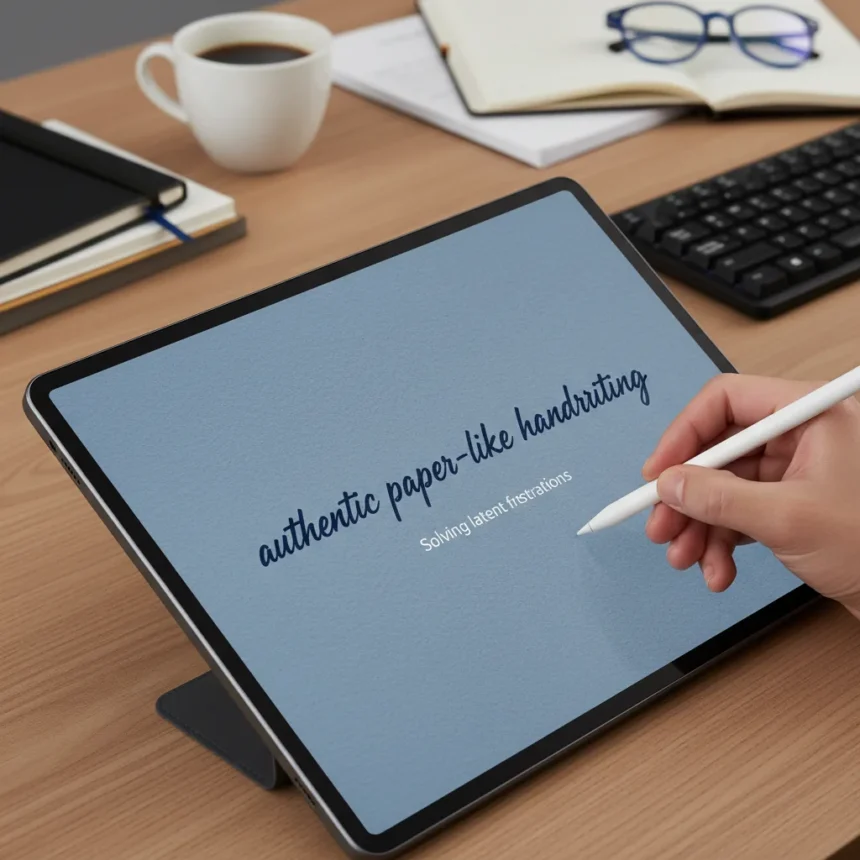
The TCL NxtPaper 70 Pro stylus almost manages to feel like writing on real paper—and that simple achievement solves a problem most tablet users never consciously recognized they had. The stylus transforms how handwriting feels on a digital surface, replacing the glossy friction of traditional tablet screens with something that mimics genuine pen-on-paper contact. Most people don’t notice the gap until they experience the alternative.
Key Takeaways
- The TCL NxtPaper 70 Pro stylus delivers authentic paper-like handwriting feedback on its matte display.
- Paper-like feel eliminates accidental inputs during precise tasks like scrolling and navigation.
- NXTPAPER display technology includes three switchable modes: Regular, Color Paper, and Ink Paper.
- TCL positions the NxtPaper line as a budget alternative to premium tablets with paper-like features.
- Competitors like reMarkable 2 offer e-ink writing but lack Android apps and full-color capability.
Why the TCL NxtPaper 70 Pro Stylus Matters
The core innovation here isn’t revolutionary—it’s obvious in hindsight. A matte display plus a stylus designed for that texture creates friction that glossy screens simply cannot match. That friction is the difference between accidentally opening a news article while scrolling and maintaining precise control. The stylus on the TCL NxtPaper 70 Pro lets you navigate settings, access shortcuts, and write notes without triggering phantom taps. On traditional tablets, you’re constantly fighting against the glass. Here, you’re working with it.
This matters because digital handwriting has always felt like a compromise. You get the convenience of a tablet but lose the tactile feedback of pen on paper. The TCL NxtPaper 70 Pro stylus doesn’t fully bridge that gap—nothing digital ever will—but it gets close enough that the gap stops feeling like a problem. Users report not feeling compelled to add screen protectors to preserve that paper-like texture, a telling sign that the experience justifies itself without additional accessories.
TCL NxtPaper 70 Pro Stylus vs. Competing Alternatives
The reMarkable 2 offers superior writing feel through e-ink technology and includes handwriting-to-text conversion, but it’s a specialist device—no Android apps, no color, no flexibility for general tablet use. The iPad remains the premium reference point, but the TCL approach delivers paper-like benefits at a fraction of the cost. The stylus precision on the TCL NxtPaper 70 Pro also outperforms generic tablet styluses, which often struggle with accidental inputs during scrolling or navigation tasks.


Where the TCL NxtPaper 70 Pro stylus wins is in balance. You get a full Android tablet with a matte display and stylus designed for that display, without sacrificing app access, color, or general usability. The reMarkable 2 is better for pure writing, but it’s a one-trick device. The TCL is a tablet that happens to write exceptionally well.
NXTPAPER Display Technology and Stylus Integration
The stylus works in concert with TCL’s NXTPAPER display technology, which includes three switchable modes accessed via the NXTPAPER Key. Regular Mode delivers full color for general tablet use. Color Paper Mode reduces glare while maintaining color. Ink Paper Mode switches to black and white, optimizing for writing and reading. This flexibility means the stylus experience adapts to your task—color for browsing, monochrome for focus.



The Sidebar feature adds another layer of precision control. Swipe with your finger or stylus to navigate back, or hold for an extra second to open customizable shortcuts. This design eliminates the friction of hunting for buttons or accidentally triggering functions. The stylus responds to these intentional gestures without the false positives that plague glossy-screen tablets.
Who Should Buy the TCL NxtPaper 70 Pro Stylus
If you take digital notes regularly and have accepted that tablet styluses feel awkward, the TCL NxtPaper 70 Pro stylus is worth serious consideration. Students, designers, and professionals who handwrite frequently will notice the difference immediately. The stylus also appeals to anyone frustrated by accidental taps on traditional tablets—the paper-like texture acts as a natural guard against phantom inputs.
Conversely, if you rarely use a stylus or primarily consume content, the paper-like display is a nice-to-have rather than essential. The real value emerges when handwriting is central to your workflow.
Does the TCL NxtPaper 70 Pro stylus really feel like paper?
It comes remarkably close. The matte display and stylus design create friction and feedback that mimics pen on paper, though it’s not identical to the real thing. The key difference is psychological—once you experience it, writing on glossy tablets feels wrong by comparison.



Can you use other styluses with the TCL NxtPaper 70 Pro?
The TCL NxtPaper 70 Pro stylus is specifically designed for the matte NXTPAPER display. While third-party styluses may technically work, they won’t deliver the same paper-like experience because they’re not engineered for that texture.
How does the NXTPAPER display affect battery life?
The research brief does not specify battery performance differences between NXTPAPER and standard tablet displays. Battery impact depends on which display mode you use most frequently, but specific runtime comparisons are not available.
The TCL NxtPaper 70 Pro stylus solves a problem you didn’t know you had because the problem was invisible—you’d simply accepted that digital writing felt slightly off. Once you experience the paper-like alternative, that acceptance evaporates. For anyone serious about digital note-taking, that’s worth the investment.
Edited by the All Things Geek team.
Source: Tom's Guide