





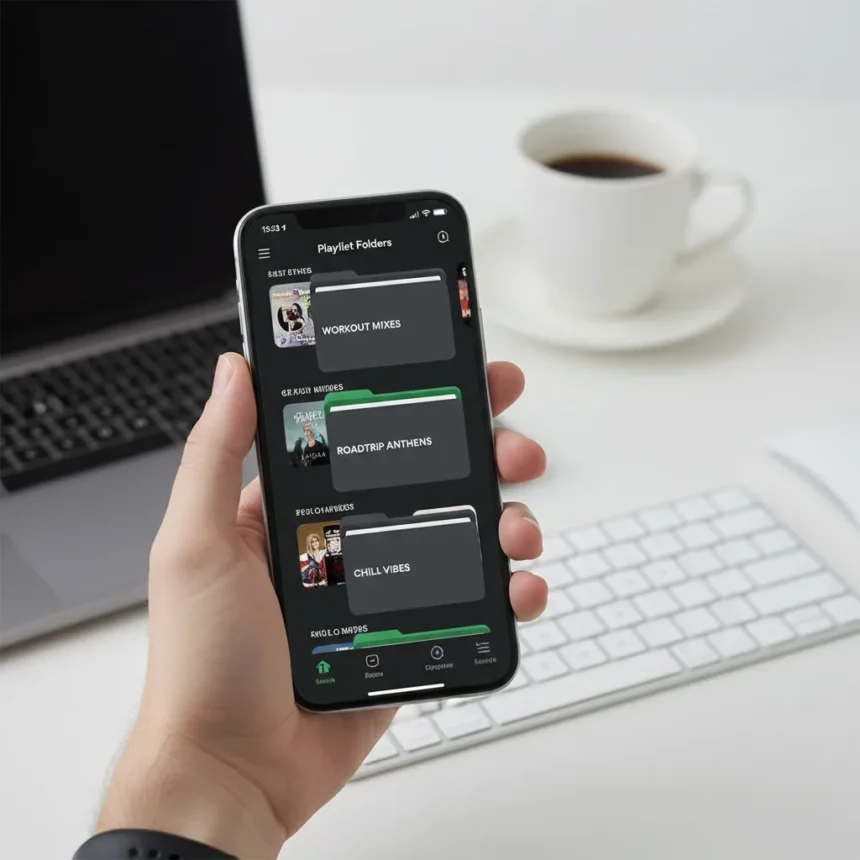
Spotify playlist folders mobile management is finally here. After 16 years as a desktop-only feature, Spotify is rolling out the ability to create, edit, and organize playlist folders directly on Android and iOS apps. Some users are already seeing the change in app version 9.1.34.12, though the rollout appears to be gradual and not yet universal.
Key Takeaways
- Spotify playlist folders mobile management eliminates the 16-year desktop-only restriction on folder creation and editing.
- Users can create folders via the Create button in the bottom right corner or through Your Library.
- Mobile folder management includes adding and removing playlists, renaming folders, and deleting them with confirmation prompts.
- Feature is rolling out to some Android and iOS users now; universal availability date remains unconfirmed.
- Folders are free for all Spotify users and do not require a premium subscription.
How to Create Spotify Playlist Folders on Mobile
Creating playlist folders on mobile is straightforward. Tap the Create button located in the bottom right corner of the Spotify app, then select the option to create a folder. If the Create button is disabled on your device, you can access folder creation through Your Library instead. Give your folder a name and confirm—that is it. The folder will appear in your library immediately and be visible across all your devices.
Once created, you can add existing playlists to the folder by selecting them and choosing the move option. This mirrors the desktop workflow but eliminates the need to switch between apps or log into a web browser to organize your collection. For users with dozens of playlists scattered across their library, this is a genuine quality-of-life improvement.
Managing and Deleting Folders on Your Phone
Mobile folder management goes beyond creation. You can rename folders, add or remove playlists from them, and delete entire folders directly from your phone. Deleting a folder triggers a confirmation pop-up warning that all playlists inside may be deleted as well, so accidental removals should be rare. This safeguard is important—losing an entire folder of carefully curated playlists would be frustrating, especially for users who organize by mood, vibe, workout type, or specific scenarios like car mixes or party playlists.


The mobile interface mirrors desktop functionality without forcing you to remember which operations are possible where. Renaming is as simple as tapping the folder and editing its name, while moving playlists between folders requires selecting a playlist and choosing your destination folder.
Why Spotify Playlist Folders Mobile Took 16 Years
Spotify introduced playlist folders in 2010, but the feature remained locked to desktop and web players for over a decade and a half. This was a significant limitation for mobile-first users—Spotify’s apps are where most people spend their listening time, yet organizing that listening experience required switching to a desktop or opening a web browser. The delay created a frustrating disconnect between where users consumed music and where they could organize it.



Unlike competitors that may have built mobile folder management into their apps from the start, Spotify’s approach prioritized building features on desktop first and backporting them to mobile later. This is changing, but the 16-year gap highlights how long some foundational UX improvements can take, even at a platform with hundreds of millions of users. The feature’s arrival now suggests Spotify is addressing long-standing user requests that have accumulated over years of feedback.
Is the Rollout Complete?
No. Spotify playlist folders mobile is currently rolling out to some Android and iOS users, but it is not yet available to everyone. The feature was spotted in app version 9.1.34.12 through code strings, meaning it is likely being tested before a full release. If you do not see the Create button option for folders yet, the feature may not have reached your region or device type. Check for app updates and watch Spotify’s official channels for an announcement about broader availability.
Can you create folders within folders on mobile?
The research brief indicates that desktop users can create nested folders (folders within folders) by right-clicking a playlist folder and selecting Create Folder. Whether this functionality is included in the mobile rollout is not yet confirmed, as the mobile feature is still in early stages. Once the feature becomes more widely available, nested folder support may follow in a subsequent update.
Does creating Spotify playlist folders require a premium account?
No. Playlist folders are a free feature available to all Spotify users, regardless of subscription tier. You do not need Spotify Premium to organize your playlists into folders on mobile or any other device.



What happens to playlists if you delete a folder?
Deleting a folder may delete all playlists inside it, which is why Spotify shows a confirmation pop-up before you complete the action. This safeguard prevents accidental loss of your curated playlists, but you should be careful when deleting folders that contain multiple playlists you want to keep.
Spotify playlist folders mobile is a long-overdue feature that should have arrived years ago. For users drowning in an unorganized sea of playlists, the ability to finally manage folders on the device where you actually listen to music is a genuine win. The gradual rollout is frustrating, but once it reaches your phone, organizing your library becomes significantly easier.
Edited by the All Things Geek team.
Source: TechRadar




