






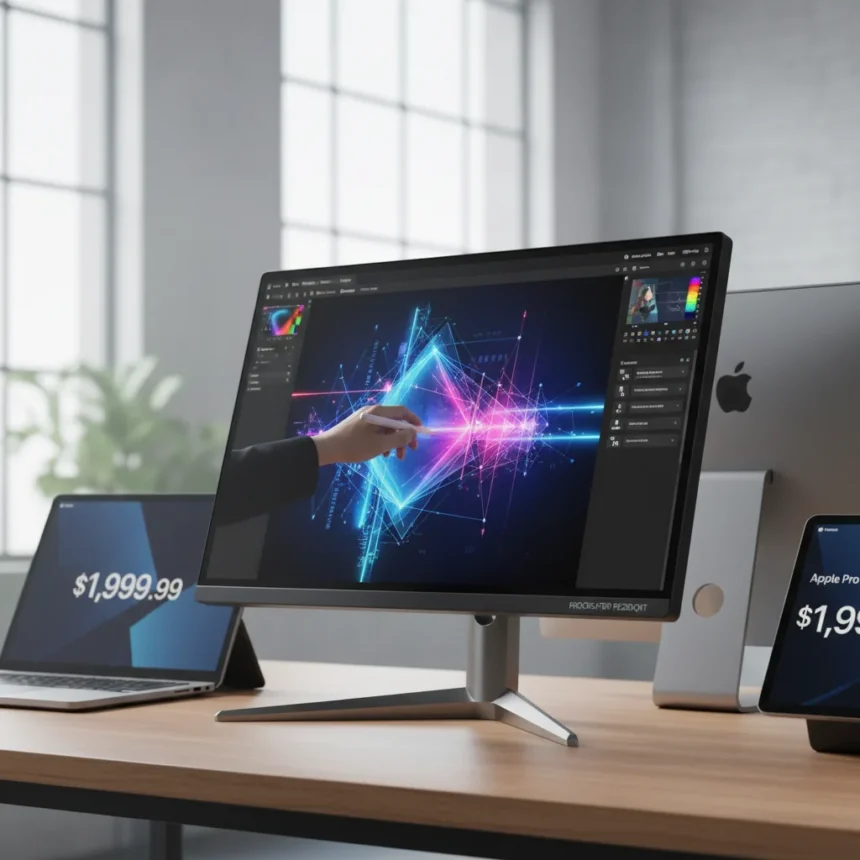
The Acer ProCreator PE320QXT is a 31.5-inch IPS display with native 6K resolution (6016 x 3384), touchscreen support, and stylus compatibility, priced at $1,999.99 and launched at CES 2026. It matches the pixel density of Apple’s Pro Display XDR but costs significantly less, targeting creative professionals who need a 20-megapixel workspace without the Apple tax.
Key Takeaways
- 31.5-inch 6K IPS panel with 6016 x 3384 native resolution and integrated touchscreen with MPP 2.0 stylus support
- Delta E<1 color accuracy, 99% Adobe RGB and 98% DCI-P3 coverage for professional color work
- 400 nits typical brightness, 600 nits HDR with VESA DisplayHDR 600 certification
- Seven connectivity ports including HDMI 2.1, DisplayPort 2.1, two USB4 ports with 100W power delivery, plus integrated webcam
- Priced at $1,999.99, nearly half the cost of Apple’s Pro Display XDR while matching its resolution
The 6K Resolution Advantage
The Acer ProCreator PE320QXT delivers true 6K resolution at 6016 x 3384 pixels, a rare specification outside the Apple ecosystem. This translates to roughly 20 megapixels of screen real estate, giving designers, photographers, and video editors a genuinely expansive canvas without resorting to ultrawide panels that distort aspect ratios. The 16:9 native aspect ratio keeps content proportional, unlike Dell’s 5120 x 2160 ultrawide alternatives that sacrifice vertical space for horizontal stretch.
What matters most here is pixel density and practical workspace. At 31.5 inches, the 6K panel delivers approximately 186 pixels per inch, sharp enough for detailed work without requiring extreme scaling. Compared to the 4K monitors that still dominate creative studios, this is a generational leap in screen real estate without proportional price inflation.
Color Accuracy and Creative Credentials
The Acer ProCreator PE320QXT targets professionals with Delta E<1 color accuracy, meaning color errors are imperceptible to the human eye. Coverage spans 99% Adobe RGB and 98% DCI-P3, the two color spaces that matter most for print and digital cinema work respectively. The panel supports 8-bit plus frame rate control (FRC) for 1.07 billion colors, a standard specification that nonetheless matters for smooth gradients in photography and motion graphics.



This is not a gaming monitor with exaggerated contrast or a business display with mediocre color reproduction. The ProCreator series explicitly targets professionals who calibrate their workflows around specific color standards. The 178-degree viewing angles and dynamic contrast via backlight control ensure color remains consistent even when multiple people review work on the same screen—a practical advantage in collaborative studios.
Touch as a Compromise, Not a Feature
Here’s where the Acer ProCreator PE320QXT stumbles. The touchscreen with MPP 2.0 stylus support sounds appealing on paper, but the reviewer’s verdict cuts to the heart of the problem: the touch capability adds cost without solving a genuine workflow problem for most professionals. Stylus input on a 31.5-inch desktop monitor positioned at arm’s length is awkward. Tablets and pen displays exist for a reason—they’re designed for hand input. A 6K monitor is designed for viewing.



The non-touch PE320QX variant exists for exactly this reason, offering identical specs minus the touch layer and the associated cost premium. For most creative professionals, that cheaper alternative makes more sense. Touch on a large desktop display is a feature that sounds innovative but rarely justifies its price in actual daily work. The reviewer would swap the touch capabilities for an even cheaper display, a sentiment that cuts through marketing positioning and lands on practical reality.
Connectivity and Ecosystem Integration
The Acer ProCreator PE320QXT includes seven connectivity ports: HDMI 2.1, DisplayPort 2.1, two USB4 ports with 100W power delivery on input, USB-A, USB-C for peripherals, plus an integrated webcam and split-screen tools. This breadth of connectivity matters for professionals juggling multiple devices—a MacBook Pro, a Windows workstation, external storage, and peripherals can all connect without a docking station.
The USB4 ports with 100W power delivery are particularly valuable, allowing the monitor to charge a laptop while simultaneously serving as a display. This reduces desk clutter and simplifies cable management, a practical benefit that compounds over months of daily use. The integrated webcam is a nice-to-have for remote collaboration, though not essential for a professional display.
Brightness and HDR Capability
The Acer ProCreator PE320QXT reaches 400 nits typical brightness and 600 nits in HDR mode, backed by VESA DisplayHDR 600 certification. This is respectable but not exceptional—the panel is not mini-LED or OLED, so contrast is managed through dynamic backlight control rather than per-pixel dimming. For SDR work (standard dynamic range content like Photoshop, Premiere Pro), the 400 nits is more than adequate. For HDR content, the 600-nit ceiling is competent but not exceptional compared to specialized HDR reference monitors.



The 60Hz refresh rate and 4ms gray-to-gray response time confirm this is a professional display, not a gaming monitor. Refresh rate above 60Hz adds no value for static design work, and 4ms response time is imperceptible in professional workflows. These specs are appropriate to the use case.
Value Proposition in Context
The Acer ProCreator PE320QXT costs $1,999.99, positioning it as an aggressive entry point for 6K professional displays. Apple’s Pro Display XDR, which matches the 6016 x 3384 resolution, commands a vastly higher price in the market. This price gap reflects both Acer’s manufacturing scale and Apple’s ecosystem premium. For professionals locked into macOS, the Pro Display XDR may offer integration benefits. For everyone else, the Acer represents genuine value.
The ProCreator series itself ranges from $599.99 to $1,999.99 depending on model and resolution, offering flexibility for different budgets and use cases. The PE270XT likely addresses 4K needs at lower cost, while the PE160WU portable option serves mobile professionals. The pricing structure reflects genuine product differentiation rather than artificial tiering.
Should You Buy the Acer ProCreator PE320QXT?
The Acer ProCreator PE320QXT makes sense if you need 6K resolution, prioritize color accuracy, and value connectivity over touch input. The non-touch PE320QX variant is the smarter choice for most professionals—identical specs, lower cost, no compromises. The touch capability is a marketing feature, not a workflow necessity on a large desktop display. If your work demands 20 megapixels of screen real estate and professional color accuracy, this monitor delivers. If you’re paying for touch you’ll never use, look elsewhere.
How does the Acer ProCreator PE320QXT compare to Apple’s Pro Display XDR?
Both displays match the 6016 x 3384 resolution, delivering identical pixel counts. The Acer costs roughly half as much and includes more connectivity ports, USB4 power delivery, and a built-in webcam. Apple’s display integrates more smoothly with macOS and offers superior brightness potential, but the Acer’s color accuracy and professional specs are competitive. For non-Apple professionals, the Acer is the more practical choice.
Is the touchscreen worth the extra cost on the Acer ProCreator PE320QXT?
No. The non-touch PE320QX variant offers identical display performance at lower cost. Touch input on a large desktop monitor positioned at arm’s length is impractical compared to dedicated pen displays or tablets. The touch layer adds weight, cost, and complexity without solving a real workflow problem for most professionals.
The Acer ProCreator PE320QXT arrives at an inflection point in the monitor market—6K resolution is becoming accessible, but touchscreen remains an unnecessary premium. Choose the display for its resolution and color accuracy. Skip the touch, save the money, and invest in a proper pen display if hand input is part of your workflow. That’s the honest take, and it’s the one that actually improves your workspace.
Where to Buy
This article was written with AI assistance and editorially reviewed.
Source: TechRadar