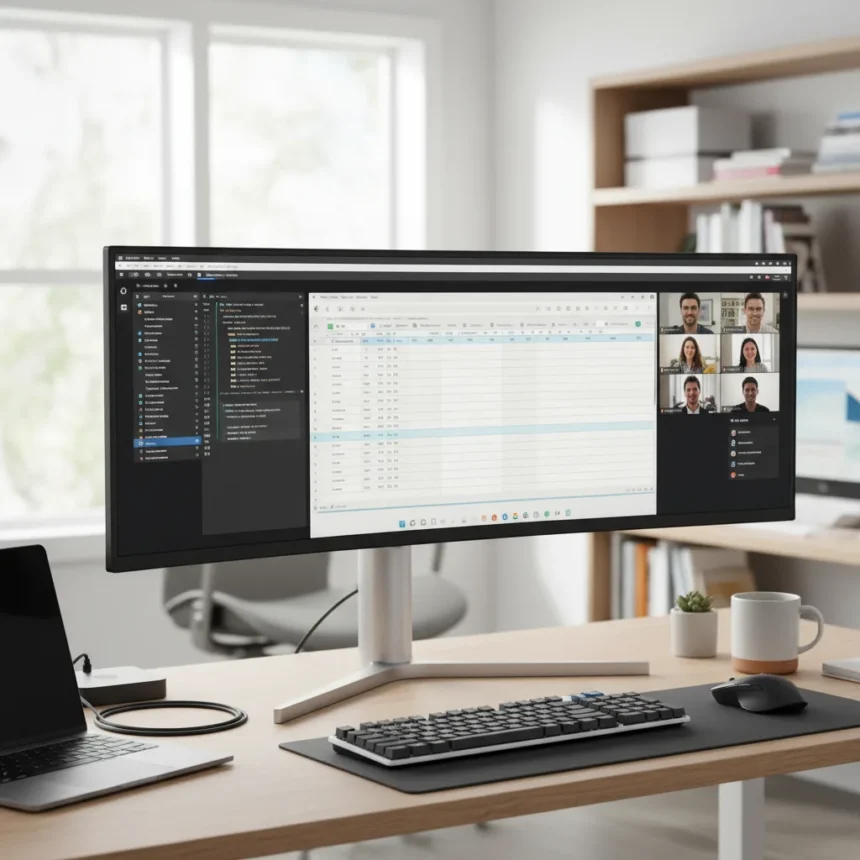
A 40-inch ultrawide monitor can do what two 32-inch 4K displays do, but without the visual interruption, cable clutter, or ergonomic compromises that plague dual-monitor setups. After one month with the Dell UltraSharp 40 Curved Thunderbolt Hub Monitor, a reviewer concluded they would never return to a split-screen configuration. The shift challenges decades of productivity orthodoxy that treated dual monitors as the gold standard.
Key Takeaways
- A single 40-inch ultrawide replaces two 32-inch 4K monitors without sacrificing screen real estate.
- The 2500R curve and 5K resolution eliminate the bezel gap that splits your view between two displays.
- Windows 11’s Snap Layouts let you segment the ultrawide into multiple zones for multitasking.
- Cable management improves dramatically with one monitor instead of two.
- Ultrawide monitors cannot be repositioned independently, limiting ergonomic flexibility compared to dual setups.
Why the 40-Inch Ultrawide Monitor Actually Works
The 40-inch ultrawide monitor solves the core problem with dual-monitor setups: the bezel gap. When you place two displays side by side, a physical gap sits directly in your line of sight. You are forced to stare at your office wallpaper in the middle of your workspace, breaking visual continuity and requiring your eyes to jump across the divide. A single ultrawide eliminates this entirely. The Dell UltraSharp 40 spans over 3 feet wide with a 2500R curve that wraps your field of view without any interruption in the middle.
The 5K resolution packs enough pixels to replace two 4K monitors. Instead of managing two separate displays with different refresh rates, color profiles, or input sources, you manage one. This simplicity extends to cable management. Dual-monitor setups require at least two display cables, often two power supplies, and sometimes separate USB connections. A single ultrawide reduces this to one cable ecosystem, which the Dell model streamlines further through its integrated Thunderbolt Hub.
How Windows 11 Snap Layouts Replaces Monitor Splitting
The fear with switching to a single monitor is losing the ability to see two applications side by side without overlapping windows. Windows 11’s Snap Layouts feature addresses this directly. You can segment the ultrawide into multiple virtual zones, organizing your workflow across the screen without needing two physical displays. A developer might snap code on the left, a browser on the right, and a terminal across the bottom. The ultrawide provides enough horizontal space to make these zones genuinely usable, not cramped.


This is qualitatively different from dual monitors because everything exists on one continuous surface. Your mouse movement feels natural. You do not have to account for a bezel interrupting your sightline when dragging windows or comparing documents side by side. The curve of the 40-inch ultrawide monitor further enhances this by keeping all content at roughly the same distance from your eyes, reducing the neck strain that comes from looking at one flat 32-inch display directly ahead and another off to the side.
What the 40-Inch Ultrawide Monitor Doesn’t Solve
The ultrawide setup is not universally superior. The primary trade-off is ergonomic flexibility. With two separate monitors, you can angle each independently, raise one higher than the other, or rotate them to portrait mode for specific tasks. A single ultrawide is a fixed unit. If you need to adjust your viewing angle, you move the entire monitor. For users who require precise ergonomic customization or who switch between portrait and landscape orientations frequently, this limitation matters.



The ultrawide also demands more desk space than a single 32-inch monitor, though less total footprint than two 32-inch displays. If your desk is cramped, a 40-inch ultrawide might not fit. Pricing is another consideration. While the research brief does not specify the exact cost of the Dell UltraSharp 40, ultrawide monitors in this category command premium prices compared to standard 4K displays. A budget-conscious buyer might find two cheaper 27-inch monitors more practical than one expensive ultrawide.
40-Inch Ultrawide Monitor vs. Other Ultrawide Options
Not all ultrawides are created equal. The Innocn 49-inch ultrawide OLED monitor represents a different approach: a 32:9 aspect ratio with a 1800R curve and 144Hz refresh rate at approximately 800. This is significantly wider than the 40-inch Dell, pushing into gaming and content creation territory. It trades the productivity-focused design of the 40-inch for raw immersion and speed. The 49-inch is overkill for office work but shines for video editing, 3D modeling, and competitive gaming. The 40-inch ultrawide monitor occupies the sweet spot for professionals who want one monitor instead of two without sacrificing practicality for extreme width.
Should You Ditch Your Dual Monitors?
If your workflow depends on truly independent monitor positioning—one portrait, one landscape, or one at arm’s length and one farther back—stay with dual monitors. If your desk space is minimal or your budget is tight, a single 32-inch 4K display might serve you better than either option. But if you want seamless multitasking without visual interruption, cable management headaches, or the cognitive load of managing two separate displays, the 40-inch ultrawide monitor delivers. The reviewer’s conclusion after one month—never going back—reflects a genuine productivity shift, not hype.
Can you use a 40-inch ultrawide for gaming?
Yes, but it depends on your GPU. A 40-inch ultrawide at 5K resolution demands significant graphics power. Esports titles run smoothly, but demanding AAA games may require frame rate compromises on mid-range hardware. The ultrawide aspect ratio also breaks some games’ native support, requiring manual adjustment or black bars.



Is a 40-inch ultrawide monitor better than three monitors?
A single ultrawide provides more usable screen real estate than two monitors but less than three. Three monitors offer maximum flexibility for complex workflows, but they introduce cable chaos, bezel fragmentation, and ergonomic strain. The 40-inch ultrawide strikes a balance between functionality and practicality.
How does a 40-inch ultrawide monitor compare to stacked monitors?
Stacked monitors (one above the other) offer more vertical space but create an awkward viewing angle where you constantly look up or down. The 40-inch ultrawide monitor prioritizes horizontal real estate and keeps content at eye level, making it more comfortable for extended work sessions.
The 40-inch ultrawide monitor is not the future of all workspaces, but it is the right choice for more people than conventional wisdom suggests. The shift from two monitors to one requires rethinking your workflow, but the payoff—a cleaner desk, simpler cable management, and uninterrupted visual continuity—justifies the investment for professionals who spend their days managing multiple applications at once.
Where to Buy
Edited by the All Things Geek team.
Source: Tom's Guide