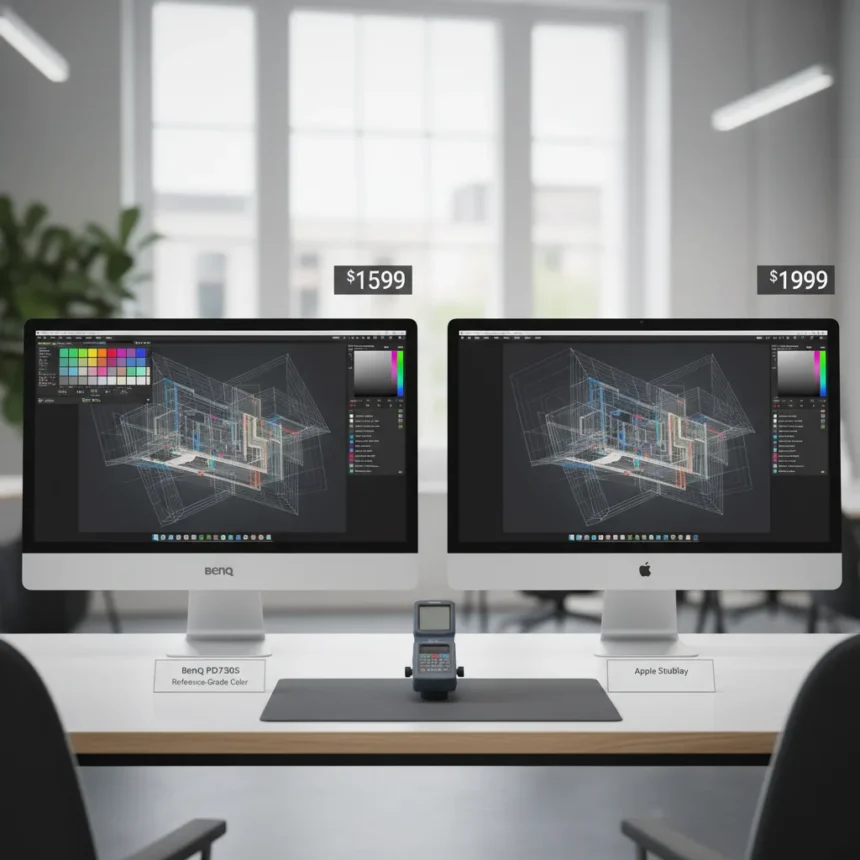
The BenQ PD2730S 5K monitor is a 27-inch reference-grade display made by BenQ, launched in Q1 2026, priced at $2,899 USD. It delivers vivid colors, exceptional accuracy, and productivity features that outclass the Apple Studio Display while costing $400 less.
Key Takeaways
- BenQ PD2730S costs $2,899, undercutting Apple Studio Display by $400 while matching 5K resolution.
- Features 2304 Mini LED dimming zones for 1,000,000:1 contrast ratio and DisplayHDR 1000 certification.
- Covers 99% DCI-P3 and Adobe RGB with factory Delta E of 0.82, dropping to 0.12 post-calibration.
- Includes 120Hz refresh rate, Thunderbolt 4, DisplayPort 2.1, and KVM switch for Mac workflow optimization.
- Nano-texture matte option available for $300 extra, reducing glare on bright desks.
The BenQ PD2730S 5K Monitor Crushes the Studio Display on Specs
The BenQ PD2730S 5K monitor packs features that make the Apple Studio Display look outdated. Both sit at 27 inches with 5120 x 2880 resolution and 600 nits typical brightness, but the BenQ dominates where it counts: Mini LED local dimming with 2304 zones creates a contrast ratio up to 1,000,000:1 and DisplayHDR 1000 certification. The Studio Display has no local dimming, no HDR certification, and no 120Hz support. For editors working with HDR video or photo retouching in dark environments, the BenQ’s dimming precision eliminates the washed-out blacks that plague the Apple monitor.
Connectivity tells the real story. The BenQ PD2730S 5K monitor includes Thunderbolt 4 with 96W power delivery, DisplayPort 2.1, HDMI 2.1, USB-A ports, and Ethernet—a complete hub for Mac workflows. The Studio Display offers Thunderbolt 3 and USB-C, period. If you need to daisy-chain monitors or connect legacy gear, the BenQ wins decisively. The Hotkey Puck G3 controller adds a physical interface for color mode switching and KVM functionality, letting you toggle between two computers with a single keyboard and mouse.
Color Accuracy Out of the Box Beats Competitors
The BenQ PD2730S 5K monitor arrives factory-calibrated with an average Delta E of 0.82—imperceptible to the human eye and better than most competing 5K displays. Using BenQ’s Palette Master Ultimate software and an X-Rite i1 Display Pro colorimeter, post-calibration Delta E drops to 0.12, making this monitor suitable for final-stage color-critical work. The process takes about five minutes: connect the colorimeter, launch the software, select your target gamut (Adobe RGB or sRGB), adjust white point and gamma, and let the automated measurement run. The saved ICC profile syncs across macOS applications instantly.


Coverage specs are comprehensive: 99% DCI-P3, 99% Adobe RGB, 98% Display P3, and 100% sRGB. For comparison, the Samsung ViewFinity S9 costs half as much but delivers weaker calibration with Delta E around 2.0 and no Mini LED dimming. The Apple Pro Display XDR achieves Delta E 0.57 and costs $5,999 for a 32-inch 6K panel—overkill for most freelancers and smaller studios. The BenQ PD2730S 5K monitor hits the sweet spot: reference-grade accuracy without the pro-level price tag or unnecessary screen real estate.
Mac Workflow Integration Without Compromise
The BenQ PD2730S 5K monitor includes Mac Mode, a color-matching feature that syncs the Display P3 gamut with Apple’s ecosystem. Thunderbolt daisy-chaining lets you stack two monitors off a single M-series Mac connection, simplifying cable management on cramped desks. Uniformity Compensation ensures edge-to-edge brightness consistency—critical when color-grading video or retouching photos across the full canvas.



The Hotkey Puck G3 customizes four programmable buttons and a jog wheel for instant color mode switching, brightness control, and input selection. Bind one button to sRGB for client reviews, another to DCI-P3 for cinema workflows, and a third to CAD/CAM mode for architectural work. This eliminates menu diving and keeps your hands on the controller instead of the keyboard. The KVM switch lets you control two PCs with one peripheral set—useful if you’re editing on a Mac while monitoring a Windows rendering machine.
HDR and Refresh Rate Justify the Premium Over Studio Display
The BenQ PD2730S 5K monitor’s 120Hz refresh rate and 3ms gray-to-gray response time make it usable for motion graphics and animation preview, not just static images. The Studio Display maxes out at 60Hz. For motion blur reduction during playback of 24fps or 30fps video, 120Hz provides smoother scrubbing and faster feedback loops. The 1000 nits peak HDR brightness means HDR grading on this display translates to real-world HDR content—not a washed-out preview on a dimmer screen.
Mini LED dimming zones deliver scene-dependent contrast that LCD backlights cannot match. Dark HDR scenes show near-black detail without blooming into gray, while bright scenes maintain punch. For documentary colorists and streaming platform deliverables demanding HDR compliance, this is a meaningful advantage over the Studio Display’s flat contrast ratio.
Build Quality and Sustainability
The BenQ PD2730S 5K monitor uses a die-cast aluminum stand with 45° tilt, 15° swivel, 150mm height adjustment, and portrait rotation—standard for pro monitors but absent from the Studio Display’s fixed stand. The nano-texture matte coating option adds $300 and reduces glare on bright desks, useful for studios with large windows. Overall weight is 12.8 kilograms; 85% of plastic components use recycled materials, appealing to studios tracking sustainability metrics.



Is the BenQ PD2730S 5K Monitor Worth the Price?
At $2,899, the BenQ PD2730S 5K monitor targets freelance editors, photographers, and small studios who need reference-grade accuracy and HDR support without the $5,999 Pro Display XDR commitment. If you work exclusively in sRGB and never touch HDR, the Samsung ViewFinity S9 at $1,600 suffices. If you need the absolute best and budget is unlimited, the Pro Display XDR delivers superior brightness and contrast. But for Mac users balancing accuracy, features, and cost, the BenQ PD2730S 5K monitor is the rare product that does not compromise.
How does the BenQ PD2730S compare to the Apple Studio Display?
The BenQ PD2730S 5K monitor costs $400 less, includes Mini LED dimming zones, supports 120Hz, and offers DisplayPort 2.1 and KVM functionality. The Studio Display has superior built-in speakers and a better webcam, but no local dimming, no HDR certification, and limited connectivity. For color work, the BenQ wins; for video conferencing and audio, the Apple excels.
What is Delta E and why does 0.12 matter?
Delta E measures color accuracy: the smaller the number, the closer the monitor’s output matches the reference. A Delta E below 1.0 is imperceptible to human vision; 0.12 is exceptional. Most consumer monitors score 2.0 or higher. The BenQ PD2730S 5K monitor’s post-calibration Delta E of 0.12 means colors are indistinguishable from the reference standard, critical for final-stage color-critical work.
Can you use the BenQ PD2730S with Windows and Mac?
Yes. The BenQ PD2730S 5K monitor supports both via Thunderbolt 4 and DisplayPort 2.1. The KVM switch lets you toggle between two computers with a single keyboard and mouse, and the Hotkey Puck G3 works on both platforms. Mac Color Match applies only to macOS, but the underlying color accuracy and HDR performance benefit both operating systems equally.
The BenQ PD2730S 5K monitor is the first consumer 27-inch 5K Mini LED display with DisplayPort 2.1 and 120Hz. It proves that pro-grade accuracy no longer requires pro-level spending. For Mac workflows demanding 5K resolution, HDR support, and reference-grade color, this monitor delivers without compromise.
Where to Buy
$1,099.99 at Amazon | $1,199 | £988 | $1,199 | £988
Edited by the All Things Geek team.
Source: Tom's Guide