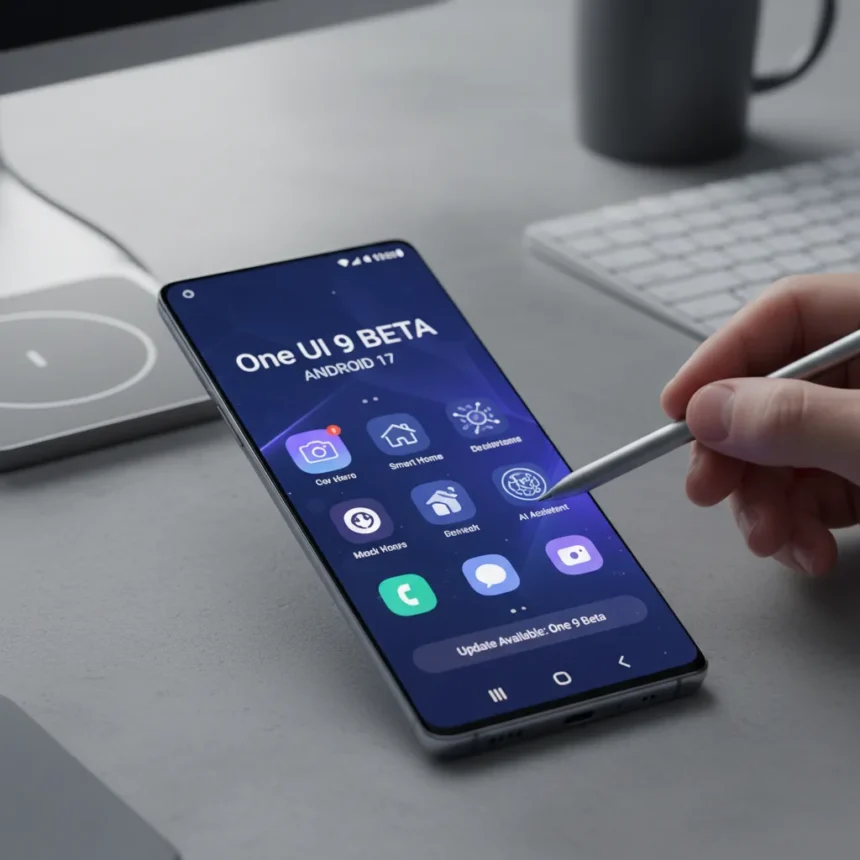
Samsung’s One UI 9 beta, based on Google’s Android 17, has started rolling out to Galaxy S26, Galaxy S26 Plus, and Galaxy S26 Ultra users this week. The initial beta wave covers the US, UK, Germany, India, South Korea, and Poland, giving early adopters a first look at Samsung’s customized take on Android 17 before the stable release arrives.
Key Takeaways
- One UI 9 beta is rolling out to Galaxy S26 series phones this week in six countries.
- Samsung Notes gains new pen line styles and decorative tape options.
- Contacts app now offers direct Creative Studio access for personalized profile cards.
- Quick Panel, Security, and Accessibility features receive upgrades in this beta.
- Users can join the beta via the Samsung Members app.
What One UI 9 Adds to Android 17
Samsung’s One UI 9 beta introduces targeted upgrades across five core apps and features. The update is not a wholesale redesign but rather a refinement of Samsung’s software philosophy, layering useful customizations on top of Google’s Android 17 foundation. The focus is on productivity and personalization—areas where Samsung’s interface typically diverges from stock Android.
Samsung Notes receives the most visible improvements. The app now offers a wider variety of pen line styles, giving users finer control over handwriting appearance and sketching precision. Beyond line options, decorative tapes have been added, allowing users to organize notes with visual separators and borders. These additions target users who rely on Samsung Notes for digital note-taking and sketching workflows.
The Contacts app gains direct integration with Creative Studio, Samsung’s design tool. This means users can now create personalized profile cards without leaving the Contacts app—a quality-of-life improvement that eliminates app-switching friction. Instead of jumping between apps, you compose a custom card, assign it to a contact, and return to your contacts list.


Quick Panel, Security, and Accessibility also receive upgrades, though the beta summary does not detail their specific improvements. These categories suggest Samsung is refining notification management, device security posture, and assistive features for users with accessibility needs.
How to Get the One UI 9 Beta
Accessing the One UI 9 beta requires enrollment in Samsung’s beta program. Open the Samsung Members app on your Galaxy S26, S26 Plus, or S26 Ultra and look for the beta registration option. The rollout is staggered, so availability may not be immediate for all users in the supported regions—checking the Members app will show whether your device is eligible to enroll right now.



Samsung has confirmed that this week marks the start of the rollout in the US, UK, Germany, India, South Korea, and Poland. If you live outside these regions or own a different Galaxy model, the One UI 9 beta is not available yet. Broader rollout to additional devices and regions will follow as Samsung progresses through the beta testing cycle.
One UI 9 vs. Android 17: What’s the Difference?
Android 17 is Google’s base operating system, while One UI 9 is Samsung’s customized layer on top of it. Google handles core OS features—security patches, system performance, and core Android APIs—while Samsung adds its own apps, interface tweaks, and exclusive features like the Notes and Contacts upgrades mentioned here. This dual-layer approach is why Samsung phones often feel different from Pixel phones, even though both run Android. Samsung’s bet is that its additions provide enough value to justify the extra software layer; the One UI 9 beta gives early users a chance to decide whether that bet pays off.
When Will One UI 9 Launch Publicly?
Samsung has not announced a public launch date for the stable One UI 9 release. Beta testing typically lasts several weeks, during which Samsung collects feedback and fixes bugs. The public release usually follows once Samsung is confident in stability. Based on Samsung’s typical beta-to-release timeline, expect the full One UI 9 update to roll out to Galaxy S26 and other supported devices sometime in the coming months, though an exact date remains unconfirmed.
Is the One UI 9 beta stable enough for daily use?
Beta software carries inherent risks—crashes, battery drain, and missing features are common. If you depend on your phone for work or critical communication, joining the beta is risky. However, if you have a second device or can tolerate occasional instability, the beta offers a genuine early look at Samsung’s next major update.



Which Samsung phones will get One UI 9?
The One UI 9 beta is currently available only on Galaxy S26, S26 Plus, and S26 Ultra. Older Galaxy models will receive the update later, following Samsung’s typical staged rollout pattern. The company has not yet announced which other devices will be supported or when they will receive the update.
Can I leave the One UI 9 beta and go back to One UI 8?
Unenrolling from the beta program is possible via the Samsung Members app, but reverting to a previous Android version typically requires a factory reset or manual firmware downgrade, which is not straightforward for most users. Before enrolling in the beta, confirm you are comfortable with the potential consequences of running pre-release software.
Samsung’s early One UI 9 beta rollout signals the company’s commitment to moving quickly on Android 17 adoption. For Galaxy S26 owners in supported regions, the Samsung Members app is your entry point to testing Samsung’s next major software chapter. The Notes and Contacts upgrades hint at Samsung’s strategy: small, focused improvements that make daily tasks slightly smoother rather than dramatic overhauls. Whether that philosophy resonates depends on your own software priorities, but the beta gives you a chance to find out before the final release arrives.
Where to Buy
Edited by the All Things Geek team.
Source: T3