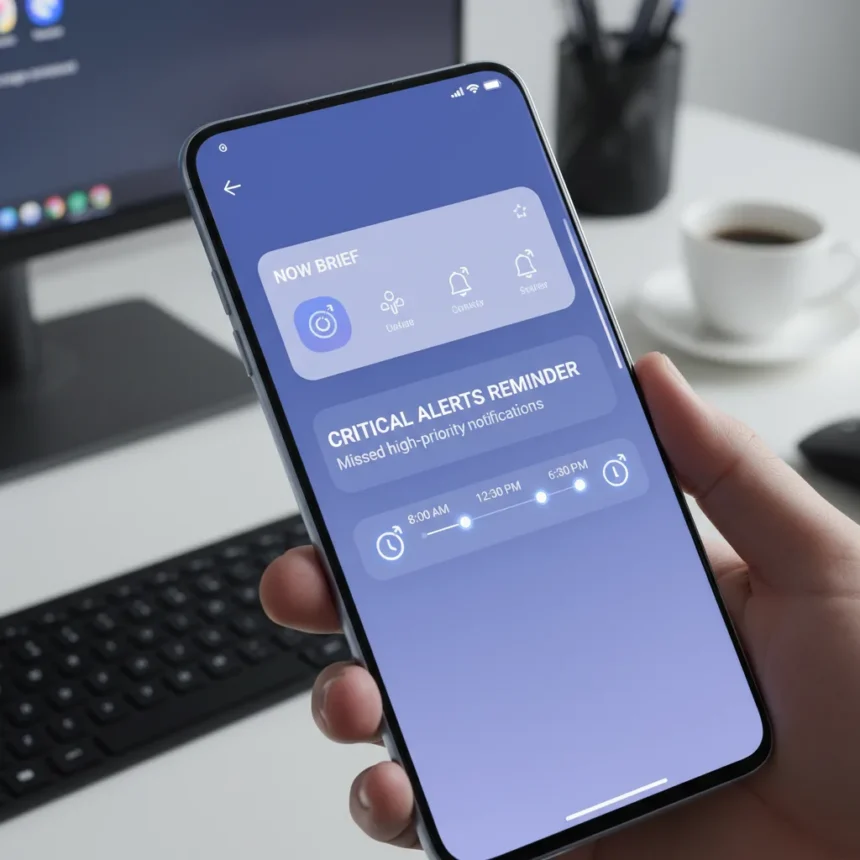
Samsung One UI 9 Now Brief may transform how Galaxy phones handle critical alerts. Rather than letting important notifications vanish into the notification shade, Samsung appears to be building a proactive reminder system that surfaces missed high-priority messages at strategic times throughout your day.
Key Takeaways
- Now Brief could remind users about missed priority notifications in the morning and before bedtime
- Code strings in One UI 9 suggest the feature is under active development
- A separate Priority Notification Widget may display important unread alerts on the home screen
- The feature would represent the next evolution beyond One UI 8.5’s notification prioritization
- Galaxy Z Flip 8 and Z Fold 8 are rumored debut devices for the second half of the year
How Samsung One UI 9 Now Brief Could Work
Samsung One UI 9 Now Brief would nudge you to check priority notifications you may have missed. The system appears designed to surface these reminders at specific times: in the morning and before bedtime, according to code evidence discovered in One UI 9. Rather than burying critical alerts in a crowded notification panel, Now Brief would actively interrupt your routine with a reminder that something important needs your attention.
The feature builds on Samsung’s existing notification infrastructure. One UI 8.5 introduced a “Prioritize notifications” feature that keeps important alerts at the top of the notification panel, but that system is passive—it ranks notifications but doesn’t remind you to read them. Samsung One UI 9 Now Brief takes the next step: it doesn’t just organize your alerts, it actively reminds you about them.
Now Brief vs. the Priority Notification Widget
Samsung appears to be developing two complementary approaches to surfacing missed alerts. The primary reminders would appear in the full Now Brief screen rather than in the compact Now Bar on the lock screen or the Now Brief widget. This distinction matters because it ensures the reminder carries weight—you’re not just glancing at a condensed notification, you’re opening a dedicated interface that demands attention.


Separately, a Priority Notification Widget seems to be in development, which could display important unread notifications directly on your home screen. This dual approach suggests Samsung wants to catch your attention at multiple levels: through dedicated reminders in Now Brief for the times when you actively check the feature, and through a home-screen widget for passive visibility throughout the day. The relationship between these two components remains unclear, but together they represent a comprehensive effort to ensure critical alerts never slip past you unnoticed.
When Samsung One UI 9 Now Brief Might Arrive
Samsung has not officially announced the feature, and it remains under development. The timing is speculative, but code discovery suggests the feature could debut on upcoming Galaxy devices expected in the second half of the year, potentially including the Galaxy Z Flip 8 and Galaxy Z Fold 8. These are rumored launch windows rather than confirmed dates, so treat any arrival timeline with appropriate skepticism.



The feature’s development status matters for expectations. Code strings provide strong evidence that Samsung is actively working on this capability, but “under development” means features can be delayed, modified, or abandoned before reaching production. The notification reminders you see in a future One UI 9 build may differ from what code discovery currently suggests.
Why This Matters for Galaxy Users
Notification fatigue is real. Most Android phones bombard users with alerts, making it easy to miss genuinely important messages buried among promotional noise and app chatter. Samsung One UI 9 Now Brief addresses this by combining two strategies: filtering (showing only high-priority notifications) and active reminders (nudging you to check them at specific times). The morning and bedtime reminder windows are strategically chosen—they’re moments when you’re likely checking your phone anyway, making the nudge feel natural rather than intrusive.
This approach differs from the passive ranking in One UI 8.5, which assumes you’ll manually scan your notification panel. Many users never do. By actively surfacing priority notifications through Now Brief, Samsung removes the assumption that you’ll find them yourself. The feature acknowledges a hard truth: in a sea of notifications, important messages need to shout, not whisper.
Is Samsung One UI 9 Now Brief Confirmed?
No. The feature is based on code strings discovered in One UI 9 and has not been officially announced by Samsung. Code discovery is reliable evidence that a feature is in development, but it does not guarantee the feature will ship, reach all devices, or function exactly as code suggests. Samsung regularly tests features internally that never make it to consumer devices.



The Priority Notification Widget and the specific reminder times (morning and bedtime) are inferred from code evidence rather than official statements. Samsung could modify these details, expand the reminder times, or change how the feature integrates with Now Brief before launch.
FAQs
Will Samsung One UI 9 Now Brief work on older Galaxy phones?
Samsung has not specified which devices will receive the feature. It may debut on upcoming Galaxy Z Flip 8 and Z Fold 8 models, but broader rollout to older devices depends on Samsung’s final implementation and release strategy. One UI 9 itself will likely reach a wide range of Galaxy devices, but specific features can be limited to newer hardware.
How is Samsung One UI 9 Now Brief different from Android’s native notification system?
Android’s native notification system prioritizes alerts but does not actively remind you to check them. Samsung One UI 9 Now Brief combines filtering with scheduled reminders—the feature doesn’t just rank your notifications, it nudges you to review important ones at specific times. This is a more aggressive approach to preventing missed alerts.
Can you disable Samsung One UI 9 Now Brief reminders?
Samsung has not disclosed control options for the feature. Based on Samsung’s typical approach to One UI features, you would likely have granular control over reminder timing and which apps’ notifications trigger reminders, but this is speculation pending official details.
Samsung One UI 9 Now Brief represents a meaningful shift in how the company thinks about notifications. Rather than assuming you’ll manually sift through alerts, Samsung is building a system that actively reminds you about critical messages. If the feature launches as code suggests, it could become one of the most useful Galaxy AI additions yet—not because it’s flashy, but because it solves a real problem that millions of users face daily.
Edited by the All Things Geek team.
Source: Android Central