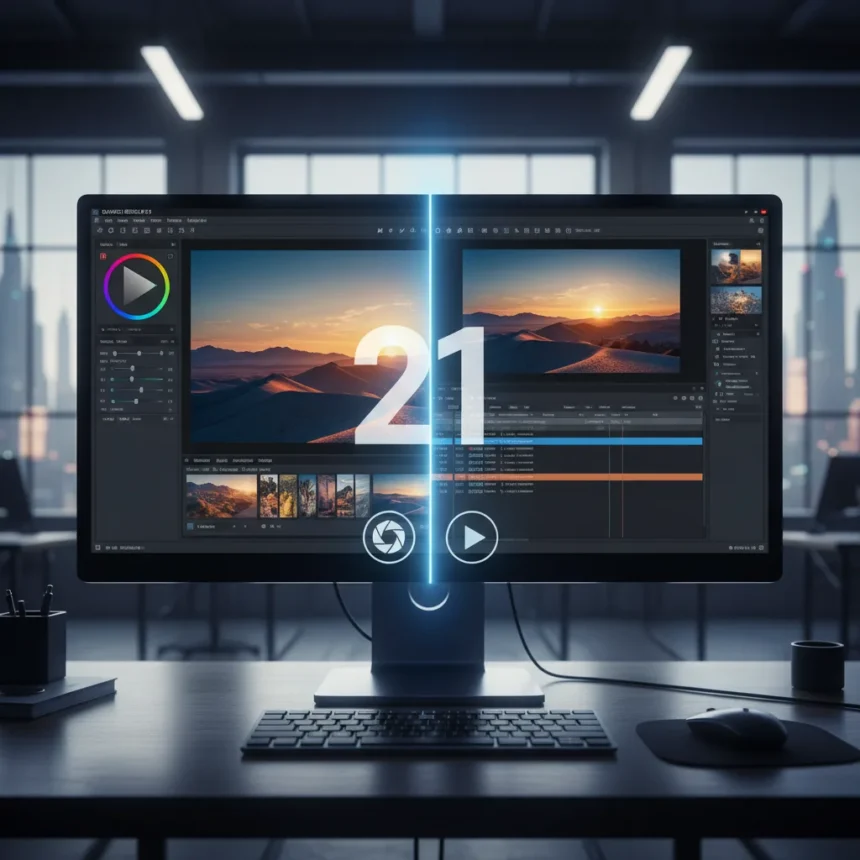
DaVinci Resolve 21 photo editing capabilities mark a significant shift in how professional-grade creative software approaches the blurred boundary between still and moving image work. Blackmagic Design’s latest version of its free video editor now includes a dedicated Photo page with color grading tools modeled after Adobe Lightroom’s workflow, signaling that the company believes creators no longer work exclusively in one medium.
Key Takeaways
- DaVinci Resolve 21 adds a dedicated Photo page for still-image editing within a video-first application.
- The new tools bring Lightroom-style color grading into a free software environment, potentially reducing reliance on Adobe’s subscription model.
- Blackmagic Design frames this as a response to how modern creators blend photo and video workflows.
- The integration allows users to edit stills and video sequences in the same project without switching applications.
- DaVinci Resolve 21 remains free to download and use, with the photo tools included in the base version.
Why DaVinci Resolve 21 Photo Editing Matters Now
The addition of DaVinci Resolve 21 photo editing tools addresses a real workflow problem: creators increasingly shoot both stills and video, often in the same session. Rather than forcing users to toggle between Lightroom for photos and Resolve for video, Blackmagic Design integrated photo-editing capabilities directly into its video timeline. This is not a minor feature addition—it represents a philosophical shift in how professional software vendors view creative work in 2025.
For photographers considering Adobe’s subscription costs, DaVinci Resolve 21 photo editing offers a genuine alternative for color grading and basic adjustments. The Lightroom-style interface means photographers familiar with Adobe’s tools will recognize the approach immediately, lowering the learning curve for switching applications.
How DaVinci Resolve 21 Photo Editing Compares to Lightroom
Adobe Lightroom has dominated photo editing for over a decade, built on a subscription model that costs money per month. DaVinci Resolve 21 photo editing, by contrast, is free and embedded within a video editing environment. The trade-off is ecosystem depth—Lightroom’s library management, cloud sync, and mobile apps are mature and comprehensive. DaVinci Resolve 21 photo editing focuses on color grading and adjustments, not asset organization.


For hybrid creators shooting both stills and video, the advantage tilts toward Resolve. Editing a photograph and a video clip in the same project, with consistent color grading applied across both, eliminates the friction of switching between applications. A photographer who also shoots video reels or short films gains efficiency that Lightroom’s photo-only focus cannot match.
The Workflow Shift Behind This Update
Blackmagic Design’s decision to add DaVinci Resolve 21 photo editing reflects a broader industry reality: the way people create has fundamentally changed. Creators no longer identify as purely photographers or purely videographers. A content creator might shoot product photography in the morning and edit a promotional video in the afternoon, using similar color science and grading principles for both.



By integrating photo tools into Resolve, Blackmagic is betting that creators value unified workflows over specialized single-purpose applications. This is a direct challenge to Adobe’s strategy of selling separate subscriptions for Lightroom and Premiere Pro. For budget-conscious creators, DaVinci Resolve 21 photo editing removes a significant reason to maintain a Lightroom subscription.
What This Means for Video Creators and Photographers
Video editors who occasionally need to grade or adjust a still image now have that capability without leaving their timeline. Photographers exploring video content creation can test video workflows without paying for additional software. DaVinci Resolve 21 photo editing does not cannibalize Lightroom’s entire user base—professional photographers with complex library needs will likely keep Lightroom—but it does eliminate Lightroom’s monopoly on affordable color grading for hybrid creators.
The free tier of DaVinci Resolve remains genuinely free, meaning there is no paywall or feature limitation preventing users from accessing DaVinci Resolve 21 photo editing tools. This is significant: Blackmagic is not reserving photo editing for a paid Studio version but making it available to anyone downloading the software.
FAQ: DaVinci Resolve 21 Photo Editing Questions
Does DaVinci Resolve 21 photo editing replace Adobe Lightroom?
For color grading and adjustments, DaVinci Resolve 21 photo editing is a capable alternative. For photographers relying on Lightroom’s library management, cloud sync, and mobile apps, Resolve does not fully replace it. The best use case is hybrid creators who need both photo and video editing in one application.


Is DaVinci Resolve 21 photo editing included in the free version?
Yes. DaVinci Resolve 21 photo editing tools are part of the free download. There is no paid upgrade required to access the Photo page or color grading features.
Can I edit raw photos in DaVinci Resolve 21?
DaVinci Resolve 21 photo editing supports raw file workflows, allowing photographers to work with unprocessed image data. This brings it closer to Lightroom’s raw editing capabilities, though the full feature set and library management differ from Adobe’s offering.
The release of DaVinci Resolve 21 photo editing represents a genuine inflection point in how professional creative software is structured. By folding photo tools into a video editor and keeping it free, Blackmagic Design is forcing the industry to reconsider whether photographers and videographers really need separate subscriptions. For creators working across both mediums, the answer is increasingly no.
Edited by the All Things Geek team.
Source: TechRadar