





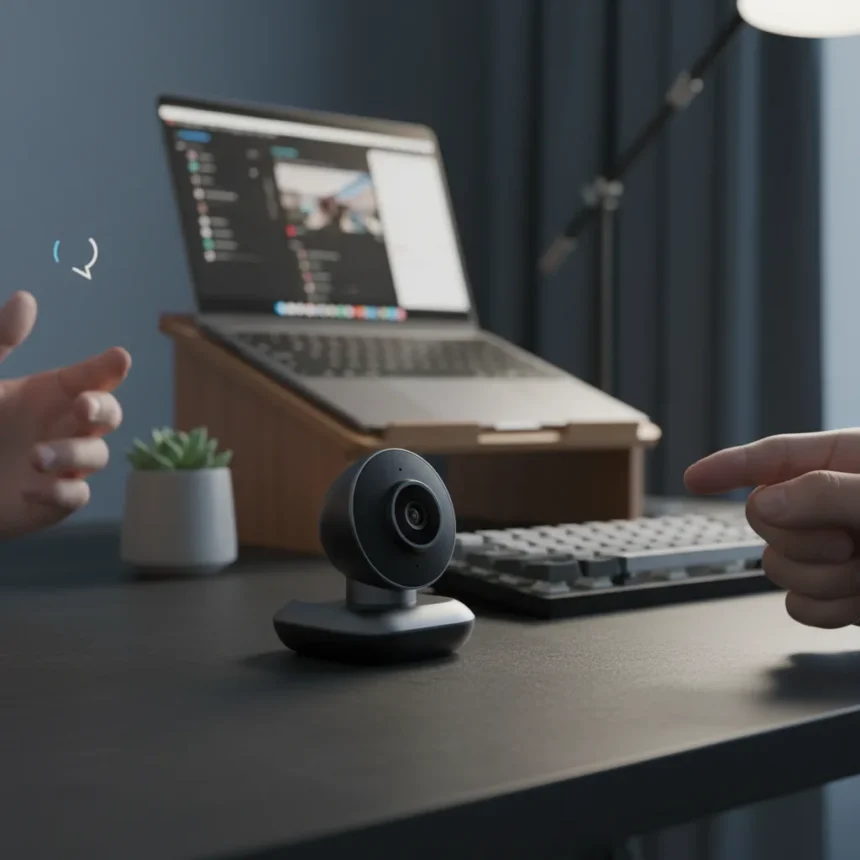
The OBSBOT Tiny 3 4K webcam is a miniature-sized smart camera that tracks your movement, responds to hand gestures, and activates via voice command. It represents an unusual bet in the webcam market: exceptional functionality crammed into a form factor so small it feels almost like a novelty until you realize what it can actually do.
Key Takeaways
- The OBSBOT Tiny 3 4K webcam tracks you around the room without manual panning or tilting.
- Gesture recognition and voice activation eliminate the need for keyboard controls during calls.
- Compact size makes it ideal for minimal desk setups or travel streaming.
- Previous Obsbot models used dual-ISO sensors for strong low-light performance.
- Positioned as a premium alternative to standard webcams like the Elgato Facecam.
What Makes the OBSBOT Tiny 3 4K Webcam Stand Out
The OBSBOT Tiny 3 4K webcam is not a traditional webcam. Instead of sitting passively on your monitor, it actively follows you around the room, reads your hand gestures, and can switch on and off to the sound of your voice. This combination of features positions it as something closer to an intelligent camera system than a standard USB device. The “phenomenal cosmic pixels, teeny tiny living space” design philosophy means Obsbot has prioritized capability over footprint.
What separates this from competing smart cameras is the gesture and voice integration. Most webcams require you to manually frame yourself or rely on software-based auto-framing. The OBSBOT Tiny 3 4K webcam handles framing through hardware tracking, which typically responds faster and more reliably than post-processing solutions. The voice-activation feature is particularly useful for streamers and content creators who want hands-free control during live sessions.
OBSBOT Tiny 3 4K Webcam vs. Traditional Competitors
The broader webcam market still defaults to static cameras. The Elgato Facecam, for instance, delivers solid image quality but offers no tracking or gesture recognition. The Meeting Owl 3 goes the opposite direction—it offers 360° 1080p video and eight microphones, but it is designed for conference rooms rather than individual creators. The OBSBOT Tiny 3 4K webcam carves out a middle ground: it is compact enough for personal use, intelligent enough to handle solo streaming, yet packed with features that justify its position above entry-level webcams.



Obsbot’s previous flagship, the Tiny 2, established the company’s reputation for AI-driven subject tracking and 4K video in a compact form. That model used a dual-ISO sensor that performed well in low light and was aimed at individuals and smaller groups rather than large conference setups. The narrower field of view on the Tiny 2 made it better suited to solo creators than the Meeting Owl’s wide-angle approach. The OBSBOT Tiny 3 4K webcam builds on this lineage, suggesting Obsbot has refined both the tracking algorithm and the sensor performance from its predecessor.
Design and Practical Considerations for the OBSBOT Tiny 3 4K Webcam
Size matters in this category. A webcam that takes up minimal desk real estate appeals to anyone working from a cramped apartment, a shared desk, or while traveling. The OBSBOT Tiny 3 4K webcam’s miniature footprint removes the guilt of owning a bulky camera rig when space is already at a premium. The voice-activation feature also reduces cable clutter—you do not need a separate foot pedal or keyboard macro to toggle recording.



The gesture recognition system is less about gimmickry and more about workflow efficiency. During video calls, you can pause or resume the camera with a hand signal, keeping your hands on the keyboard or desk without reaching for a mouse. For creators doing long-form streams, this is a meaningful quality-of-life improvement over traditional webcams.
Should You Buy the OBSBOT Tiny 3 4K Webcam?
The OBSBOT Tiny 3 4K webcam makes sense if you are a solo streamer, podcaster, or remote worker who values automation and compact design. If you are working in a large conference room or need 360° coverage, look elsewhere. If you are on a tight budget and just need basic video calling, a standard 1080p webcam will suffice.
The real question is whether the AI features justify the premium price point. For creators who spend hours on camera, the hands-free tracking and gesture control reduce fatigue and improve production value. For casual users, those features feel like overkill. The OBSBOT Tiny 3 4K webcam is a specialist tool, not a universal upgrade.
What are the main features of the OBSBOT Tiny 3 4K webcam?
The OBSBOT Tiny 3 4K webcam tracks you around the room, recognizes hand gestures for control, and activates or deactivates via voice command. It delivers 4K video and is designed to work with individuals and small groups in compact spaces.


How does the OBSBOT Tiny 3 4K webcam compare to the Tiny 2?
The Tiny 2 established Obsbot’s reputation for AI tracking and 4K video in a compact form, using a dual-ISO sensor for low-light performance. The Tiny 3 refines this formula with updated gesture and voice capabilities, though the exact sensor improvements are not detailed in available information.
Is the OBSBOT Tiny 3 4K webcam worth the investment?
The OBSBOT Tiny 3 4K webcam is worth buying if you stream regularly, value hands-free control, or work in a space where desk real estate is precious. For occasional video calls or passive conferencing, a standard webcam offers better value. The premium price reflects the AI tracking and gesture recognition—features that matter most to content creators, not casual users.
The OBSBOT Tiny 3 4K webcam succeeds because it solves a real problem: how to deliver professional framing and control in a device small enough to fit in a backpack. If that problem matches your workflow, this is the camera to buy. If not, save your money and opt for something simpler.
Where to Buy
Edited by the All Things Geek team.
Source: Creativebloq




