






GTA 6 malware hype is reaching fever pitch as cybercriminals weaponize one of gaming’s most anticipated launches to distribute trojans, steal credentials, and push unwanted software. With Grand Theft Auto VI generating unprecedented buzz, scammers are flooding the internet with fake beta keys, credential-harvesting phishing pages, and malicious installers designed to exploit fans desperate for early access.
Key Takeaways
- Cybercriminals are using fake GTA 6 beta keys and phishing pages to steal Rockstar Social Club credentials.
- Malicious files can modify device memory, download additional malware, and connect to external servers for remote control.
- A fake Android app titled “GTA 6 Beta” contains no game—only full-screen ads and subscription traps.
- Legitimate GTA 6 access comes only through official storefronts: PlayStation Store, Xbox Marketplace, or Rockstar’s platform.
- Official game betas are announced exclusively through official channels, never third-party sites.
How Cybercriminals Are Exploiting GTA 6 Malware Hype
The GTA 6 malware hype campaigns are sophisticated and multi-layered. Attackers are deploying fake installers, non-existent beta keys, credential-harvesting phishing pages, trojanized game repacks, and Android adware—all disguised as legitimate access to the game. The scams follow a predictable but effective pattern: lure users with the promise of exclusive early access, then route them through fake bot-verification steps and subscription pushes.
Some phishing infrastructure is particularly deceptive. Fake login forms claiming to be for Rockstar Social Club are hosted on legitimate platforms like GitHub and Vercel, making them appear trustworthy at first glance. Users who enter their credentials on these fake pages hand attackers direct access to their Rockstar accounts, which can be exploited for account takeover, payment fraud, or identity theft. The attacker infrastructure leverages legitimate hosting platforms, which makes filtering these scams difficult for security teams.
One documented malware variant demonstrates the severity of the threat. The malicious file can modify device memory, download additional malware payloads, and establish connections to external servers for remote command execution. This means a single infected file can transform a user’s device into a compromised system vulnerable to further attacks, data theft, and ransomware deployment.


The Android Threat: Fake GTA 6 Beta Apps
Mobile users face a distinct threat vector. A fake app titled “GTA 6 Beta” circulates on unofficial app stores and third-party download sites, claiming to offer early access to the game. In reality, the app contains no game whatsoever. Instead, it displays full-screen advertisements and redirects users to external pages that pressure them into paid subscriptions or downloads of additional malware.
This Android threat is particularly insidious because mobile users often trust app-like experiences more than web links. The fake app creates the illusion of legitimacy by mimicking the game’s branding and using official artwork. Once installed, it bombards users with ads while harvesting data and pushing them toward subscription scams. The attack chain is designed to monetize victims multiple times—first through subscription traps, then through malware distribution networks that pay per installation.


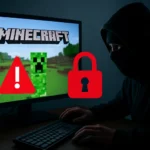
How to Protect Yourself from GTA 6 Malware Hype Scams
NordVPN’s guidance is straightforward: legitimate game files are distributed exclusively through official storefronts. For GTA 6, that means the PlayStation Store, Xbox Marketplace, or Rockstar’s own platform. Any unofficial site offering downloads, early access, or beta keys is a red flag. Do not download “early access” or “GTA 6 Beta” files from unofficial sources under any circumstances.
Treat beta key offers with extreme skepticism. Legitimate betas for major titles are announced through official channels only. If a site asks you to verify your identity, enter payment information, or subscribe to a service to claim beta access, it is a scam, regardless of how official the page appears. The visual design of a phishing page can be nearly identical to the real thing—the only reliable check is the URL itself.
Before entering login credentials anywhere, check the URL carefully. Official game platforms and storefronts will never ask you to sign in through a third-party site. If you are logging into Rockstar Social Club, verify that you are on Rockstar’s official domain. Phishing pages often use lookalike URLs (e.g., rockstar-social-club.com instead of rockstargames.com) that are easy to miss at a glance. Bookmark the official login page and use the bookmark instead of clicking links in emails or on forums.
Why GTA 6 Hype Makes This Attack Wave Possible
Grand Theft Auto VI is one of the most anticipated games in history. The franchise has a global fanbase measured in hundreds of millions. That scale of anticipation creates a massive pool of potential victims—users so eager for early access that they are willing to take risks they normally would not. Cybercriminals understand this psychology and exploit it ruthlessly.



The gap between official announcement and actual release amplifies the opportunity. If GTA 6 is months away from launch, scammers have months to harvest credentials, distribute malware, and monetize the hype. Each day that passes without the game reaching users is another day attackers can operate with relative impunity. The longer the wait, the more desperate fans become, and the more likely they are to trust a convincing-looking fake.
What Happens If You Fall for a GTA 6 Malware Hype Scam
If you have downloaded a suspicious file or entered credentials on a phishing page, act immediately. Change your Rockstar Social Club password from a clean device. Enable two-factor authentication on your account if available. Monitor your email and payment methods for unauthorized activity. If you downloaded a file from an unofficial source, run a full antivirus scan and consider a professional security review if the scan finds threats.
If you have installed a fake mobile app, uninstall it immediately and clear your app cache and data. Check your payment methods for unauthorized subscriptions. Many scam apps auto-enroll users in paid services that are difficult to cancel. Review your app store account for suspicious activity and change your password if necessary.
Is there a legitimate GTA 6 beta available right now?
No verified legitimate beta has been announced as of now. Any site claiming to offer early access, beta keys, or pre-release files is running a scam. Rockstar Games announces all official betas through its official channels—website, social media, and in-game notifications. If you have not seen an announcement from Rockstar’s official accounts, the offer is fake.
How can I tell if a GTA 6 download is real?
Real GTA 6 files come only from the PlayStation Store, Xbox Marketplace, or Rockstar’s official platform. Check the URL before downloading anything. If the site is not one of those three official storefronts, do not download. Official platforms have security measures, purchase histories, and customer support. Unofficial sites offer none of these protections.
What should I do if I see a GTA 6 beta offer online?
Report it. Phishing pages, malware distribution sites, and fake app listings should be reported to the platform hosting them (GitHub, Vercel, app stores, etc.) and to Rockstar Games directly. Do not click the link, do not share it with friends, and do not engage with it in any way. The offer is a scam, and reporting it helps protect other users.
The GTA 6 malware hype is a reminder that cybercriminals follow the hype. Wherever there is massive anticipation, there is an attack surface. The defense is simple: stick to official channels, verify URLs before logging in, and treat unsolicited offers of early access as threats, not opportunities. Patience now protects your device, your accounts, and your data later.
Edited by the All Things Geek team.
Source: TechRadar




