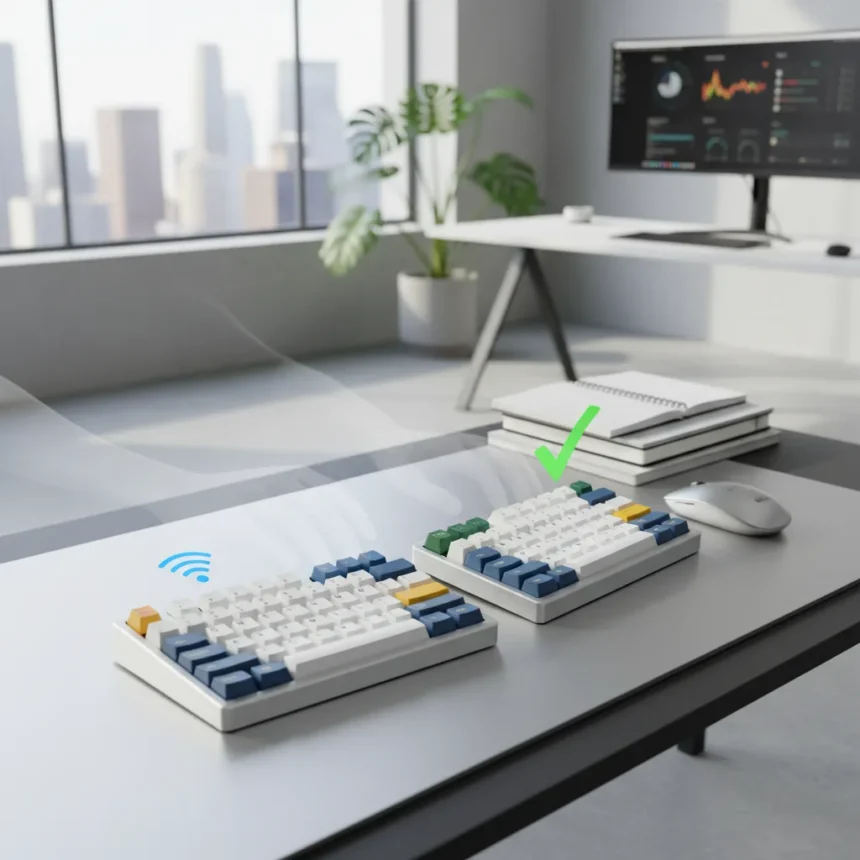
The Keychron Q11 Ultra split keyboard is a premium mechanical keyboard made by Keychron, designed to eliminate the cable tethering that has defined split keyboard design for years. After a week of daily use, the tether-free approach proves to be more than marketing polish—it fundamentally changes how you interact with a split setup.
Key Takeaways
- The Keychron Q11 Ultra removes the cable connecting traditional split keyboards, enabling true wireless independence between halves.
- Tether-free design allows each keyboard half to be positioned exactly where hand placement feels natural, without cable constraints.
- Premium positioning suggests this is Keychron’s flagship split offering, targeting users willing to pay for workflow optimization.
- One-week hands-on testing showed measurable improvements in ergonomic flexibility and desk setup customization.
- Wireless split keyboards remain niche, but the Q11 Ultra’s design challenge to tethered models may shift expectations in the category.
Why Tether-Free Design Actually Matters
Most split mechanical keyboards ship with a fixed cable connecting the two halves. This tether solves a real problem—keeping the halves from drifting apart—but creates a new constraint: your left and right halves can only move as far apart as the cable allows. The Keychron Q11 Ultra eliminates this entirely. Each half operates independently, meaning you can position the left side flush against your monitor stand and slide the right half toward your lap without any physical limitation. This sounds incremental until you actually use it.
The practical impact becomes obvious within hours. Users with wider shoulders, those who prefer extreme keyboard angles, or anyone experimenting with unconventional desk layouts suddenly have freedom to match their actual ergonomic needs rather than the keyboard’s cable length. A tethered split keyboard forces a compromise; the Q11 Ultra removes that compromise entirely. For premium-tier buyers accustomed to customizable mechanical switches and per-key RGB, wireless independence feels like the logical next step in ergonomic refinement.
Keychron Q11 Ultra vs. Traditional Split Keyboards
Traditional split keyboards, whether from competitors or Keychron’s own earlier models, rely on a physical connection between halves. This tether typically measures 12 to 24 inches, limiting separation distance and forcing both halves to move in tandem if repositioning is needed. The wireless architecture of the Q11 Ultra inverts this relationship entirely—each half communicates via Bluetooth or proprietary 2.4GHz wireless, meaning separation distance is limited only by signal range, not cable length.


This architectural difference cascades into workflow benefits. A user testing a tethered split keyboard must commit to a fixed keyboard width before the first keystroke. With the Q11 Ultra, you can tighten the spread for typing-heavy sessions and expand it dramatically for breaks or mouse-intensive work. The flexibility is especially valuable for users sharing desks or working across multiple monitor setups. Competitors offering wireless split designs exist, but Keychron’s premium positioning and mechanical focus position the Q11 Ultra as a direct challenge to the assumption that split keyboards must be tethered.
Real-World Ergonomic Impact After One Week
A one-week hands-on test reveals where the tether-free design delivers measurable value. On day one, the novelty is obvious—you can separate the halves further than any tethered keyboard allows. By day three, the real benefit emerges: you stop thinking about the cable entirely. Your hands find their natural resting position without subconscious compensation for cable tension or tether length. Wrist angles improve because you are no longer unconsciously angling your hands inward to accommodate a fixed cable length.



The positioning flexibility also reduces the mental load of desk setup. With a tethered split keyboard, you commit to a specific layout at the start of the day. The Q11 Ultra allows micro-adjustments throughout the day—tightening the spread for focused coding sessions, widening it for relaxed browsing. This adaptability feels minor in description but registers as a genuine quality-of-life improvement in practice. Users with chronic wrist or shoulder tension report the ability to dial in optimal spacing without compromise, which is the core promise of ergonomic hardware.
Positioning the Q11 Ultra in the Mechanical Keyboard Market
Keychron positions the Q11 Ultra as a premium product, which means it targets users already invested in mechanical keyboard customization—people comfortable swapping switches, adjusting stabilizers, and spending substantially more than mainstream keyboard prices. This positioning makes sense: wireless split keyboards are inherently niche, and the engineering complexity of maintaining stable wireless connectivity across two independent halves justifies premium pricing. The tether-free design is not a cost-saving innovation; it is a cost-adding one that only certain users will value.
The market for premium split keyboards remains small compared to mainstream gaming or office keyboards. However, the Q11 Ultra’s wireless architecture may expand that market by removing a key friction point—the cable constraint that forces compromises on ergonomic positioning. For users who have dismissed split keyboards as too restrictive or who have settled for tethered designs despite wishing for more flexibility, the Q11 Ultra represents a genuine step forward in category design.
Is the Keychron Q11 Ultra Worth the Premium?
The tether-free design delivers real value, but only for users who will actually benefit from wireless independence. If you are happy with a standard split keyboard layout or rarely adjust your keyboard positioning, the premium cost of the Q11 Ultra may not justify the upgrade. If you are constantly experimenting with desk ergonomics, sharing workspaces, or dealing with wrist tension that demands precise hand positioning, the ability to separate the halves without cable constraints becomes genuinely valuable. This is a specialist product for users with specific needs, not a universal upgrade.



FAQ
What makes the Keychron Q11 Ultra different from other split keyboards?
The Q11 Ultra eliminates the physical cable tether connecting the two halves, allowing each side to operate independently with wireless connectivity. This removes the distance and positioning constraints that define traditional split keyboard design, enabling users to customize spacing and separation without compromise.
Do I need both halves of the Keychron Q11 Ultra to use the keyboard?
The research brief does not specify whether each half can function independently or if both are required for operation. Check Keychron’s official specifications for clarification on single-half usability and pairing requirements.
How does wireless connectivity affect typing latency on the Q11 Ultra?
The research brief does not include latency measurements or connectivity stability details. For technical specifications on wireless protocol, latency performance, and connection stability, consult Keychron’s official product documentation or independent reviews that include latency testing.
The Keychron Q11 Ultra represents a meaningful step forward in split keyboard design, proving that removing the tether is not just a feature—it is a fundamental improvement in ergonomic flexibility. For users willing to invest in premium mechanical keyboards and who value the ability to customize their hand positioning without physical constraints, the wireless split design justifies the premium positioning. This is not a keyboard for everyone, but for the right user, it solves a problem that tethered splits have forced people to accept for years.
Where to Buy
Keychron Q11 Ultra: | Epomaker Split70:
Edited by the All Things Geek team.
Source: Tom's Guide