Work-from-home essentials form the backbone of any productive remote setup, yet most remote workers waste months figuring out which items actually matter. The difference between a chaotic home office and one that genuinely supports focus comes down to intentional choices about furniture, lighting, connectivity, and protection—not gadget overload.
Key Takeaways
- A quality desk and comfortable chair are non-negotiable foundations for remote productivity and long-term health.
- Reliable internet, a monitor, and an intuitive keyboard beat working from a laptop alone by a significant margin.
- Proper lighting reduces eye strain and improves mood; a bright, inviting lamp is worth the investment.
- Noise-cancelling headphones and privacy screens address two common remote-work pain points: interruptions and shoulder-surfing.
- The best work-from-home essentials prioritize comfort and workflow over trendy gadgets or unnecessary complexity.
Why Your Desk and Chair Matter More Than You Think
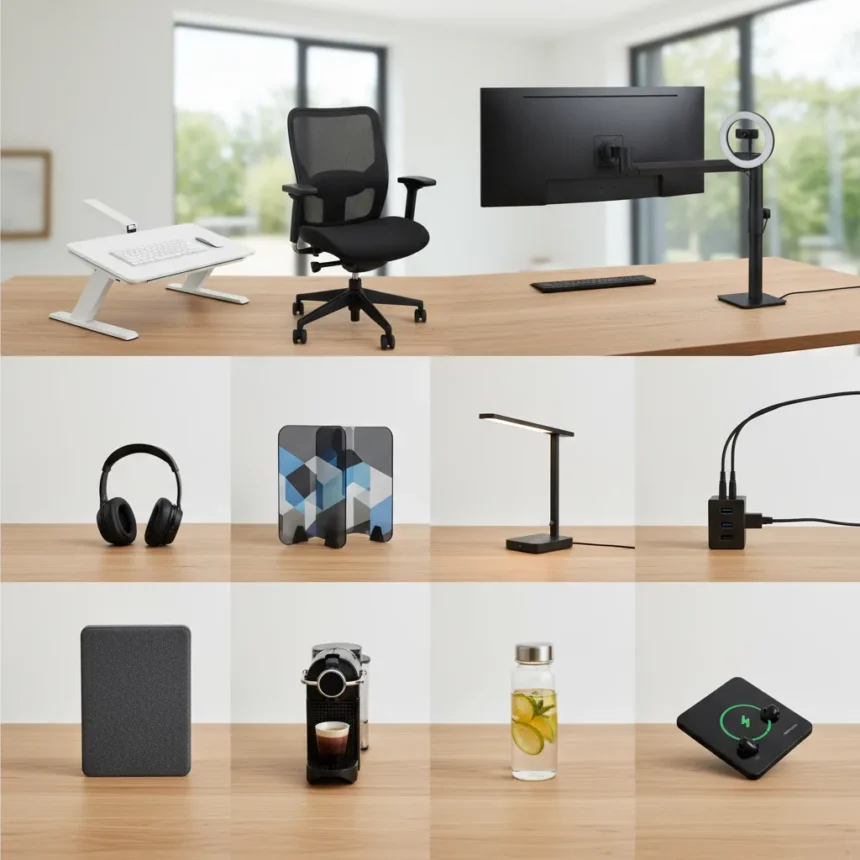
A quality, spacious desk and a comfortable seat are the two items that determine whether your home office works for you or against you over months and years. These are not optional upgrades—they are the foundation. A cramped, wobbly desk forces you to hunch, and a poor chair turns an eight-hour workday into a physical ordeal. Standing desks offer an ergonomic alternative for users who want height adjustment, while floating desks or corner desks suit those with limited space. The point is not to buy the most expensive option, but to choose something that fits your body and your room.
Tom’s Guide’s home-office philosophy emphasizes practical upgrades that you will use every single day rather than niche gadgets you will forget about. A desk and chair are exactly that kind of upgrade. If you work from home full-time, these items will accumulate thousands of hours of use. Skimping on them is a false economy.
Internet, Monitor, and Keyboard: The Unglamorous Essentials
A reliable internet connection, a crisp monitor, and an intuitive keyboard are the three items that separate a functional remote setup from a frustrating one. You cannot do your job without stable internet. A monitor—even a modest one—lets you spread your work across a larger screen and reduces the eye strain of staring at a laptop screen all day. An external keyboard, even a basic one, is more comfortable than typing on a laptop keyboard for hours.

These three items do not sound exciting. They are not the kind of thing you show off in a photo of your desk. But they are the difference between a setup that lets you focus and one that constantly frustrates you. A trackball mouse is worth considering if you dislike a standard mousepad or have limited tabletop space, offering an alternative that suits different preferences.
Lighting and Privacy: Two Overlooked Productivity Killers
Lighting affects both your eyes and your mood. If you work on a screen, diversity of light sources reduces eye strain and makes your workspace feel less clinical. A bright, inviting lamp is a simple fix that pays dividends throughout your workday. Poor lighting does not just tire your eyes—it makes you feel worse, which drains motivation and focus.


A privacy screen is equally important if you handle sensitive information. This is a filter placed over your laptop screen that prevents side viewing, turning your display into something only you can see clearly. It sounds niche until you realize how often you work in spaces where others might glance at your screen—or until you handle confidential data and realize the liability of shoulder-surfing.
Noise-Cancelling Headphones and Bags: For Work Beyond Your Desk
Noise-cancelling headphones are essential for anyone who works in shared spaces or needs to focus without interruption. They block distractions and signal to others that you are in focus mode. A spacious, waterproof bag or backpack is equally important if you move between locations, protecting your laptop from weather and giving you room for cables, notebooks, and other essentials. A tote bag works in good weather, but a full backpack is the better choice if you bike, commute in rain, or work from multiple locations.
Budget Versus Completeness: The Real Trade-Off
The goal of assembling work-from-home essentials is not to buy everything at once or to chase the latest gadgets. It is to build a setup for long-term usability without overcomplicating things or breaking your budget. Start with the foundation—desk, chair, internet, monitor, keyboard, and lighting. Then add noise-cancelling headphones if you need them. Add a privacy screen if you handle sensitive work. Add a bag if you move around. Each addition should solve a real problem in your workflow, not fill a gap you invented.
Should I invest in a standing desk for my home office?
Standing desks are a worthwhile ergonomic upgrade if you want to alternate between sitting and standing throughout the day, reducing the strain of staying in one position for hours. They are not necessary for a functional home office, but they are a good option if you have the budget and space. A regular desk works perfectly well if you pair it with a comfortable chair and good posture habits.



What is the most important work-from-home essential I should buy first?
A comfortable chair is the single most important item to prioritize. You will spend more hours in your chair than anywhere else in your home office. A poor chair causes back pain, neck strain, and fatigue that compounds over weeks and months. A good chair—even a modest one—eliminates that problem immediately.
Do I really need a privacy screen if I work from home alone?
A privacy screen is essential if you handle sensitive information, work in shared spaces occasionally, or are concerned about shoulder-surfing. If you work alone in a private room and never handle confidential data, it is less critical. But if you ever take calls, work in coffee shops, or deal with client information, a privacy screen is a worthwhile safeguard.
The best work-from-home essentials are the ones you will actually use every day. Forget the hype around trendy gadgets and focus on items that solve real problems: comfort, focus, connectivity, and protection. A thoughtful setup built on these fundamentals will serve you far better than an expensive collection of flashy tools you do not need.
Where to Buy
HANYCONYHANYCONY Flat Plug Extension Cord$11.99shop now | YSAGiYSAGi Leather Desk Protector$13.99shop now | 15% OFFDott ArtsDott Arts Led Desk Lamp With USB Ports$21.99$25.99shop now | 24% OFFUniviviUnivivi No Drill Under Desk Cable Management$37.98$49.99shop now | LapGearLapGear Home Office Pro Lap Desk$38.99shop now
Edited by the All Things Geek team.
Source: Tom's Guide