


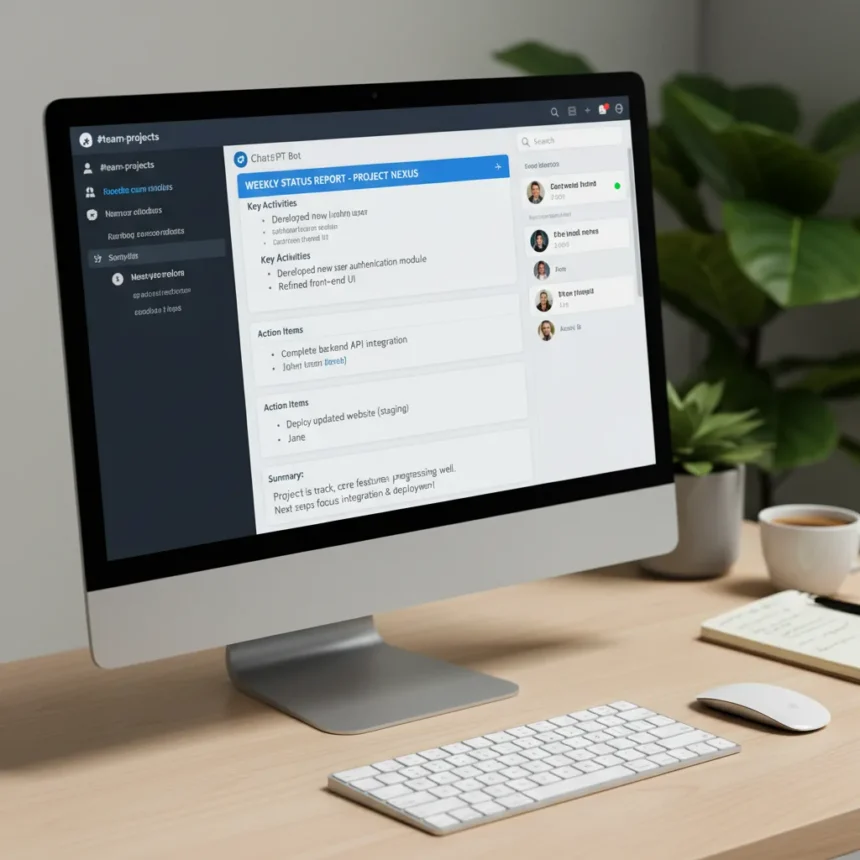
ChatGPT in Slack is an AI workflow that converts team conversations into structured weekly status reports, complete with summaries, action items, and progress updates. Rather than manually sifting through days of scattered messages, teams can now feed their chat history directly into ChatGPT and generate a polished report in minutes. This addresses a real workplace friction point: critical information lives in Slack, but extracting and organizing it for leadership remains tedious.
Key Takeaways
- ChatGPT in Slack automates the conversion of team chat into organized weekly status reports with summaries and action items.
- The workflow eliminates manual status report writing by processing existing team conversations automatically.
- ChatGPT Enterprise environments support Slack connectors alongside other business app integrations.
- This approach reflects a broader shift toward AI assistants embedded in collaboration tools rather than standalone interfaces.
- The integration works within Slack’s native permissions and workspace architecture, requiring no external tools.
How ChatGPT in Slack Solves the Status Report Problem
Status reports are a necessary evil in most organizations, yet they consume hours of employee time each week. Team members must recall what happened, organize it chronologically, flag blockers, and format it for consumption by managers and stakeholders. ChatGPT in Slack eliminates this manual labor by doing the work automatically. Feed the bot a week’s worth of channel messages, and it extracts the signal from the noise: completed tasks, in-progress work, decisions made, and risks identified. The result is a coherent narrative that would normally take 30 minutes to an hour to write by hand.
The appeal is immediate for distributed teams. Asynchronous communication means status information is already scattered across multiple threads, reactions, and message chains. ChatGPT in Slack collects all of it in one place and synthesizes it into a format that leadership can actually read. No more parsing emoji reactions or scrolling through tangential conversations. The AI understands context and prioritizes what matters.
Setting Up the Workflow
The basic workflow involves connecting ChatGPT to your Slack workspace, selecting the relevant channels or threads, and running a prompt that instructs the AI to generate a weekly summary. ChatGPT Enterprise-style environments provide Slack connectors that enable this kind of cross-app integration. Once connected, the system can collect messages from specified channels, process them through ChatGPT’s language model, and return a structured report. The exact steps depend on your ChatGPT plan and Slack workspace permissions, but the core process is straightforward: ingest chat data, transform it, and export the result.



The power of this approach lies in its flexibility. You can customize the report format—include only completed items, highlight blockers, add team member callouts, or organize by project. ChatGPT learns from the prompt you give it, so a well-written instruction yields a well-structured report. Teams that have tested this workflow report significant time savings and improved clarity on weekly progress, compared to traditional status meetings or written narratives.
ChatGPT in Slack vs. Standalone AI Tools
Other AI products attempt to solve the status report problem, but they typically operate outside your primary communication platform. Read.ai, for example, transforms meetings, emails, and messages into summaries and insights, but requires a separate interface. Superhuman Go connects to over 100 platforms, including Slack, and can draft status updates from meeting notes, offering broader integration but adding another tool to your stack. ChatGPT in Slack is different because it operates within the platform where conversations already happen. You do not need to export data, switch windows, or learn a new interface. The AI lives where the work is.



This in-platform approach also reduces friction for adoption. Slack is already open on your screen. Adding a ChatGPT command or bot is a single step, not a new subscription or workflow change. For teams already paying for ChatGPT Enterprise or a premium plan, the Slack integration may cost nothing extra. Competitor tools often require dedicated subscriptions or per-user licensing, making them slower to deploy across a team.
Practical Limitations and Considerations
No automation is perfect. ChatGPT in Slack works best when team chat is reasonably organized—clear channel topics, consistent naming conventions, and threads that group related messages. A chaotic Slack workspace with off-topic conversations and poor channel discipline will produce noisier reports. The AI will still try to extract meaning, but garbage in, garbage out remains a reality. Teams should audit their Slack hygiene before expecting pristine automated reports.
Privacy and data retention matter, especially for sensitive projects. When you feed Slack messages into ChatGPT, those messages are processed by OpenAI’s systems. ChatGPT Enterprise environments provide audit logs and workspace analytics for app integrations, with logs retained for 30 days by default on OpenAI’s side. If your organization has strict data residency or compliance requirements, verify that this workflow meets your standards before rolling it out. For most teams, the trade-off between time savings and data sharing is worthwhile, but it is a conversation worth having with your security team.
When ChatGPT in Slack Shines
This workflow is most valuable for teams with high communication volume and frequent reporting requirements. Engineering teams, product teams, and cross-functional projects generate the most chat. Marketing and customer success teams benefit too, especially those managing multiple client accounts or campaigns. Remote-first organizations see the biggest impact because they rely entirely on written communication—there are no hallway conversations to supplement the chat record. For these teams, ChatGPT in Slack transforms a tedious weekly ritual into a 5-minute copy-paste job.



The tool also works well for teams with rotating leadership or high turnover. New managers do not need to spend weeks learning who did what and when. The automated report provides historical context. Retrospectives become easier when you have a structured record of what was planned versus what actually happened. Teams can identify patterns—recurring blockers, missed deadlines, scope creep—by reviewing weeks of AI-generated reports side by side.
Is ChatGPT in Slack Right for Your Team?
Start small. Pick one team or project, run the workflow for a week or two, and evaluate the output. Does the report capture what matters? Are important items missing? Is the format useful for your stakeholders? Adjust your prompt and try again. The AI learns from feedback, so each iteration improves. If your team is drowning in status report writing and Slack is already your communication hub, ChatGPT in Slack is worth a serious trial. If your organization has strict compliance requirements or data sensitivity concerns, involve your security team in the decision before proceeding.
Can ChatGPT in Slack replace weekly standup meetings?
Not entirely. The automated report captures what happened, but it cannot replace the interpersonal communication and real-time problem-solving that happen in standups. However, it can reduce meeting time significantly. Teams can read the report asynchronously, then use the standup for discussion and decision-making rather than information sharing. This makes meetings more efficient and less painful for distributed teams across time zones.
What happens if someone writes off-topic messages in a Slack channel?
ChatGPT will include them in the raw data, but a well-written prompt can filter for relevant information. You can instruct the AI to ignore certain keywords, focus on specific threads, or exclude messages from particular users. The more structured your Slack workspace, the cleaner your output. Teams with poor channel discipline may need to do some cleanup before the workflow produces high-quality reports.
Does ChatGPT in Slack require a paid plan?
The exact pricing and plan requirements depend on your ChatGPT tier and Slack workspace setup. ChatGPT Enterprise environments support Slack connectors as part of their integration ecosystem, but specific pricing and availability details are not confirmed in the available sources. Contact your ChatGPT or Slack account representative to confirm what is available for your organization.
ChatGPT in Slack represents a meaningful shift in how teams handle administrative overhead. Rather than fighting the tools already in use, it amplifies them. Your team is already talking in Slack—why not let AI turn that conversation into the work product you need? For teams tired of writing status reports, this workflow is a significant shift worth testing.
Edited by the All Things Geek team.
Source: TechRadar