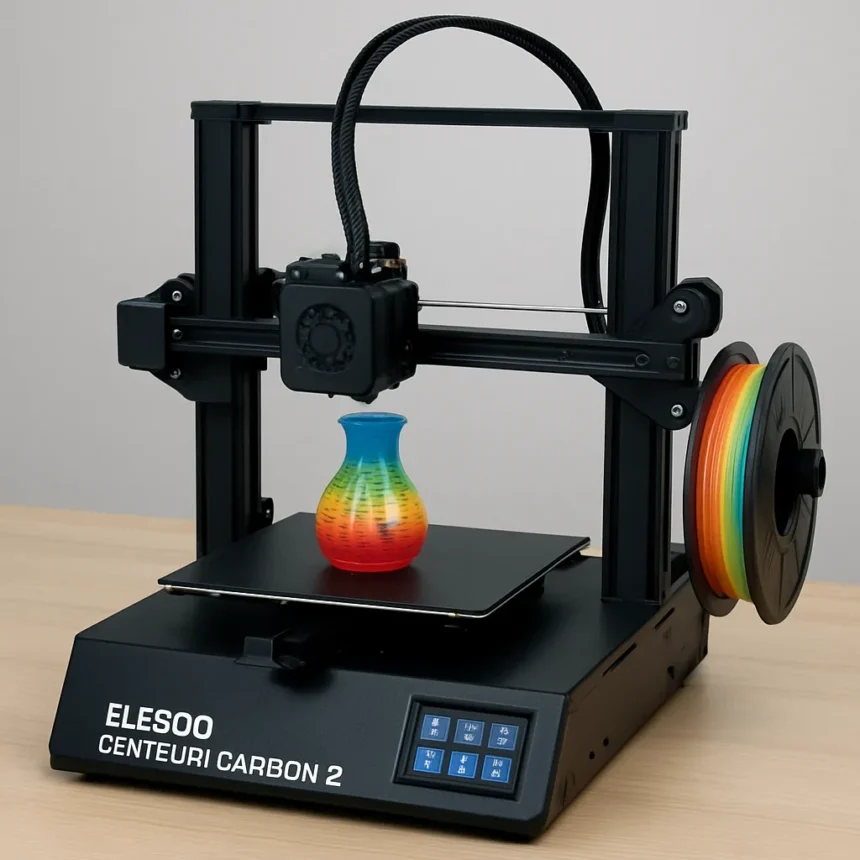
The Elegoo Centauri Carbon 2 is a fully enclosed CoreXY FDM 3D printer made by Elegoo, launched on January 26, 2026, priced at $449, and available through the Elegoo official store at us.elegoo.com. It is the first printer in this price range to pair a high-speed CoreXY chassis with a capable four-color printing system, and it makes a compelling case that multi-color printing no longer requires a premium budget.
What Makes the Elegoo Centauri Carbon 2 Stand Out
The headline feature here is the Canvas multi-color system, which supports up to four filament colors with instant switching via independent motor control and minimized feed paths. It is not just a passive switcher — Canvas includes RFID filament detection, auto refill, tangle prevention, clog detection, and filament runout alerts, making it a genuinely intelligent system rather than a bolted-on accessory. Four PTFE tubes run from the Canvas unit to the toolhead, a design approach similar to what Flash Forge uses on the AD5X, though Elegoo’s implementation has earned praise for reliability.
The printer itself is no slouch outside of multi-color work either. A direct drive extruder, hardened steel nozzle rated to 350°C, and a heated bed that reaches 110°C mean the Centauri Carbon 2 handles an impressive material range: PLA, PETG, TPU, ABS, ASA, PA, PC, PLA-CF, and ABA are all supported. That 350°C ceiling is a meaningful spec — many budget printers cap out far lower and cannot touch engineering-grade filaments like polycarbonate at all.
Speed, Quality, and Real-World Performance
On paper, a 500 mm/s max print speed and 20,000 mm/s² acceleration put the Centauri Carbon 2 in the same conversation as much pricier CoreXY machines. In practice, print quality on PLA, PETG, and TPU is clean and consistent straight out of the box, with one caveat: the default Z offset is set slightly too low, causing wavy first layers. The fix is simple — lower the bed by 0.025 mm — but it is the kind of out-of-box hiccup that should not exist on a machine at this price. TPU, notably, prints without requiring a Flexible Filament Printing Adapter, though some profile tuning helps.


The 256 × 256 × 256 mm build volume is a practical cube that suits most hobby and maker projects. Auto-leveling covers 121 points, and the full-auto calibration suite handles the rest: power loss recovery, bed overheat protection, and a part cooling fan drop alert round out a safety and reliability package that punches well above $449. TechRadar awarded the printer 29 out of 30 overall, with a performance score of 4.5 out of 5. Hackster.io put it plainly: the Centauri Carbon 2 is reliable and its print quality is on par with Bambu Lab and every other competent CoreXY model on the market.
How the Elegoo Centauri Carbon 2 Compares to Bambu Lab
Bambu Lab has dominated the enthusiast CoreXY market for the past few years, and its multi-color AMS system remains the benchmark. The Centauri Carbon 2 does not dethrone it — Bambu’s ecosystem, software polish, and brand trust are still advantages — but the gap in print quality and speed is far narrower than the price gap suggests. Where Bambu Lab multi-color setups typically cost significantly more, the Centauri Carbon 2 Combo lands at $449 and delivers comparable dimensional accuracy and material flexibility. For makers who want multi-color results without flagship pricing, that is a genuinely compelling trade-off.



Compared to the original Centauri Carbon, the CC2 brings a larger 5-inch color touchscreen, a better glass front door, improved lighting, an upgraded camera with AI detection, and a repositioned nozzle wiper and waste bin. The home position has also moved to the back left, which improves workflow during multi-color purge cycles. These are not cosmetic updates — they are the kind of iterative refinements that make a printer genuinely easier to live with day to day.
Is the Canvas Multi-Color System Actually Reliable?
The honest answer is: mostly yes, with some visual caveats. Tom’s Hardware noted that the Canvas system looks a bit awkward physically, even as it performs reliably. NotebookCheck confirmed that with the CC2, Elegoo has brought multi-color printing to the budget segment in a meaningful way. VoxelMatters called it incredible for the price, citing smooth-running software on the Nexprint platform. The ElegooSlicer software is the recommended slicer and supports STL, OBJ, 3MF, and STEP file inputs, outputting standard G-code. The system connects via USB drive, Wi-Fi, or LAN, and the onboard camera with AI detection adds a layer of remote monitoring that was previously only found on more expensive machines.
Is the Elegoo Centauri Carbon 2 good for beginners?
Yes, with a small caveat. The full-auto calibration, 121-point auto-leveling, and guided setup through the Nexprint platform make it accessible to newcomers. The one out-of-box adjustment — correcting the Z offset — is a minor fix that any beginner can handle with a quick settings change. Elegoo also describes the printer as family-friendly, and the enclosed design with a glass front door keeps filament fumes and moving parts contained.
What filaments can the Elegoo Centauri Carbon 2 print?
The Centauri Carbon 2 supports PLA, PETG, TPU, ABS, ASA, PA, PC, PLA-CF, and ABA. The hardened steel nozzle reaches 350°C, which is hot enough for engineering-grade materials like polycarbonate and carbon-fiber composites. The heated bed tops out at 110°C, and the fully enclosed build chamber helps maintain consistent temperatures for warp-prone filaments like ABS and ASA.



How loud is the Elegoo Centauri Carbon 2?
Noise levels are described as relatively low and suitable for home or small office use, aided by vibration-compensating feet that reduce resonance during high-speed printing. This is a genuine quality-of-life advantage for anyone running long print jobs in a shared space.
The Elegoo Centauri Carbon 2 is the most convincing argument yet that multi-color FDM printing has crossed into mainstream affordability. It is not perfect — the Z offset quirk and the slightly ungainly Canvas unit are real criticisms — but at $449 with Bambu Lab-level print quality and a genuinely capable four-color system, it is the budget multi-color printer to beat in 2026. If you have been waiting for the right moment to upgrade to multi-color printing, this is it.
Edited by the All Things Geek team.
Source: Creativebloq